Stonex R25/R25LR Total Station - User Manual 89
8.11. 2D-road
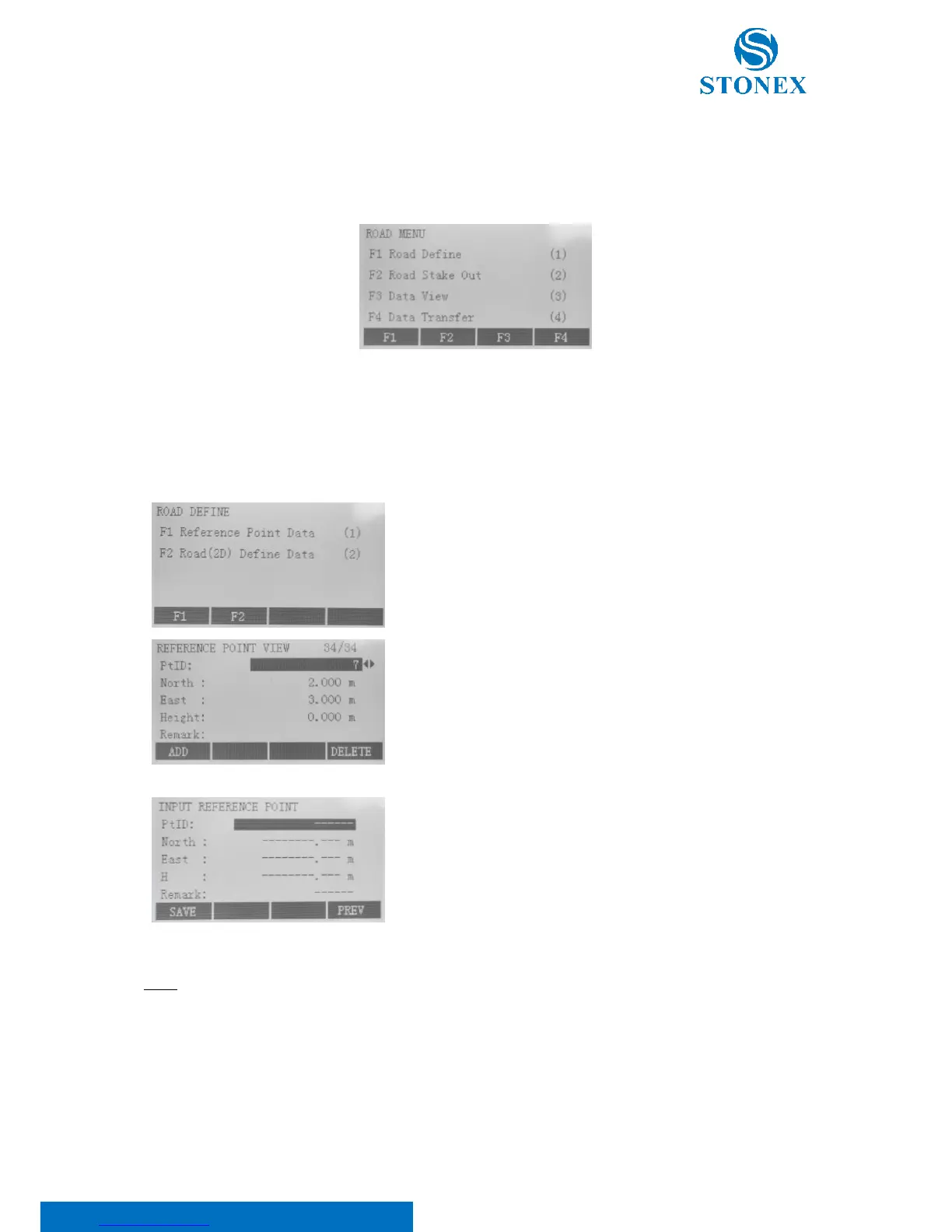
Start the program “2D-Road” to enter the road menu which includes Road Define, Road Stake Out, Data View and
Data Transfer.
8.11.1. Road define
Press F1 key to enter the road define menu.
Reference point data
Then press F1 “Reference Point Data”. Point here means reference
point that can be used for setting station and orientation.
In the dialog of reference point view the existing reference points can
only be available for scan and deletion but not for edit. Press:
• F1[ADD] to input of new reference point, as shown in the
below figure;
• F4[DELETE] to delete current displayed reference point.
Erased data can’t be resume.
In the input reference point dialog, press F1[SAVE] to save the new
input of reference point; F4[PREV] to return to road define menu.
NOTE: under input reference point mode, press the {ESC} fixed key to withdraw and return to reference point view
menu.



 To Next Page