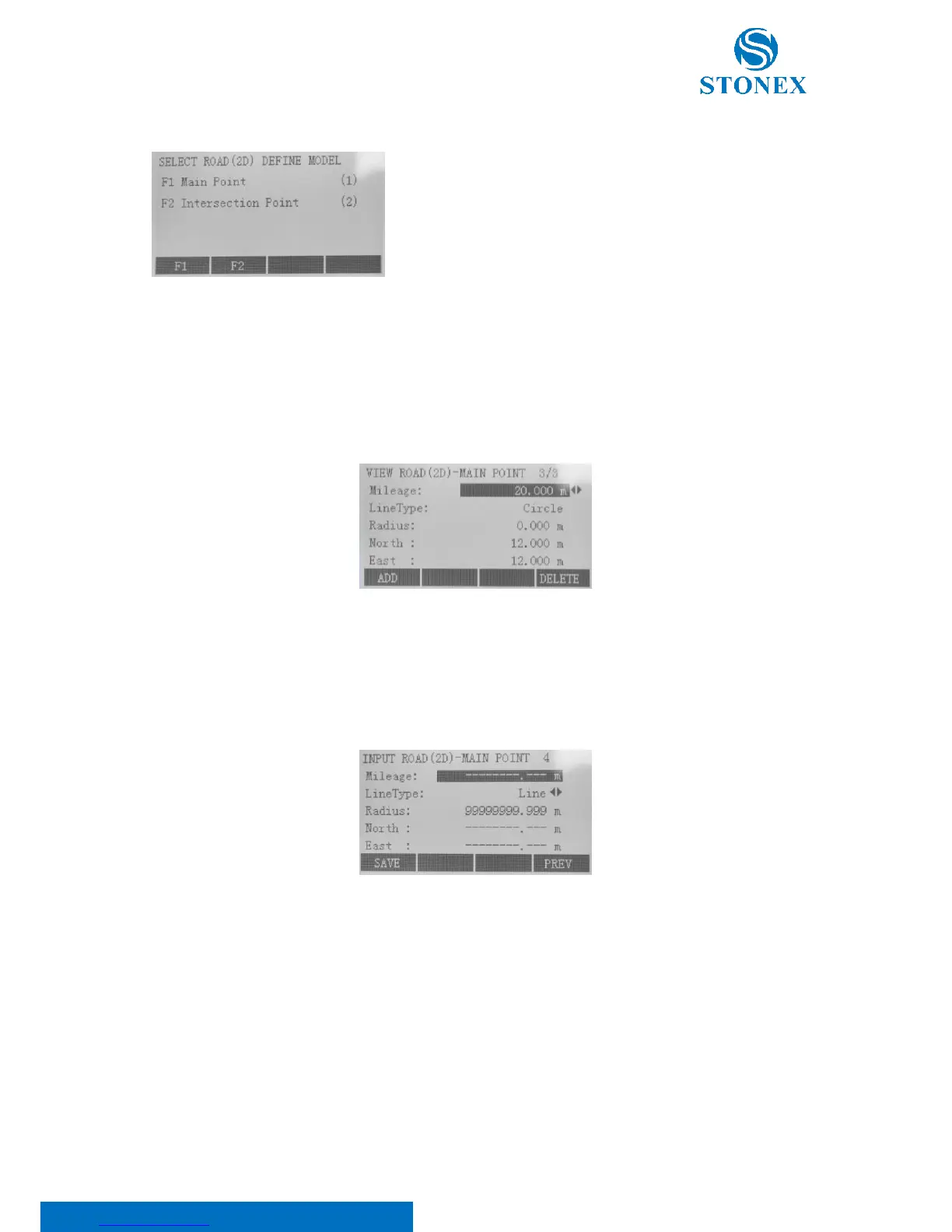
Press F2 “Road(2D) Define Data”. This application is used to describe
and determine road centerlines. As shown, there are two models
available for Road(2D) definition: “Main Point” and “Intersection
Point”.
1. Main Point:
Press F1 key. This application utilizes main point information relative to the line to describe the entire road.
Main point is the key point where the line type changes along with the line. It includes start point, end point
and so on. This method can solve any complicated line type including ramp.
In the “View road(2D)-main point” dialog, press:
• F1[ADD] to input new main point. After inputting, press F1[SAVE];
• F2[EDIT] to modify the selected point;
• F4[DELETE] to delete current displayed main point. Erased data can’t resume.
Here:
Mileage is the stake mark of main point on the road centerline. Within the input format can’t be included
certain characters “K”, “k” and “+” etc. For example, 2224.224 can be input instead of K2+224.224;
Line Type is the line type of route preceding main point (Big stake mark direction) can be selected from
four options: Line, Circle (Round Curve), Spiral (Easement Curve) and End Point;
Radius: except the end point of route, the “Radius” of any point represents the radius of curvature (“R”
in the below figure) of one side preceding main point (Big stake mark direction). When route turns left,



 To Next Page