Stonex R25/R25LR Total Station - User Manual 103
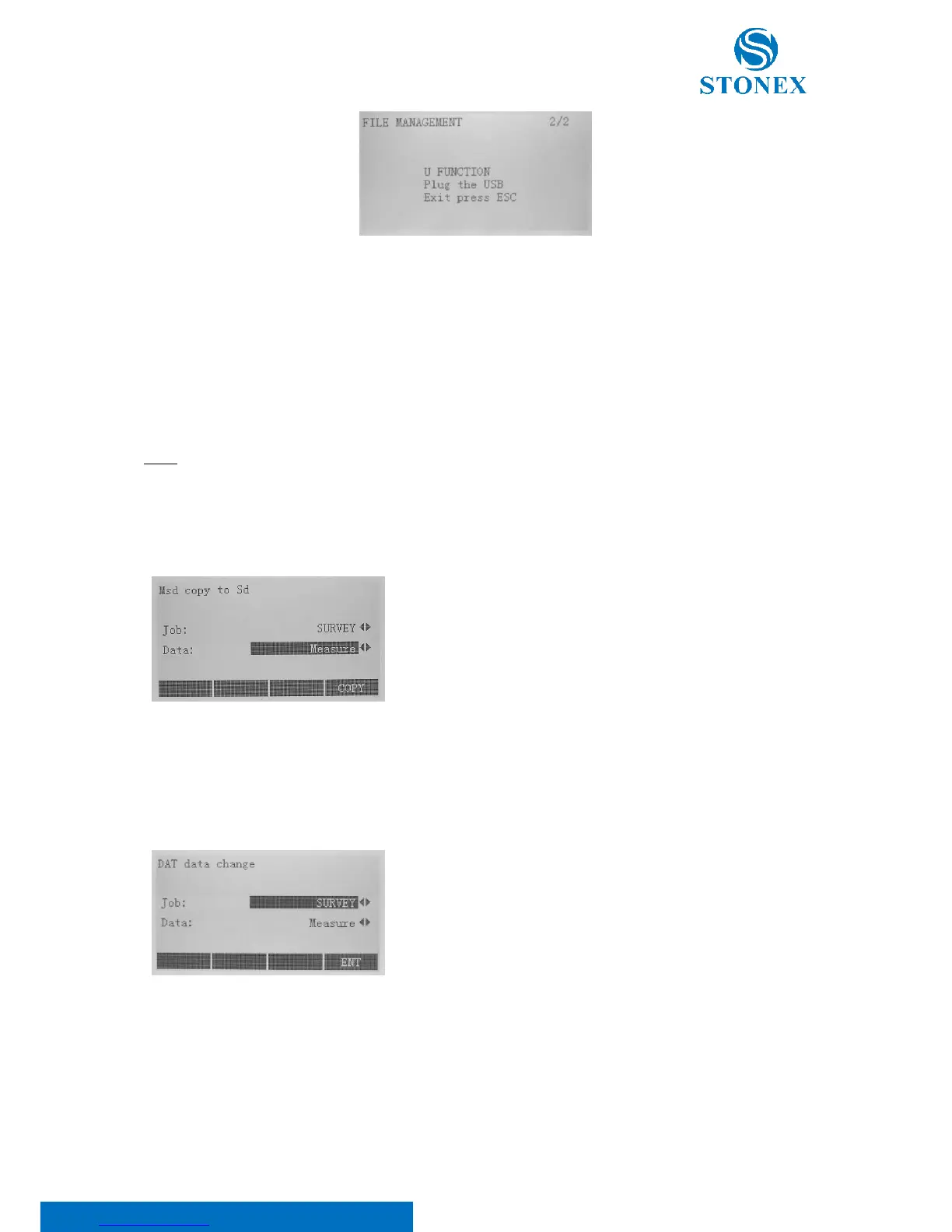
Conveniently, plug flash disk into the USB interface for data sending and selecting. By USB connection you can see
the internal memory of the Total Station like a hard disk. The internal structure is of following type:
• FILE: directory with the survey jobs;
• LEAD: directory with the lead measurement files;
• CODE: directory with the code files;
• ROAD: directory with the road files.
NOTE: the USB connection is possible only following the above instructions.
9.1.9. File copy
Press F1 in the third page of the file management menu.
This function gives the possibility to copy a survey job from internal
MSD to external SD. Please note that it is not possible to do the
opposite operation. Only Survey files can be exported using this
option. Select the Job and the Data which you want to copy using
◄/► keys and press F4[COPY]
9.1.10. DAT data change
This function can be used to convert measured point or known points into .DAT format.
Select the Job and the Data which you want to copy using ◄/► keys
and press F4[ENT].
“Measure” and “Known Points” are available as data types.
If you connect the instrument with your computer, through the USB function, the converted measure data are stored
in the “CASSMEAS” folder; the converted known point are in the “CASSCORD” folder.
9.2. Data transfer
Press the {MENU} key and F3[DOWNL] at the second page of the menu to transfer data via RS232 port.



 To Next Page