Stonex R25/R25LR Total Station - User Manual 41
calculation. If there exist less than 2 valid measurements, the values can’t be calculated, and the following message
appears “Need two measure values!”
Main Settings: it enables you to change the most important settings which all exist in Settings (see 5.2. Settings).
Tracking: switch on or off the tracking measurement mode. The new setting is displayed for approximately one
second and then set. The function can only be activated from within the same EDM mode and prism type. The last
active measurement mode remains set when the instrument is switched off.
Light On/Off: turn on/off display illumination (the same function can be activated from the Star settings, see 5.1.
Basic settings).
Off_Ang: turn on/off the angle offset measurements. It is useful, in the surveying program, to get the final
coordinate of points, where prism can not be set up.
Units: in the 4
th
page of the function menu the current distance and angle units are displayed. Change them by
◄/► keys, see 5.2. Settings.
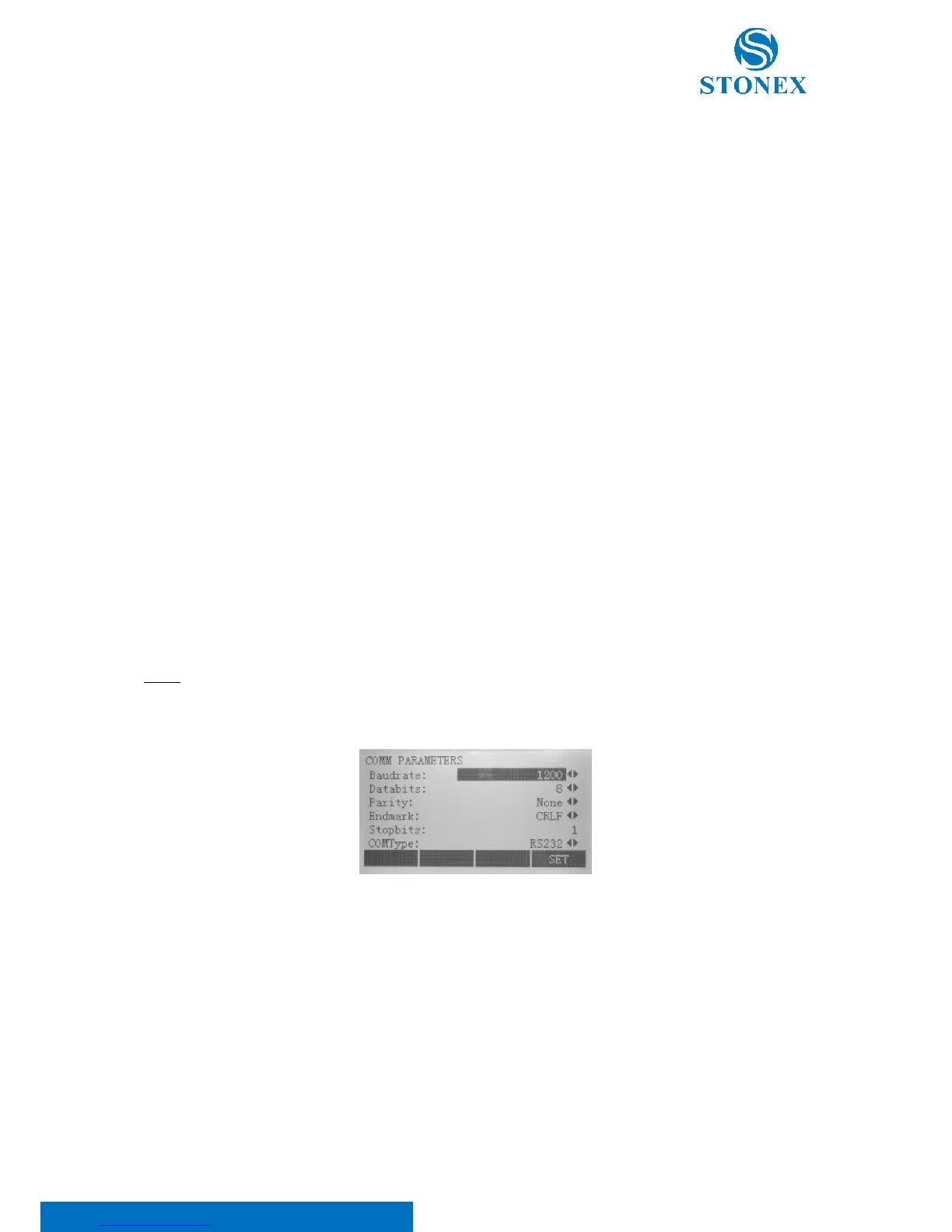
5.5. Communication port setting
Please set communication parameters before connecting your computer. Press {MENU} key on panel to enter the
menu mode. Press {PAGE} key to scroll the page and F2[COM] to modify the communication parameters.
NOTE: The values have to be set in the same way as on your computer.
Press ▲/▼ keys to select items and ◄/► to set options:
Baudrate: it is the data transfer speed. Choose between 1200/2400/4800/9600/19200/TOPCON/SOKKIA.
Data bits: choose between:
• 7: Data transfer is realized with 7 data bits. It is set automatically if parity is "Even" or "Odd";
• 8: Data transfer is realized with 8 data bits. It is set automatically if parity is "None".
Parity: choose between “Even” or “Odd” if data bits is set to 7, “None” if data bits is set to 8.
Endmark: choose between:
• CRLF: Carriage return; line feed;



 To Next Page