Stonex R25/R25LR Total Station - User Manual 40
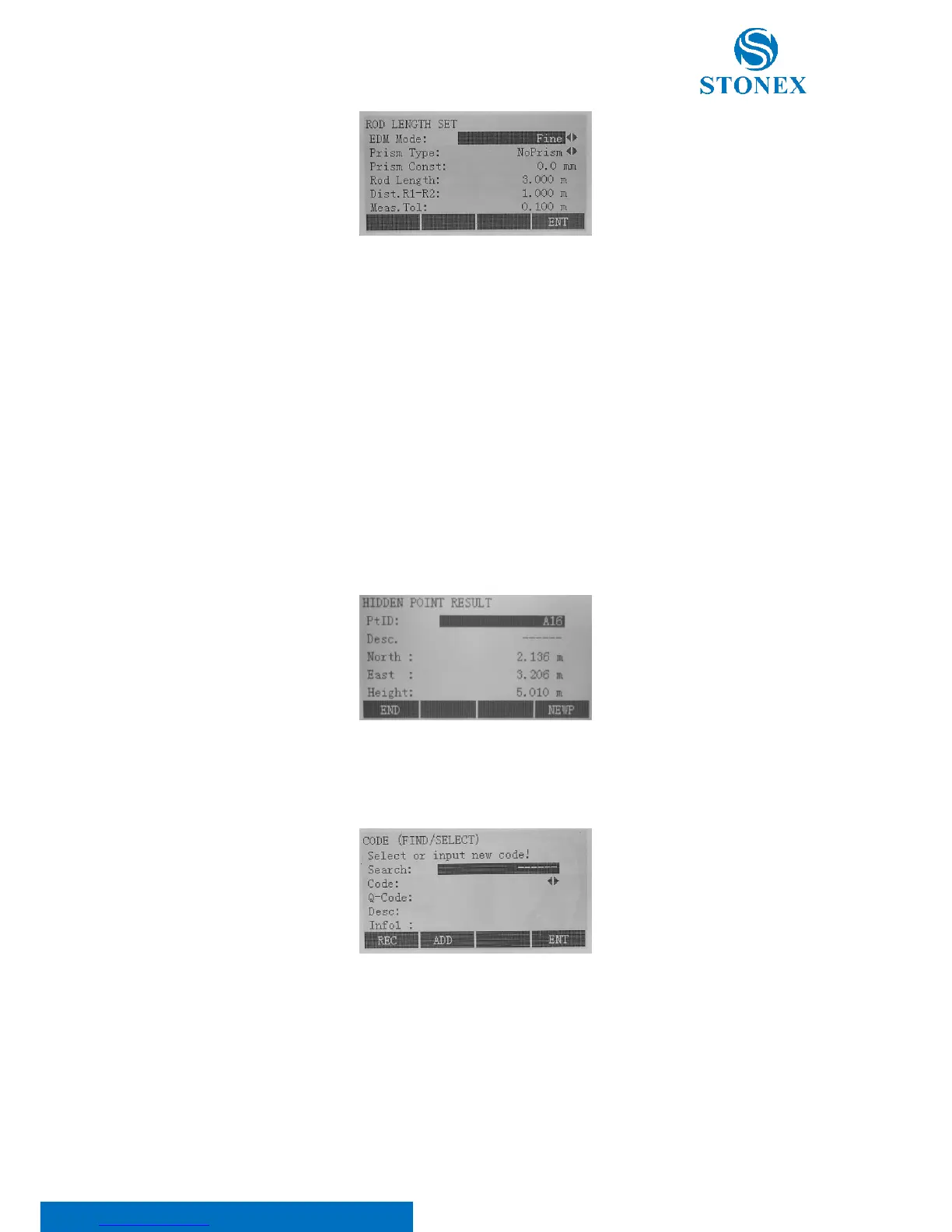
• EDM Mode: change the EDM Mode (see 5.3. EDM settings for more details);
• Prism Type: change the prism type (see 5.3. EDM settings for more details);
• Prism Const: display the prism constant. It is possible to edit it only if the “User Define” option is set
in “Prism type” (see 5.3. EDM settings for more details);
• Rod Length: define the total length of hidden-point rod;
• Dist. R1-R2: define the space between the centers of reflector R1 and prism R2;
• Meas. Tol: define the limit for the difference between the given and measured spacing of the reflectors.
If the tolerance value is exceeded, the program will eject a warning.
Press F4[ENT] to save and turn to the previous page.
Measure the first prism pressing the F1[ALL] key. It will be asked to measure the second prism: to do that, press
again F1[ALL]. Otherwise, if you want to re-measure the first prism, select F4[PREV]. Results are displayed:
Press F1[END] to return calling application; press F4[NEWP] to return the procedure beginning.
Free-Coding: select code from the code list or enter a new code.
Laser Pointer: switch on or off the visible laser beam for illuminating the target point. The new settings are displayed
for about one second and then saved.
Check Tie: calculation and display of the slope and horizontal distance, height difference, azimuth, grade, and
coordinate differences between the last two measured points. Valid distance measurements are required for the



 To Next Page