Stonex R25/R25LR Total Station - User Manual 91
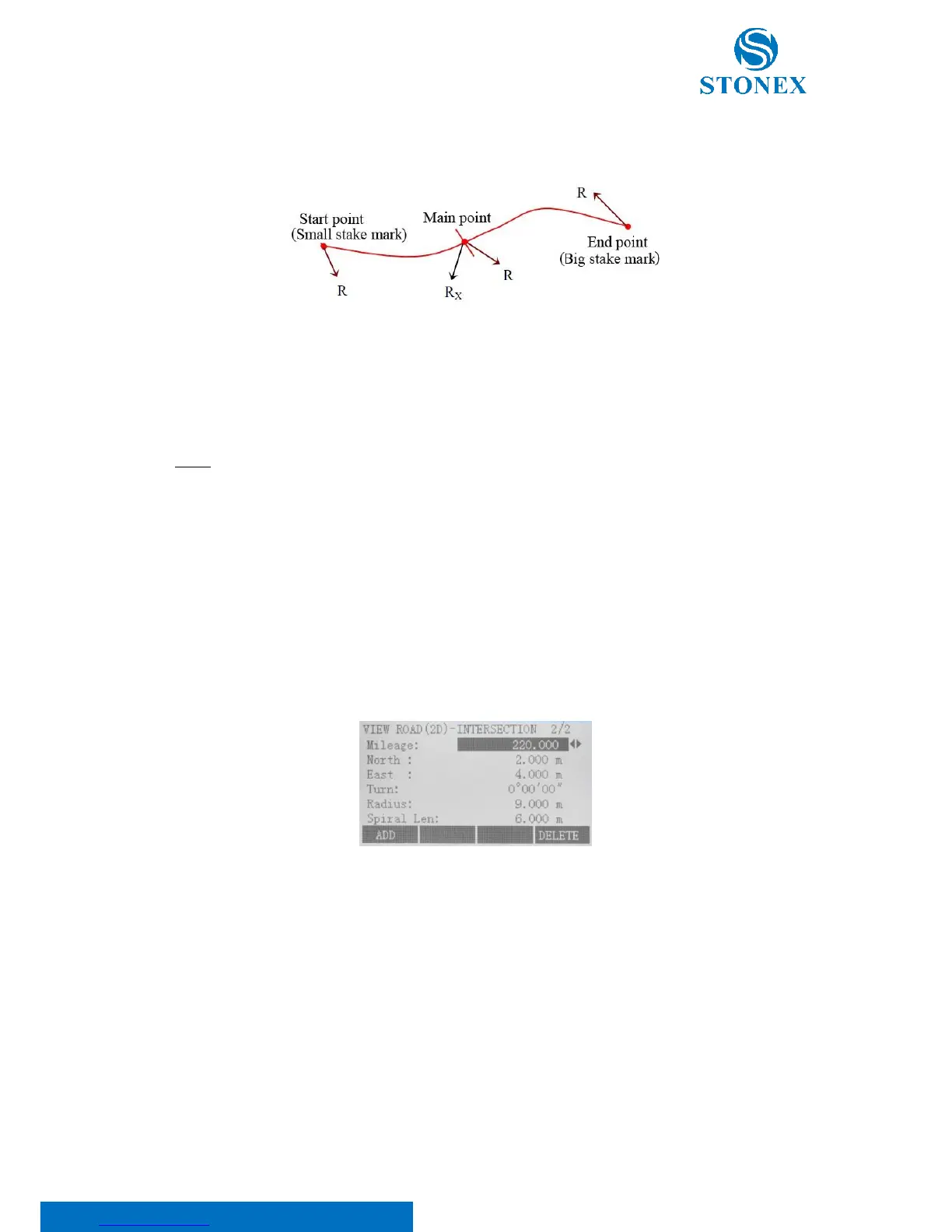
the radius will be negative; When route turns right, the radius will be positive. When radius of curvature
is infinite, the radius value should be set to: 99999999.999 or -99999999.999;
North is the ordinate of main point;
East is the abscissa of main point.
Press F1[SAVE] to save the new input of main point or F4[PREV] to return to Road Define menu.
NOTE: under main point inputting mode, press the {ESC} fixed key to withdraw and return “View Road (2D)
Main Point”.
2. Intersection Point
Press F2. This application is to describe the entire road with information of intersection point of the route. This
method is appropriate for the line type whose intersection points are symmetrical and start point and end point
of the route must be on the straight-line segment or its vertex points. That intersection points are symmetrical
means their corresponding tangent lines are equal long.
In the “View road (2D)-intersection” dialog, press:
• F1[ADD] to input of new intersection point. After inputting, press F1[SAVE];
• F2[EDIT] to modify the selected point;
• F4[DELETE] to delete current displayed intersection point and other intersection points whose mileage
is larger than the current one, the erased data can’t resume. It's worth noting that, different from main
point method, pressing DELETE key may lead to erase of several intersection points.



 To Next Page