Stonex R25/R25LR Total Station - User Manual 13
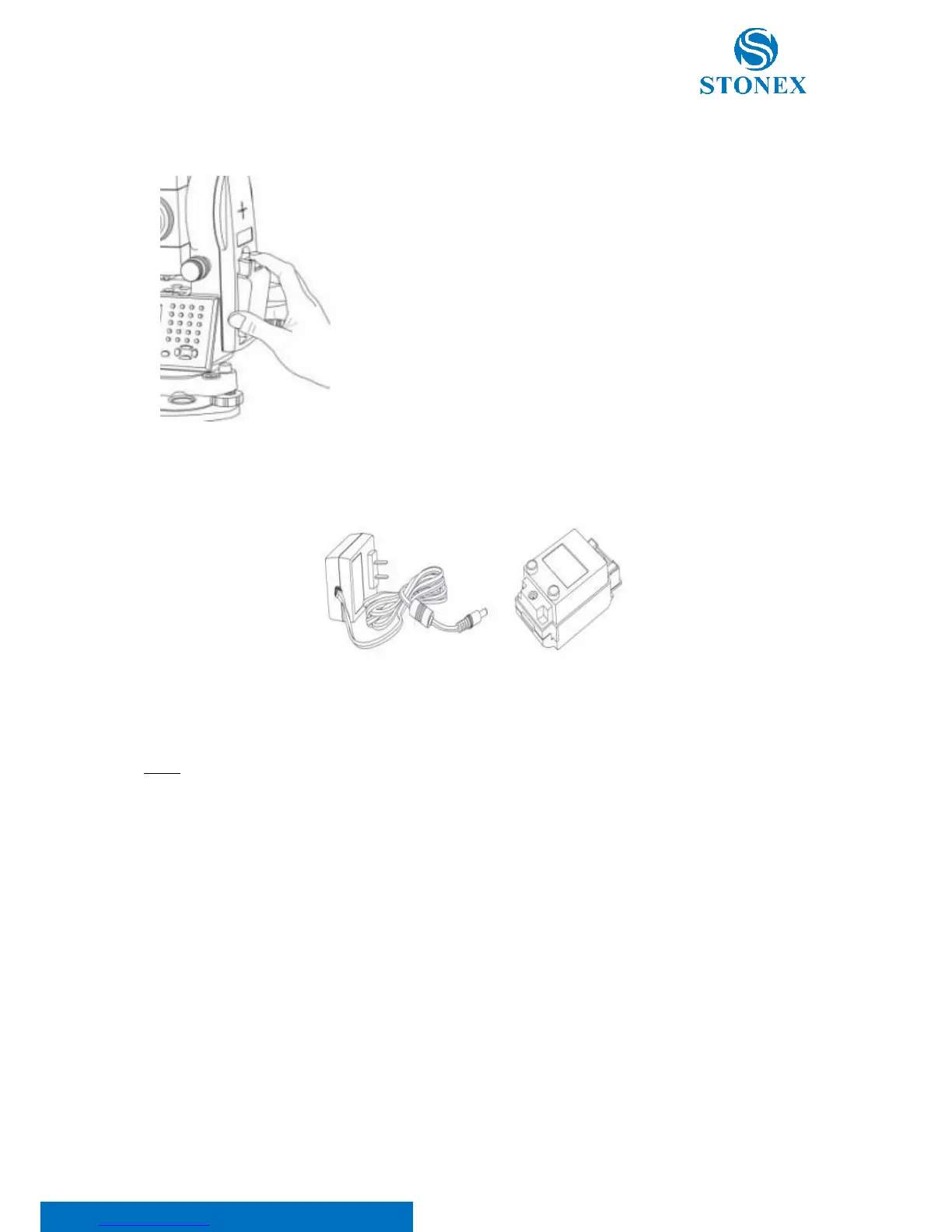
3.2.2. Replace the battery
3.2.3. Recharge the battery
As above figures show, connect the charger and the battery, then plug the charger into the outlet of 100V-240V AC
power supply, recharging will begin.
NOTE:
• For a new (or long time no use) battery, in order to fully extend its capacity, it is absolutely necessary
to carry out 3 to 5 complete charging/discharging cycles, and the charging time must be 10 hours at
least each time.
• The indicator light on the charger will illuminate three separate colors for varies mode conditions:
o Solid Red Light — indicates that the charger is working;
o Solid Green Light — indicates that the charge has finished;
o Flashing Red Light — indicates no battery on charging; poor connection or some problems exist.
• It is recommended to continue charging for 1 or 2 hours after the light turns green.
• Once the red-light flashes constantly after the charger is plugged into the outlet of 100V-240V AC
power supply, please remove the battery and reconnected it after 3 or 5 min.
1) Remove the battery
- Press the button downward as shown left;
- Remove the battery by pulling it toward you.
2) Mount the battery
- Insert the battery to the instrument;
- Press the top of the battery until you hear a Click.



 To Next Page