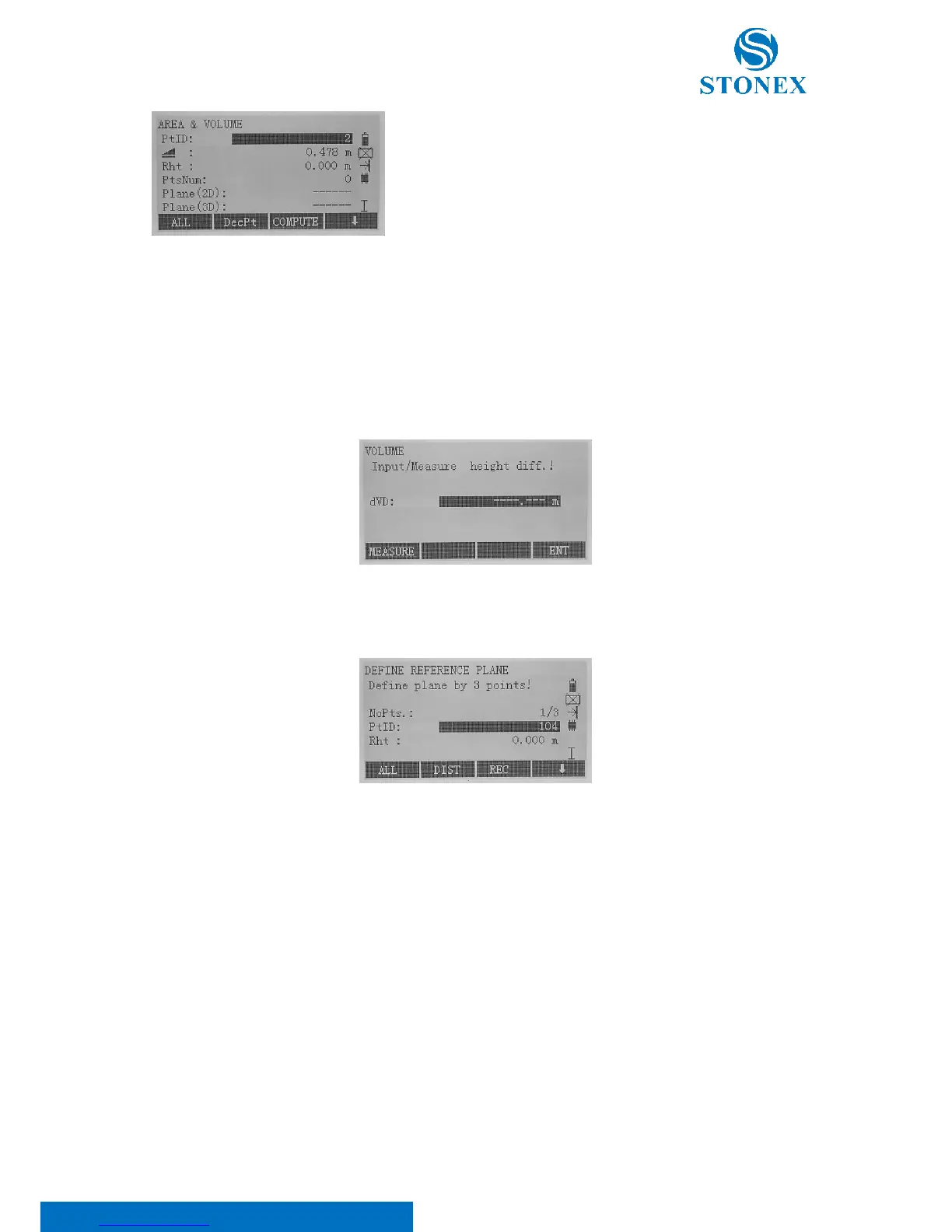
Choose between the following softkeys (scroll the black bar at the bottom of display using F4[ ↓ ] key:
• [ALL]: Edit the point name (PtID) and height (Rht) and press [ALL] to start measuring.
• [DecPt]: Undo measurement or selection of last point.
• [COMPUTE]: Display and record additional results (perimeter, volume).
• [VOLUME]: Calculate a volume with constant height which has to be input in the “dVD” row or
measured through the F1[MEASURE] key.
• [Def. 3D]: Define the sloped reference plane by measuring ([ALL] or [DIST]+[REC] softkeys), selecting
([LIST] softkey) or editing ([ENH] softkey) three points.
• [FIND]/[LIST]: Search for point from internal memory.
• [ENH]: Input the coordinates manually.



 To Next Page