Stonex R25/R25LR Total Station - User Manual 70
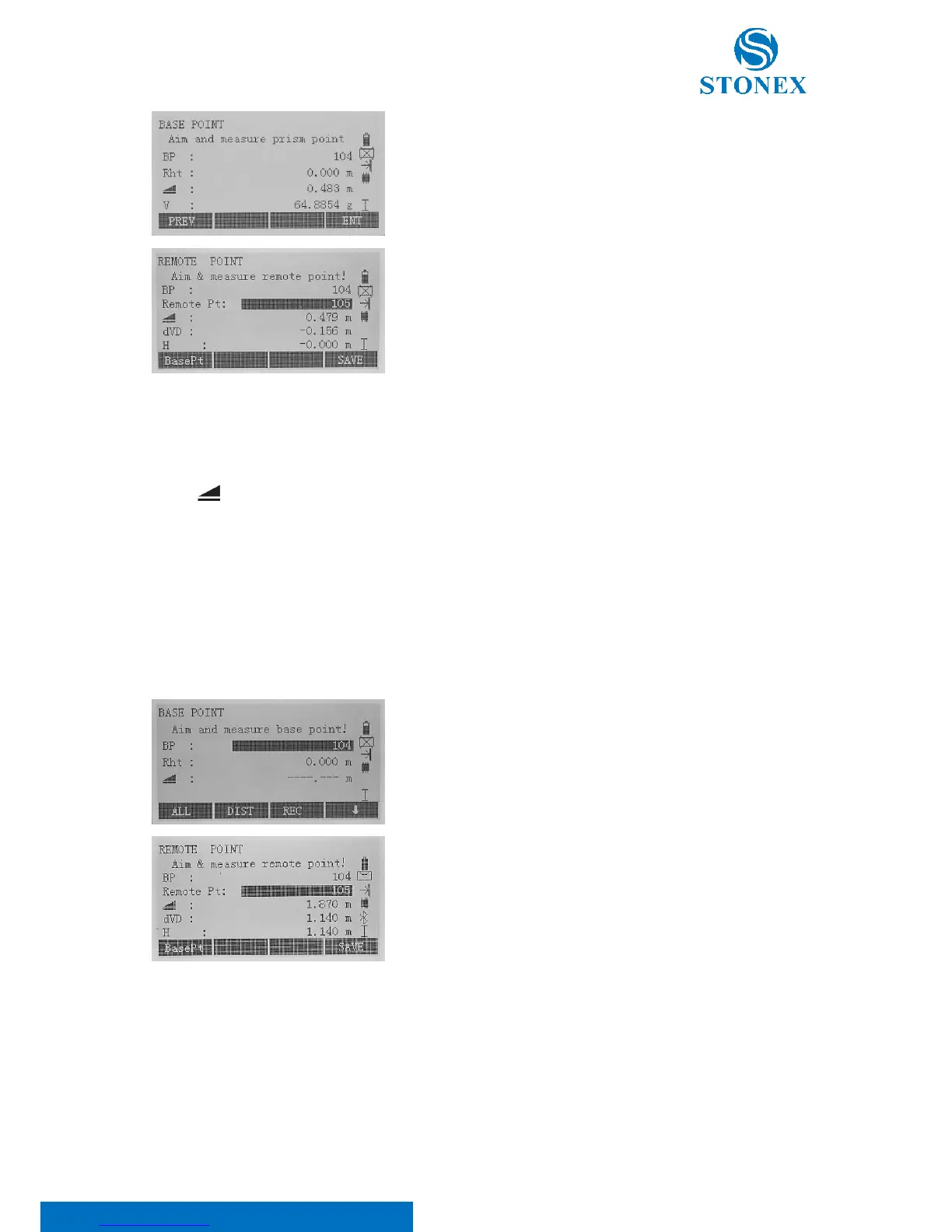
Aim the top of prism and confirm with F4[ENT].
Aim at inaccessible remote point.
On the display:
BP indicates the base point name;
Remote Pt indicates the remote point name;
indicates the horizontal distance;
dVD is the height difference between the ground and the inaccessible remote point;
H is the height with respect to the prism.
Edit the remote point name and save the measured data pressing F4[SAVE]. Otherwise, press F1[BasePt] to input
and start measuring a new base point.
Height with respect to the base point
Press F1[ALL] or F2[DIST]+F3[REC] to start measuring base point.
Then, aim at inaccessible remote point
On the display the same items as in the previous method are shown,
except for the H which, as dVD, is the height difference between the
ground and the inaccessible remote point.
Edit the remote point name and save the measured data pressing F4[SAVE]. Otherwise, press F1[BasePt] to input
and start measuring a new base point.



 To Next Page