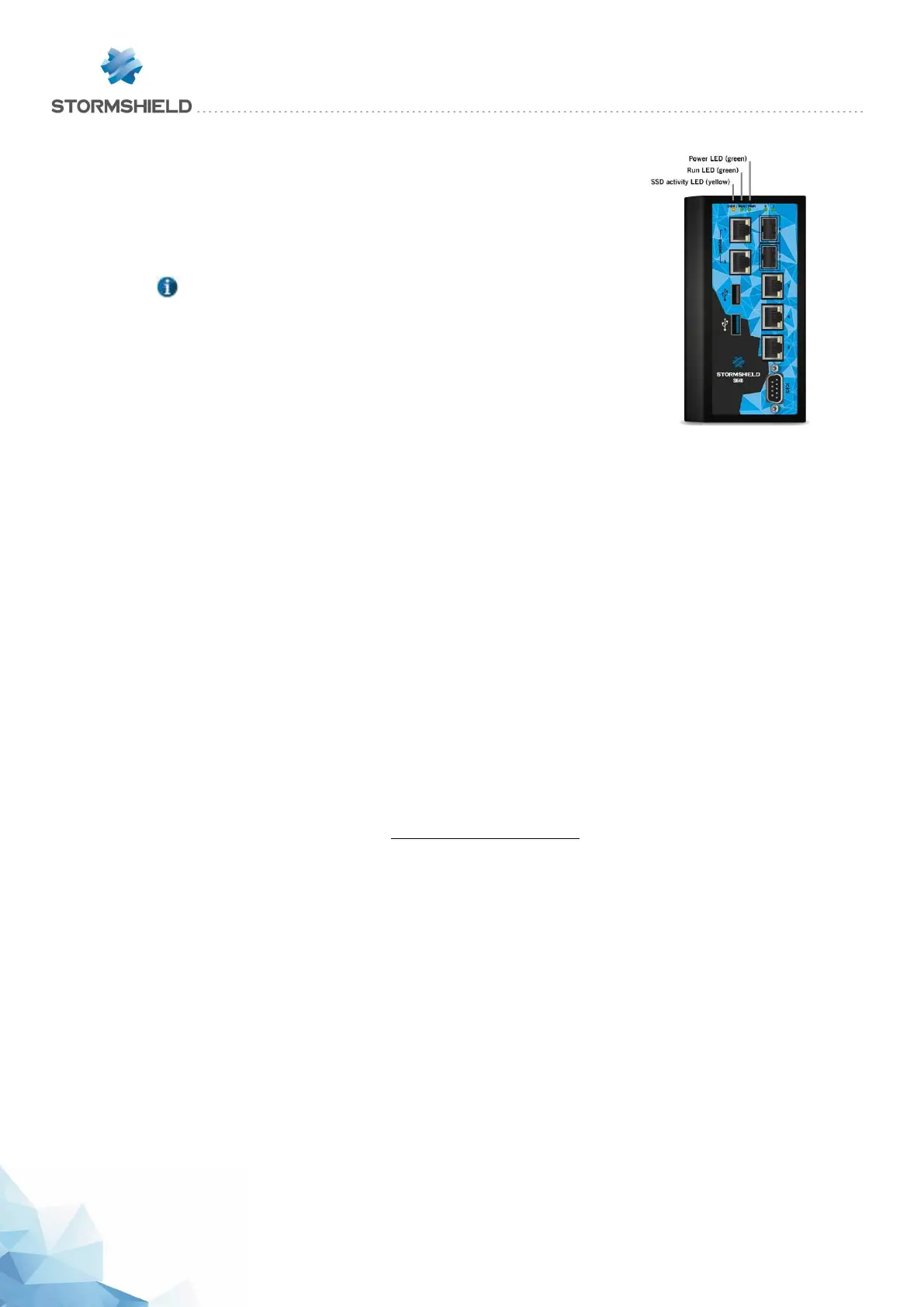
Starting up SNi40 models
Once your Firewall has been powered up, it will automatically start up.
Wait a few minutes for both LEDs – Power and Run to light up.
NOTE
If necessary during startup, you can insert a USB key containing a
configuration. Console mode will display the following message:
“Please insert your USB token to continue”.
The lit Run LED will indicate the end of the product’s startup phase.
Initial connection to the appliance
A security procedure must be followed if the initial connection to the appliance takes place
through an untrusted network. This operation is not necessary if the administration workstation is
plugged in directly to the product.
Access to the administration portal is secured through the SSL/TLS protocol. This protection
allows authenticating the portal via a certificate, thereby assuring the administrator that he is
indeed logged in to the desired appliance. This certificate can either be the appliance’s default
certificate or the certificate entered during the configuration of the appliance (Authentication >
Captive portal). Depending on the model, it is signed by default by the authority with the name:
l NETASQ: CN=serial number of the appliance, O=Secure Internet Connectivity, OU=NETASQ
Firewall Certification Authority.
l Stormshield: CN=Stormshield Products Root CA, O=Stormshield, OU=Cloud Services, C=FR,
L=Issy-Les-Moulineaux.
To confirm a secure access, the browser must trust the certificate authority that signed the
certificate used, which must belong to the browser’s list of trusted certificate authorities. Therefore
to confirm the integrity of an appliance, the certificate authority must be added to the browser’s
list of trusted certificate authorities before the initial connection. Depending on the model, the
corresponding authority is available on these links:
http://pki.stormshieldcs.eu/netasq/root.crt
http://pki.stormshieldcs.eu/products/root.crt
If a certificate signed by another authority has been configured on the appliance, this authority
will need to be added instead of the default authority.
As a result, the initial connection to the appliance will no longer raise an alert in the browser
regarding the trusted authority. However, a message will continue to warn the user that the
certificate is not valid. This is because the certificate defines the Firewall by its serial number
instead of its IP address. To stop this warning from appearing, you will need to indicate to the DNS
server that the serial number is associated with the IP address of the Firewall.
SNS - PRODUCT PRESENTATION AND INSTALLATION 2019
INITIAL CONNECTION TO THE PRODUCT
Page 49/66 sns-en-SNrange_installation_guide-2019 - 09/2019



 To Next Page