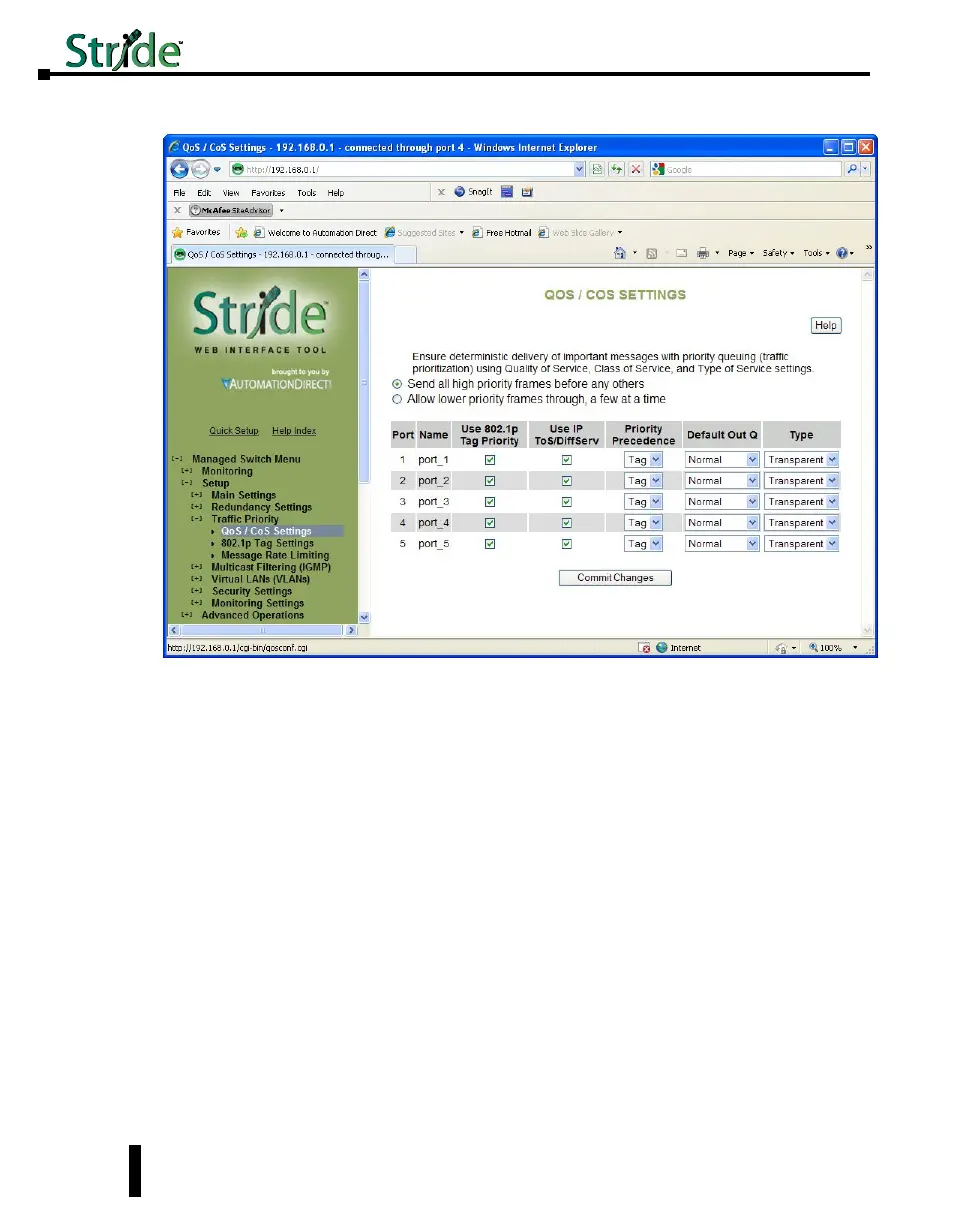
QoS / CoS Settings
Use 802.1p Tag Priority: This setting controls whether the switch will honor IEEE tags if
present in frames. When enabled, tagged data will routed to an outbound priority queue
based on the configure tag mapping (See below). Disable this setting to ignore IEEE tags on
all in-coming frames.
Use IP ToS/DiffServ: This setting controls whether the switch will honor priority fields in
the IP header. When enabled, and not overridden by an IEEE tag, data will be routed to an
outbound priority queue based on IPv4 Type of Service or Ipv6 Traffic Class. The priority
queue will be the IP priority field value divided by 64. Disable this setting to ignore IP
priority fields.
Priority Precedence: This setting controls which priority mark – IEEE tag or IP header –
takes precedence if both are present and enabled. It has no effect if either Use Tags or Use IP
is disabled.
Default Out Q: This setting controls the default priority to be assigned to frames when it
cannot otherwise be determined. For example, if a frame without an IEEE tag arrived at a
port where Use IP was disabled. Select an out-bound priority queue from the list.
Port Type: This setting controls how IEEE tags are handled in out-going data:
• Transparent: Maintains any tag that may have been present in a frame when it entered the switch.
• Edge: Removes tags from all out-going frames.
4-30
Chapter 4 - Managed Switch Software Setup
Stride Industrial Ethernet Switches User Manual 2nd Ed. Rev. A


 To Next Page