Stride Industrial Ethernet Switches User Manual 2nd Ed. Rev. B
Chapter 2 - Managed Switch Quick Start
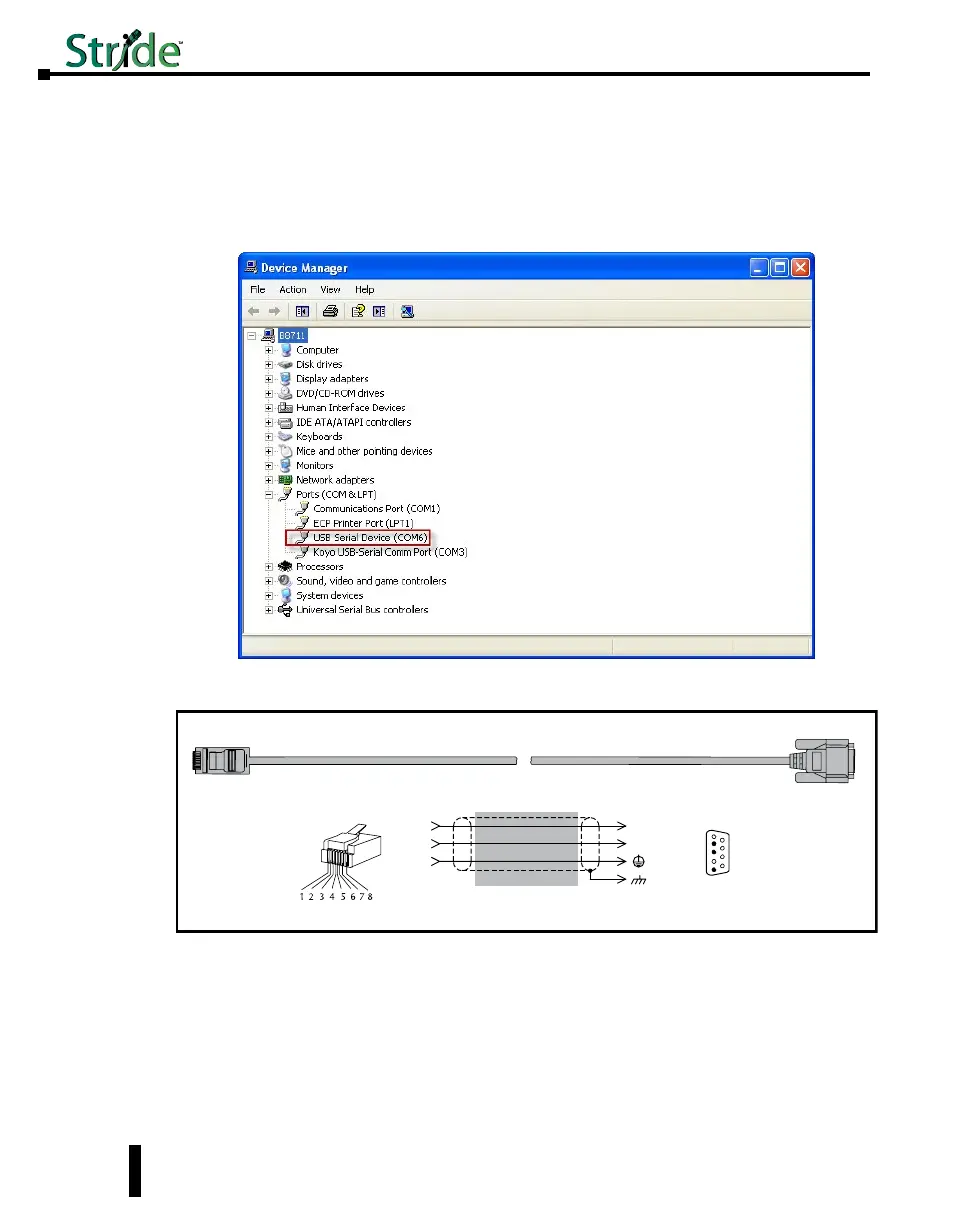
To locate which COM Port has been assigned to the switch, click on “Start” menu in the
PC taskbar and choose “Control Panel”. Double click on the “System” icon. Select the
“Hardware” tab.
Click on the “Device Manager” button and then expand the “Ports (COM & LPT)” option
on the left hand side and you should see a “USB Serial Device” with a COMxx beside it.
This will be the COM port number that you will select with your Terminal software tool.
PC to switch using Serial Port:
Serial Configuration Cable
Switch RJ-45
Serial Port
PC Serial Port
6
1 = do not use
2 = RXD
3 = TXD
4 = do not use
5 = Signal GND
6 = do not use
7 = do not use
8 = do not use
9 = do not use
5
4
TXD
RXD
GND
2
3
5
1
RXD
TXD
shield
Wiring Diagram
Note: Use the above wiring diagram to make your own cable. We recommend using 22 AWG shielded cable.
1 = do not use
2 = do not use
3 = do not use
4 = Signal GND
5 = RXD
6 = TXD
7 = do not use
8 = do not use
RJ45 8-pin
Phone Plug
(8P8C)
9-pin
D-sub
(female)
1
9
In addition to the USB console port, the switches have an RJ45 console port. The RJ45
console port can connect to a -pin serial port on your PC. A driver does not need to be
installed.
2-8



 To Next Page