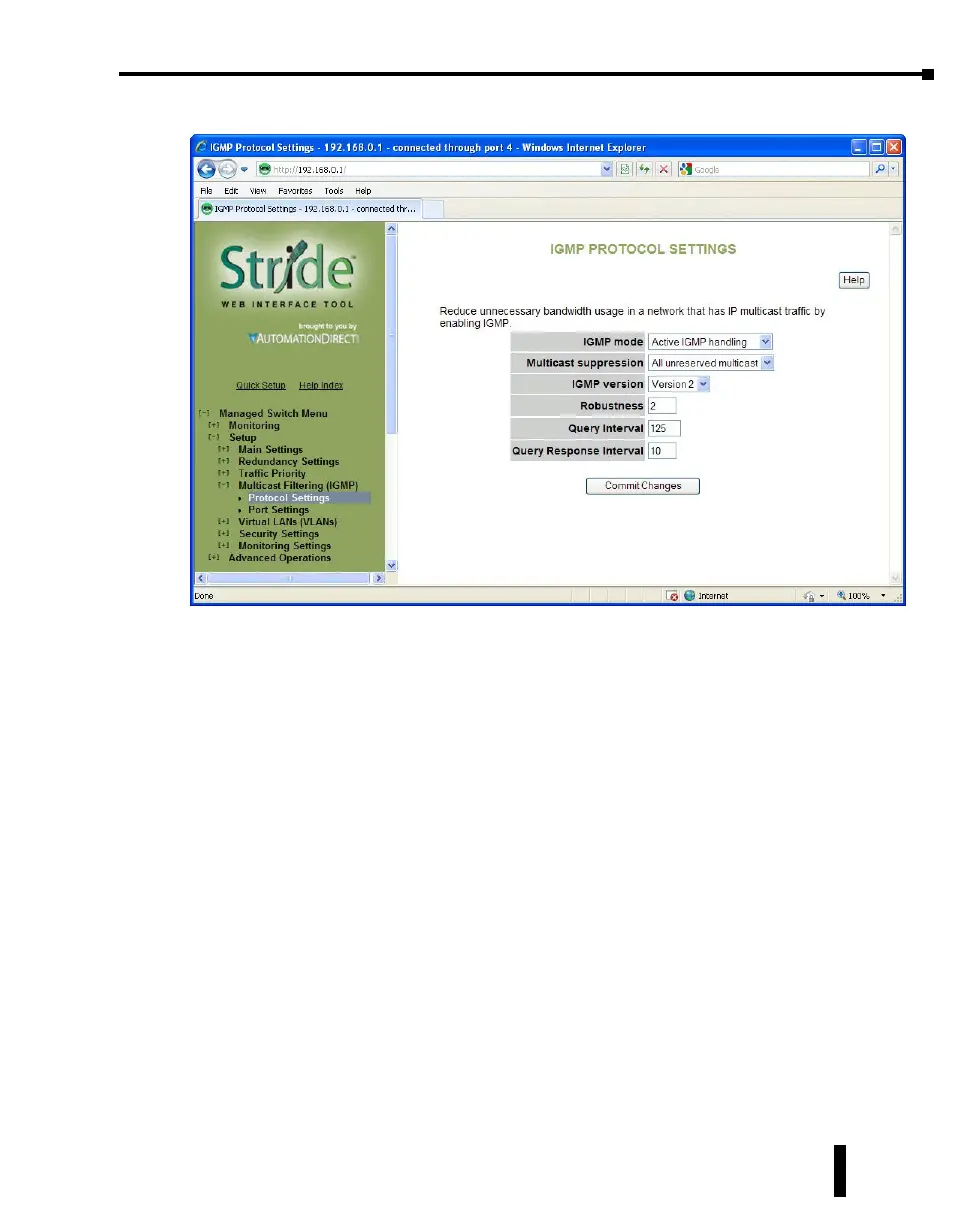
IGMP Protocol Settings
The default settings will allow the switch to regognize members of a multicast group and
forward the multicast message to only members of that group.
IGMP Mode: This setting controls how the switch handles IGMP messages to determine
how to forward multicast traffic.
• IGMP Disabled: Causes the switch to ignore IGMP messages. All multicast traffic will
be sent to all ports.
• Passive IGMP handling: Causes the switch to listen to IGMP messages and configure
forwarding of multicast traffic accordingly.
• Active IGMP handling: Causes the switch to act as an IGMP router, sending queries
when needed and configuring multicast forwarding according to IGMP membership
reports.
Multicast suppression: This enhanced feature can intelligently suppress multicast packets
that no host has requested with IGMP.
• None: Multicast packets will be sent to all ports unless IGMP is enabled and one or
more clients have sent IGMP Report requests.
• IP multicast groups: Multicast packets corresponding to IP multicast groups (with MAC
addresses starting 01:00:5e) will be suppressed unless one or more clients have sent IGMP
Report messages. Multicast packets with other addresses will be sent to all ports.
• All unreserved multicast: Multicast packets with reserved multicast addresses
(01:80:c2:00:00:0x where x is 0..f) will be sent to all ports. All other multicast packets
will be suppressed unless one or more clients have sent IGMP Report messages.
4-37
Chapter 4 - Managed Switch Software Setup
Stride Industrial Ethernet Switches User Manual 2nd Ed. Rev. A


 To Next Page