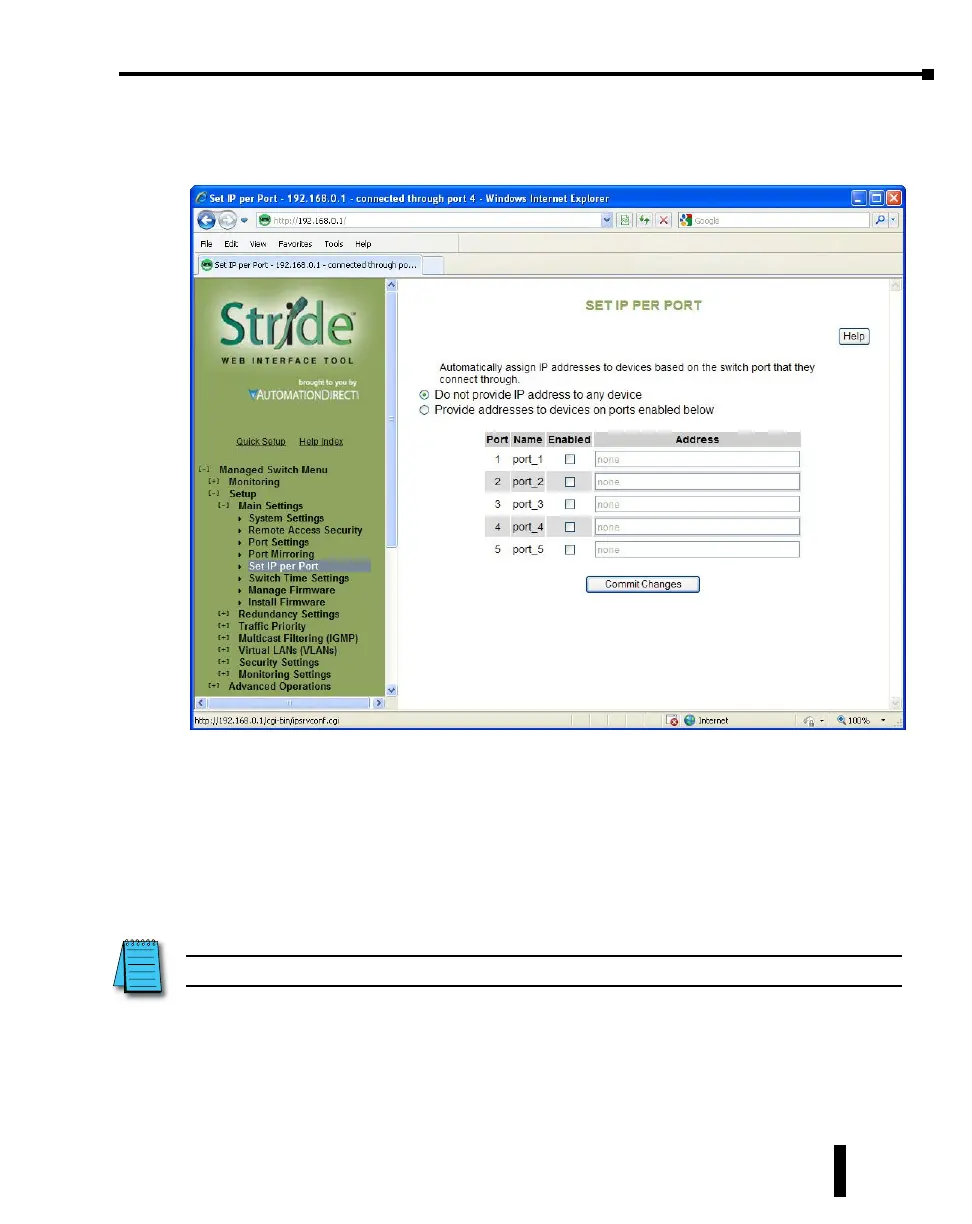
Set IP per Port
The switch may provide an IP address to one device on each network port. This feature may
be turned on and off for the whole switch and individually controlled for each port.
This feature is not a DHCP service. With Set IP per Port enabled on a port, the switch will
respond to a DHCP request on that port with an IP address only.
For the feature to function properly, the host and network must meet the following criteria:
1. A single host must be directly connected to the switch port.
2. The host must not require a Subnet Mask to be offered.
3. The host and network must not require a Default Gateway to be offered.
4. There must be no other DHCP server on the network.
5. VLAN’s must not be configured on the network.
NOTE: Productivity3000, ECOM/ERM modules and C-more panels require a Subnet Mask in the DHCP.
4-9
Chapter 4 - Managed Switch Software Setup
Stride Industrial Ethernet Switches User Manual 2nd Ed. Rev. A



 To Next Page