Stride Industrial Ethernet Switches User Manual 2nd Ed. Rev. B
Chapter 2 - Managed Switch Quick Start
USB and Serial connection to switch with Terminal Software Program:
The software terminal program used for this tutorial will be TeraTerm. Any serial terminal
software should work fine. TeraTerm is free and can be downloaded from www.teraterm.org.
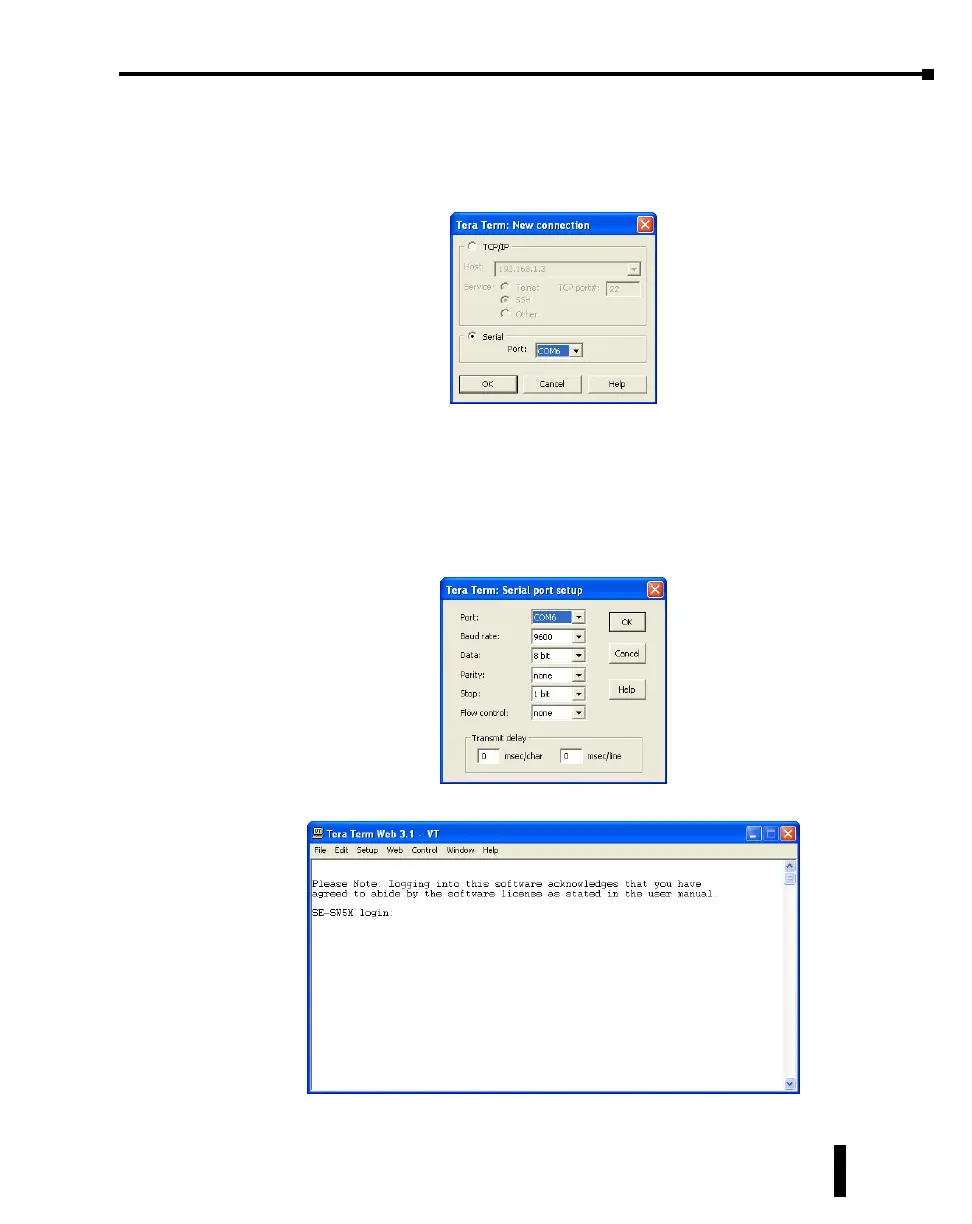
1. Open the TeraTerm software and choose Serial and the COM port connected to the switch.
2. Configure the terminal program to connect to the switch with the following parameters:
a. Baud rate: 9600
b. Data bits: 8
c. Parity: None
d. Stop bits: 1
e. Flow control: None
3. Press Enter to get the prompt shown below.
2-9



 To Next Page