Stride Industrial Ethernet Switches User Manual 2nd Ed. Rev. B
Chapter 3 - Managed Switch Software Monitoring
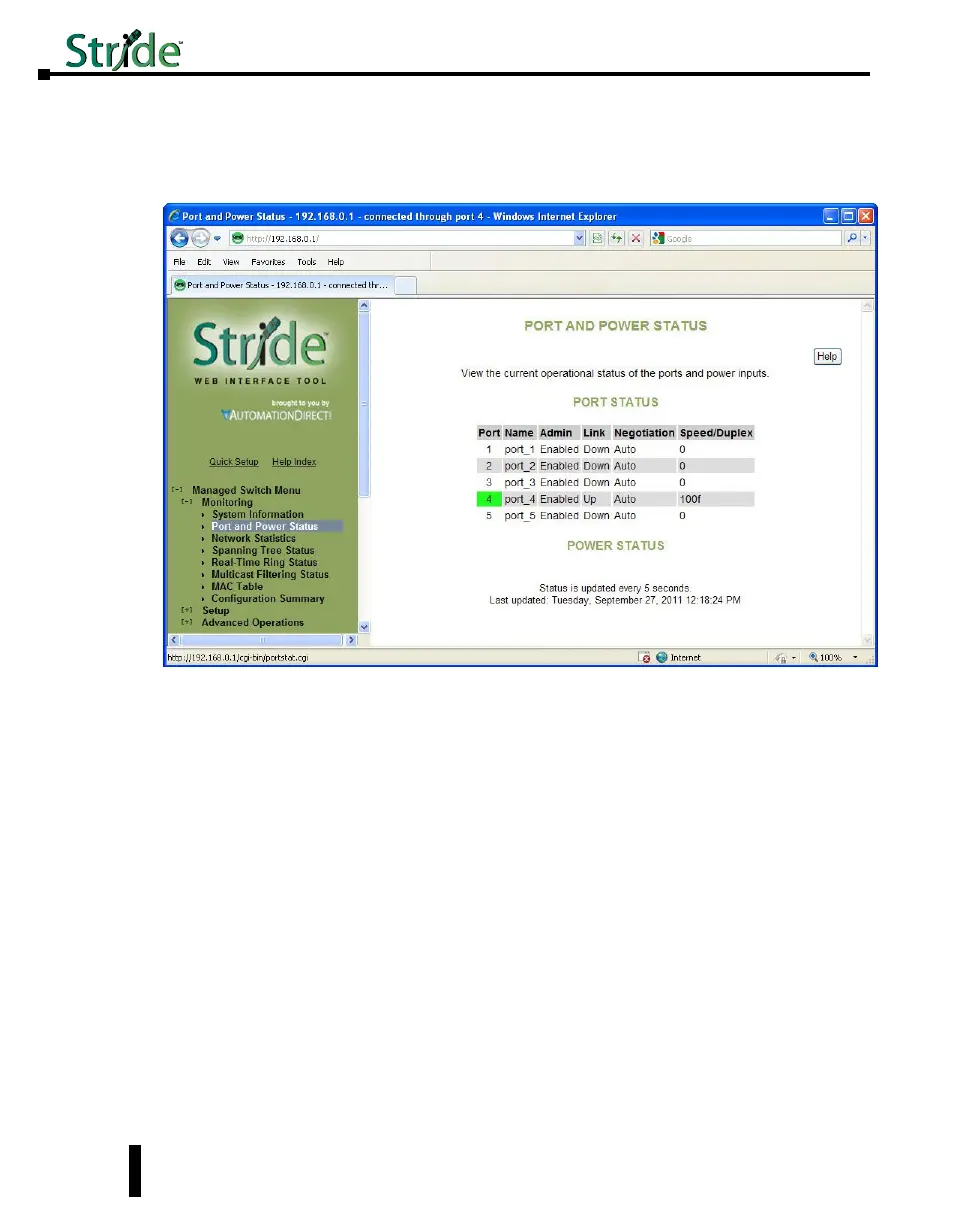
Port and Power Status
The current status of each port and the Power and Ok terminal status can be viewed in this
section.
Port Status: The status for each port can be viewed in this section. Some of the information
shown for the ports is configured through the “Port Settings” tab of the Main Settings
section. If the negotiation settings have been set to Auto, this tab will show what settings
were negotiated between the switch and the attached device. On this page, the color
highlighting the port number indicates the speed:
Yellow = 10 Mbps
Green = 100 Mbps
Red = 1000 Mbps
Power Status: There are 2 power input terminals for the input 24VDC. This tab will show
which terminals have power. This tab will also show if the criteria for enabling the OK
output is true or false. The configuration for this output is configured in the “Alarm (OK)
Output” tab of the Monitoring Settings section.
3-4



 To Next Page