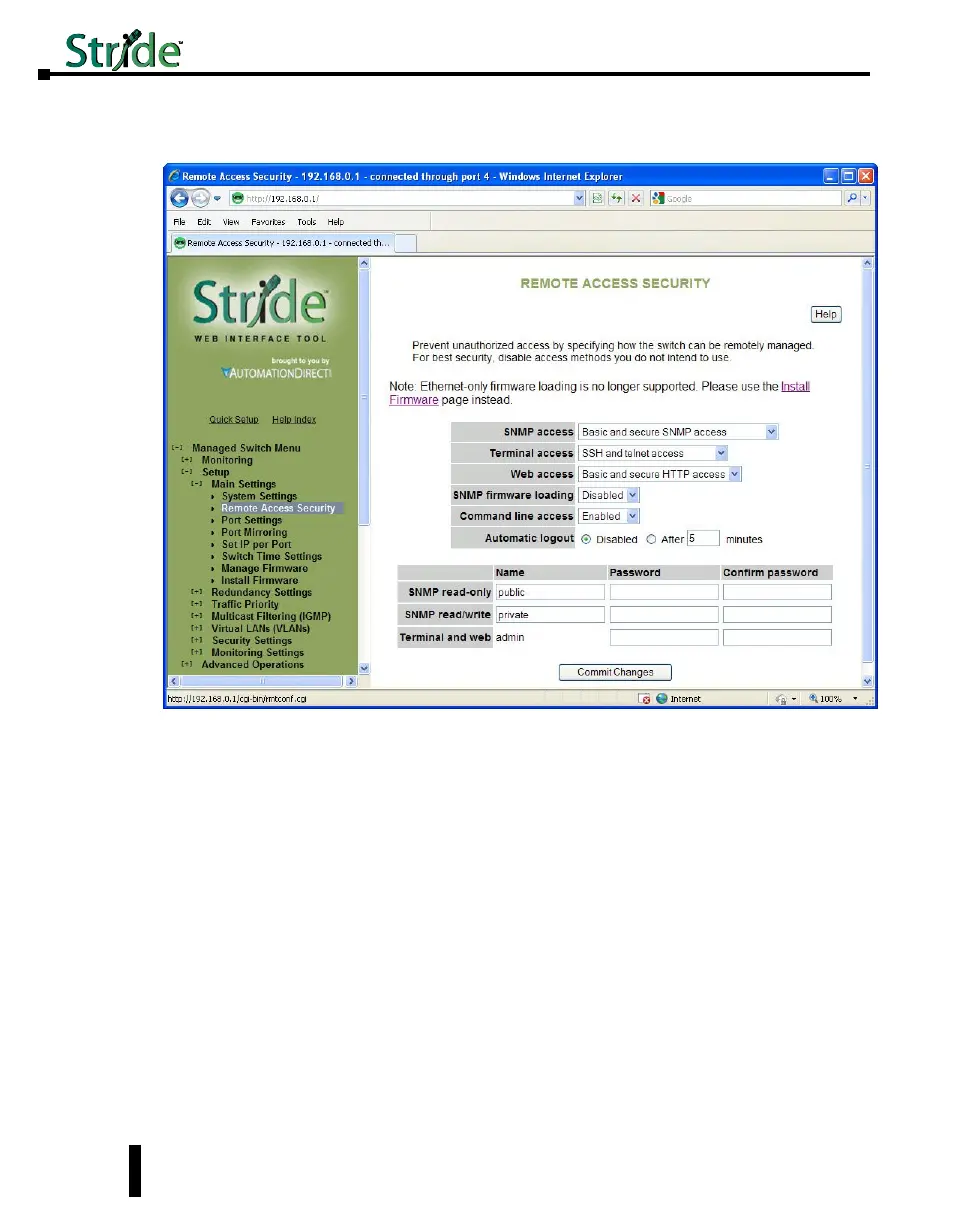
Remote Access Security
This screen allows you to set your remote access security settings.
SNMP Access: Choose the level of SNMP access to allow.
• None: No SNMP access allowed.
• SNMPv1 & SNMPv2 access (no passwords): SNMP v1 and SNMPv2 access with community
string (None) sent in clear text and no password required.
• SNMPv3 access: SNMPv3 access with encrypted password.
• Basic and secure SNMP access: SNMPv1, SNMPv2 and SNMPv3 access allowed.
Terminal access: Choose the type of terminal access to allow
• None: No terminal access to the switch will be allowed.
• Non-secure access via telnet: Non-secure access via telnet protocol. Remote access is possible
through this protocol, although all information being transacted between server and client will be
sent as clear text. Should security be of concern, use the Secure Shell protocol instead.
• Secure access via SSH: Secure access can be achieved through the use of the Secure Shell protocol
(SSH), which implements strong authentication and secure communications using encryption.
Using this protocol will ensure that your login information never gets sent as clear text, keeping the
switch protected against possible attacks coming from the network.
4-4
Chapter 4 - Managed Switch Software Setup
Stride Industrial Ethernet Switches User Manual 2nd Ed. Rev. A



 To Next Page