Stride Industrial Ethernet Switches User Manual 2nd Ed. Rev. B
Chapter 1 - Hardware
Installation, Metal Case Switches
Overview
These industrial Ethernet switches can be snapped onto a standard 35 mm x 7.5 mm height
DIN rail (Standard: CENELEC EN50022). They can be mounted either vertically or
horizontally. Refer to the mechanical drawings that follow for proper mounting.
NOTE: Make sure to allow enough room to route your Ethernet copper or fiber optic cables.
DIN Rail Mounting
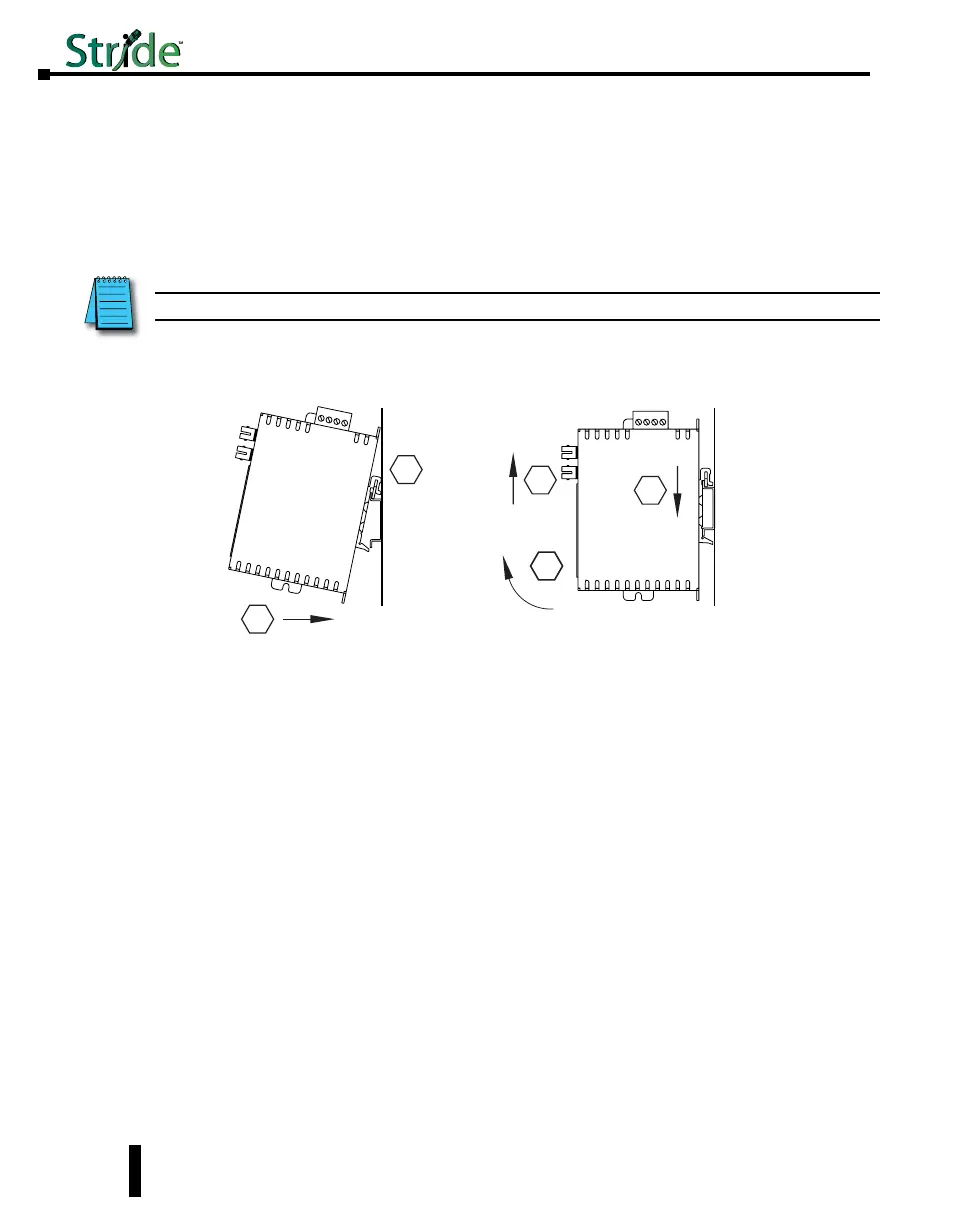
DIN rail mounting steps:
1. Hook top back of unit over the DIN rail.
2. Push bottom back onto the DIN rail until it snaps into place.
DIN rail removal steps:
A. Push the unit down to free the bottom of the DIN rail.
B. Rotate the bottom of the unit away from the DIN rail.
C. Unhook top of unit from DIN rail.
Mounting
1
2
A
B
Removal
C
1-12



 To Next Page