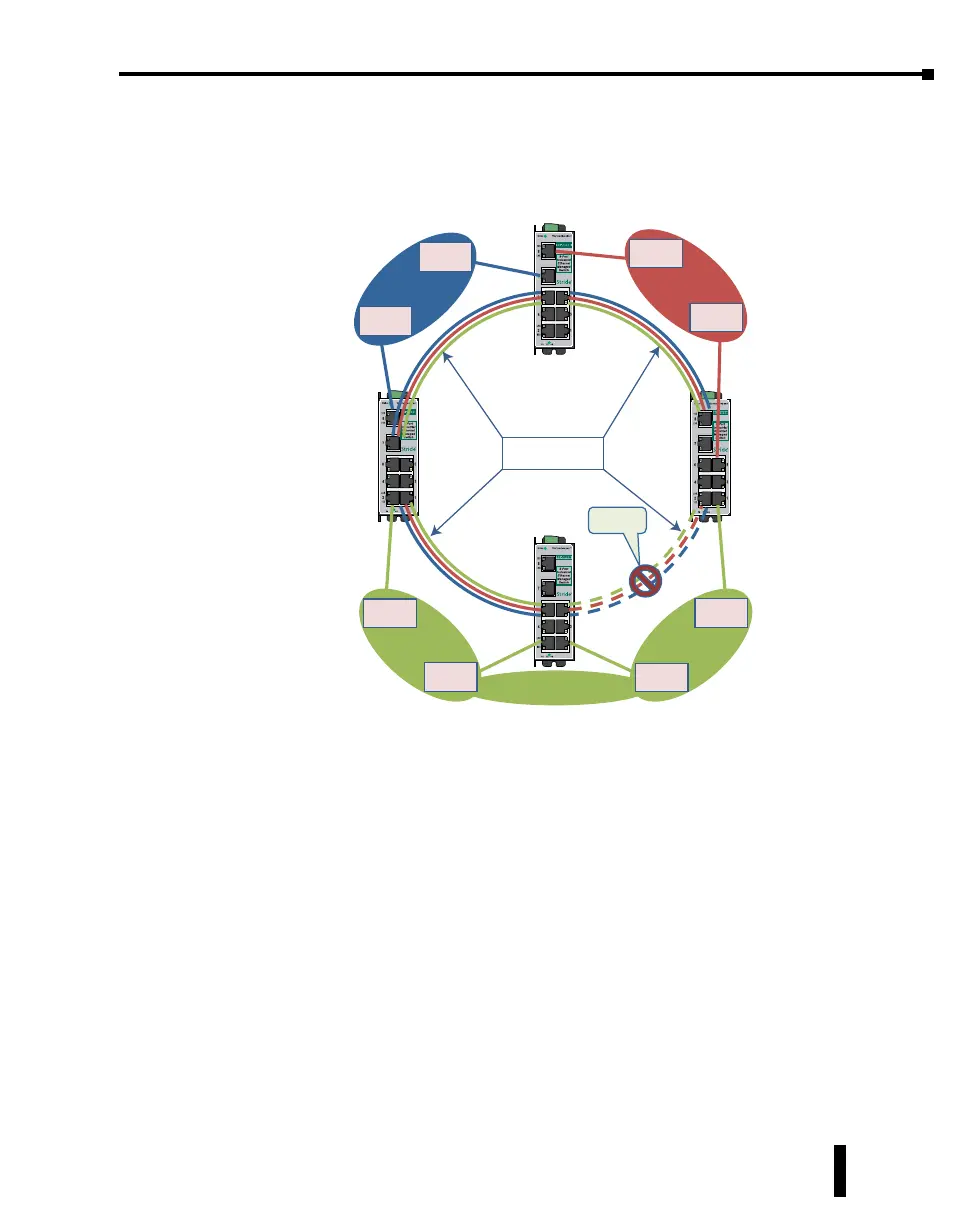
The solution to the problem above is to configure all “Network” type ports to carry all
VLANs in the network. In other words, the Network Port should be a member of all VLANs
defined in the switch. As seen from the example shown in the following diagram, VLAN
3 can forward to all its members through the other Network Port connections and is not
affected by the block RSTP connection.
Blocked by
RSTP
Switch
Switch
Ethernet
Device
Ethernet
Device
VLAN 1
Switch
Ethernet
Device
Ethernet
Device
VLAN 2
Switch
Ethernet
Device
Ethernet
Device
Ethernet
Device
Ethernet
Device
VLAN 3
Tagged for all
VLAN’s (1, 2, & 3)
4-45
Chapter 4 - Managed Switch Software Setup
Stride Industrial Ethernet Switches User Manual 2nd Ed. Rev. A



 To Next Page