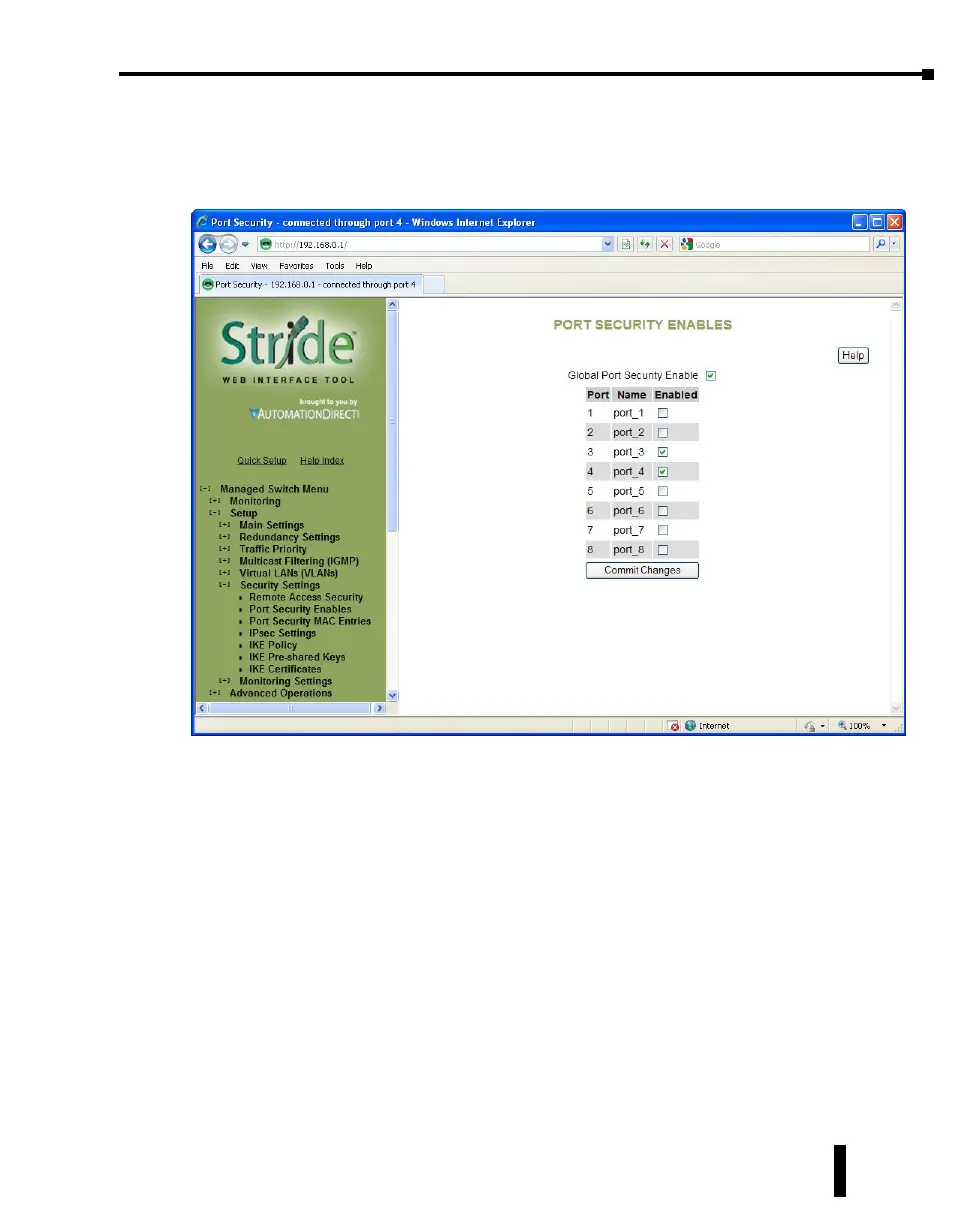
Second, to enable the MAC address security for the ports configured, select the ports and the
Global Port Security selection on the “Port Security Enables” page.
Finally enter Commit Changes to write the configuration to the switch. The switch will
then begin limiting access according to the configuration on these two pages.
Once an entry has been configured and committed to the switch, a power cycle will be
necessary after deletion of an entry in order for that security to be removed.
4-53
Chapter 4 - Managed Switch Software Setup
Stride Industrial Ethernet Switches User Manual 2nd Ed. Rev. A



 To Next Page