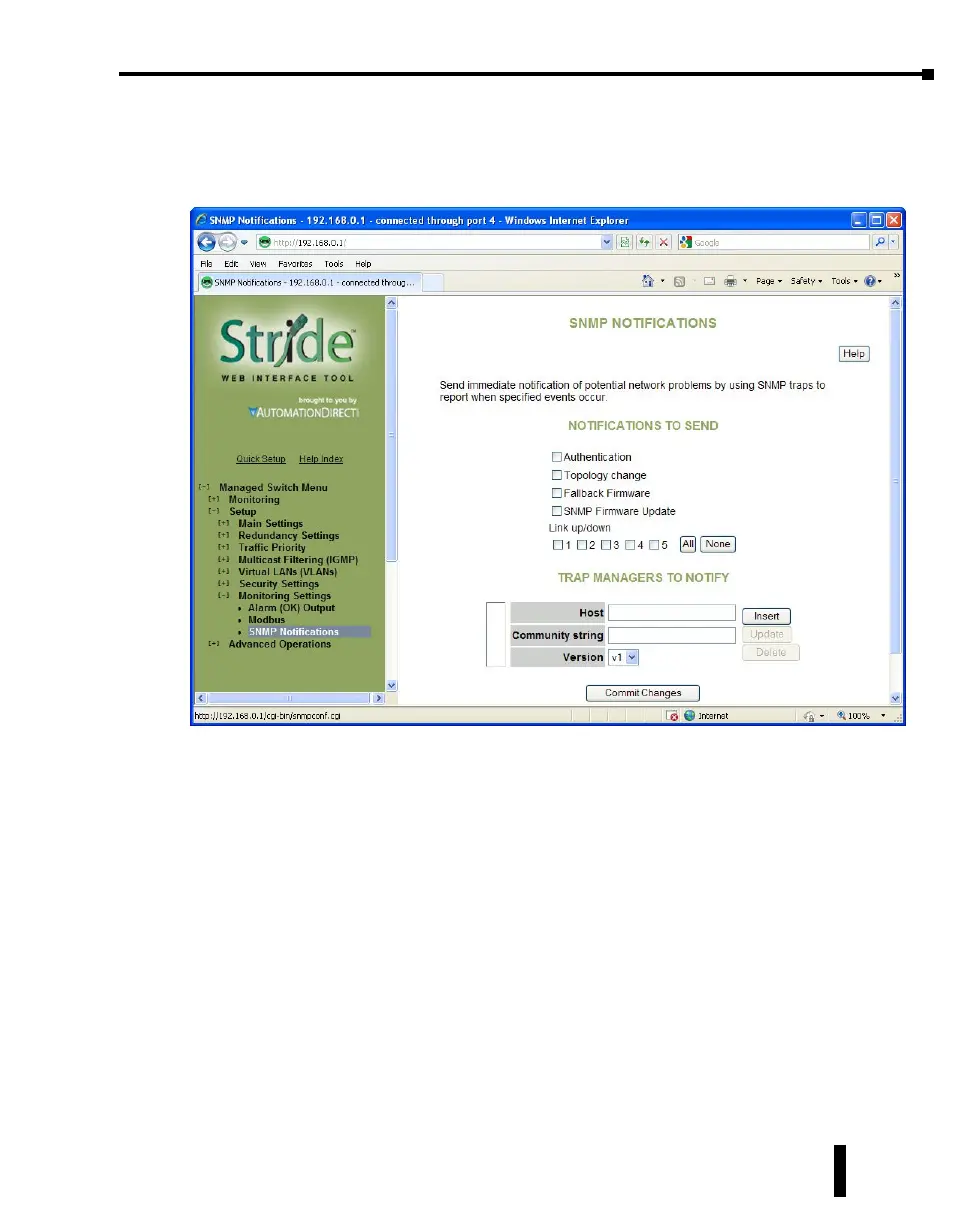
SNMP Notifications:
Use the SNMP Notifications Menu to enable traps to be sent when the state of the switch
changes. Access this menu by selecting Setup from the Main Menu, and then selecting Main
Settings.
Use the SNMP Notifications Menu to enable traps to be sent when the state of the switch
changes. Access this menu by selecting Setup from the Main Menu, and then selecting Main
Settings.
• Authentication: Traps can be sent when invalid credentials (such as an unrecognized community
string) are presented to the SNMP agent. Enable this setting to generate authentication traps.
• Topology change: Traps can be sent when the topology of the spanning tree changes. Enable this
setting to generate topology change traps.
• Failback Firmware: Check this box to send a trap when the switch resets into the non-default
firmware image. This can happen if the switch loses power while booting, or if the default firmware
image somehow becomes corrupt and is no longer bootable.
• SNMP Firmware Update: Check this box to send a trap when the switch has completed an
SNMP-initiated firmware update. The trap will trigger regardless of whether the firmware update
succeeded. Check the firmware Health entry in the firmware Table over SNMP to determine
whether the update was successful. If it lists the non-running image as Healthy (1), then the update
succeeded. Otherwise, it failed.
• Link 1 up/down-Link 18 up/down: Traps can be sent when a link goes up or down (the same state
reflected in the LED for each port). Enable these settings to generate link up/down traps.
4-67
Chapter 4 - Managed Switch Software Setup
Stride Industrial Ethernet Switches User Manual 2nd Ed. Rev. A



 To Next Page