Studer Innotec SA
next3
54 V 1.3 © Studer-Innotec SA next3 Tech manual
If the system requires configuration or setting modifications, carry them out immediately.
These must be modified by means of the remote control nx-interface.
Please note that powering from the grid without battery is not possible. The next3 system
cannot operate as a PV inverter without storage. If there is no battery connected, the next3
will not start and shows no indications.
6.3 FRONT PANEL LED INDICATOR
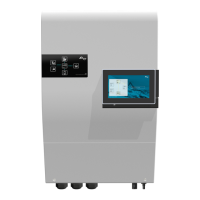
The front panel has the necessary information to understand the state of the next3 with the LED lights.
The table hereunder describes the information or type of error according to the number of
times an indicator flashes.
Central
ne[xt]
indicator
(blue light)
next3 has warning(s) or error(s) (please see the nx-
interface for details in warning messages)
Central
!
indicator
(red light)
no error, at least one converter in the system is
turned on
battery discharge is stopped due to low battery
voltage
overload due to either a short-circuit or too high
load for the inverter
decrease of the inverter power output due to a too
high internal temperature. This may be due to
overload of the device, too high ambient
temperature or obstructed ventilation.
other warning(s) or error(s) (please see the nx-
interface for details in warning messages)
source is deactivated, or not present
source is connected and working properly
source is present but next3 is in waiting procedure
for connection


 To Next Page