Studer Innotec SA
next3
68 V 1.3 © Studer-Innotec SA next3 Tech manual
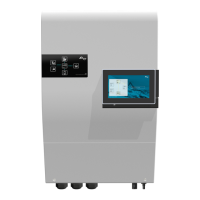
The connection view helps to locate the connectors on the side (usb) and under the nx-interface:
7.3.1.1 Date and time
The next3 features a real time clock that allows among others to have a correct date and
hour for the datalogging records. This clock must be set using the remote control nx-interface.
Thanks to an internal battery, this setting is retained even when the equipment is
disconnected from its voltage source (battery or PV).
If the nx-interface is connected to the internet, the date and time is automatically updated
if you accepted it at the initialisation (during the wizard).
7.3.1.2 USB memory stick management
Hot Plug of USB memory is possible. Always remove the
USB using the EJECT button on the nx-interface. The
eject button is available in different menu and has the
same effect.
The USB-stick is also used for
• Datalogging backup
o Procedure: see the monitoring section
• Update of the systems.
o Procedure: see the update section
• Manual savings of the configuration and files (to come)
o Procedure: see the configuration section
With the code version 1.0.0 of the nx-interface, one USB key per system is managed. If a
USB is already plugged in and you want to plug another key, remove it first.


 To Next Page