101
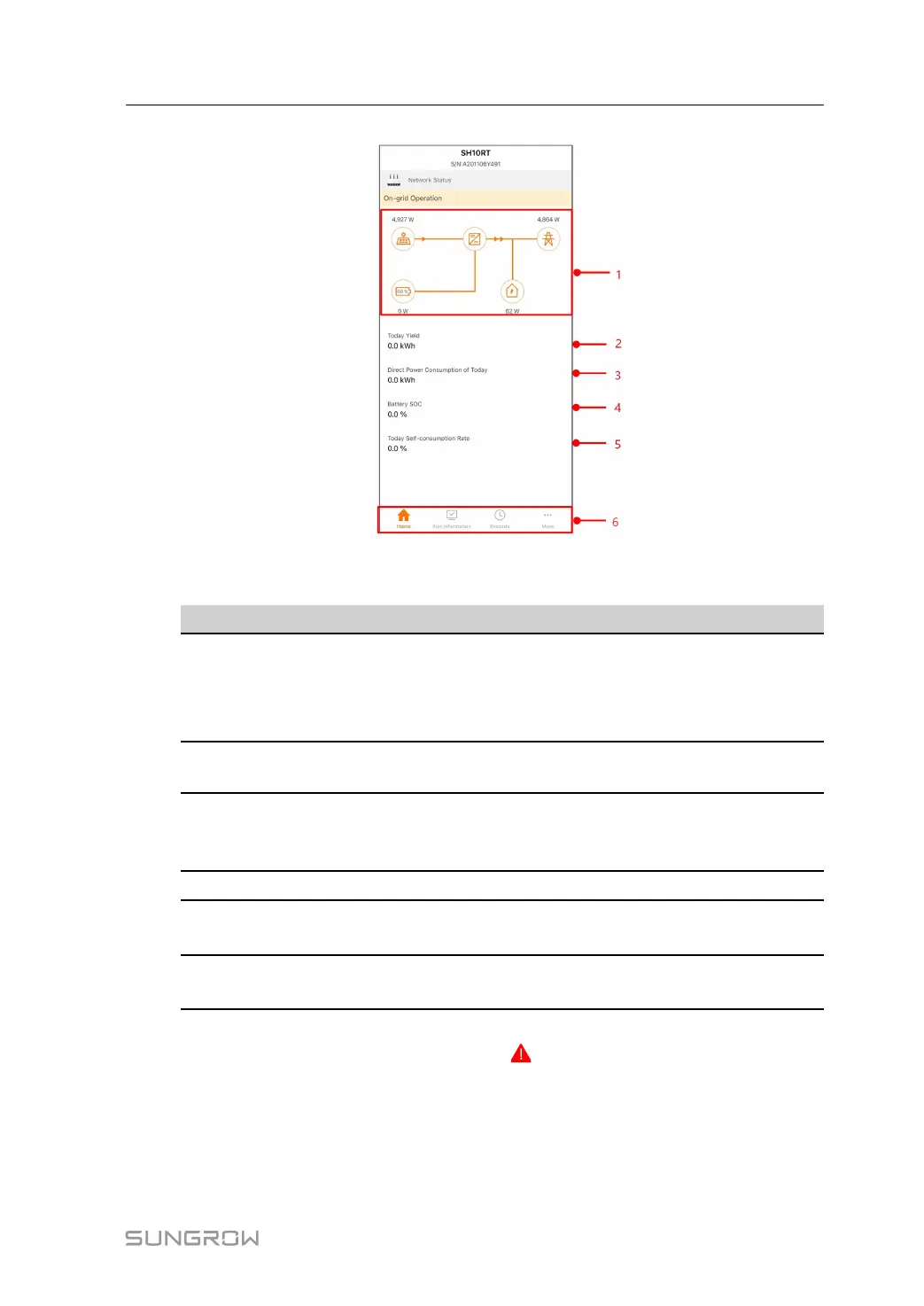
figure 8-8 Home
table 8-4 Home page description
No. Name
Description
1 Load flow chart
Shows the PV power generation power, feed-in
power, etc. The line with an arrow indicates energy
flow between connected devices, and the arrow
pointing indicates energy flow direction.
2
Today Yield
Shows the energy generated by the inverter today
in kWh
3
Direct Power Con-
sumption of Today
Shows the part of the PV generated energy that
was directly consumed by the house loads today in
kWh
4
Battery SOC
Indicates remaining battery capacity
5
Today Self-consump-
tion Rate
Indicates the self consumption rate of the PV sys-
tem today
6
Navigation bar
Includes menus of Home, Run Information, Re-
cords, and More.
If the inverter runs abnormally, the fault icon
appears on the upper left corner of the
screen. Users can tap the icon to view detailed fault information and corrective measures.
Home page of a system that contains the Sungrow EV-Charger is shown in the following
figure.
User Manual 8 iSolarCloud App



 To Next Page