115
figure 8-24 Parameter Setting
Tap the switch to enable the charger.
Tap the switch again to disable the charger, in this case the charger will be in "Disable"
status.
8.11.4 Start/Stop Switch
This switch is not visible in the installer access profile, please login with "user" to see this.
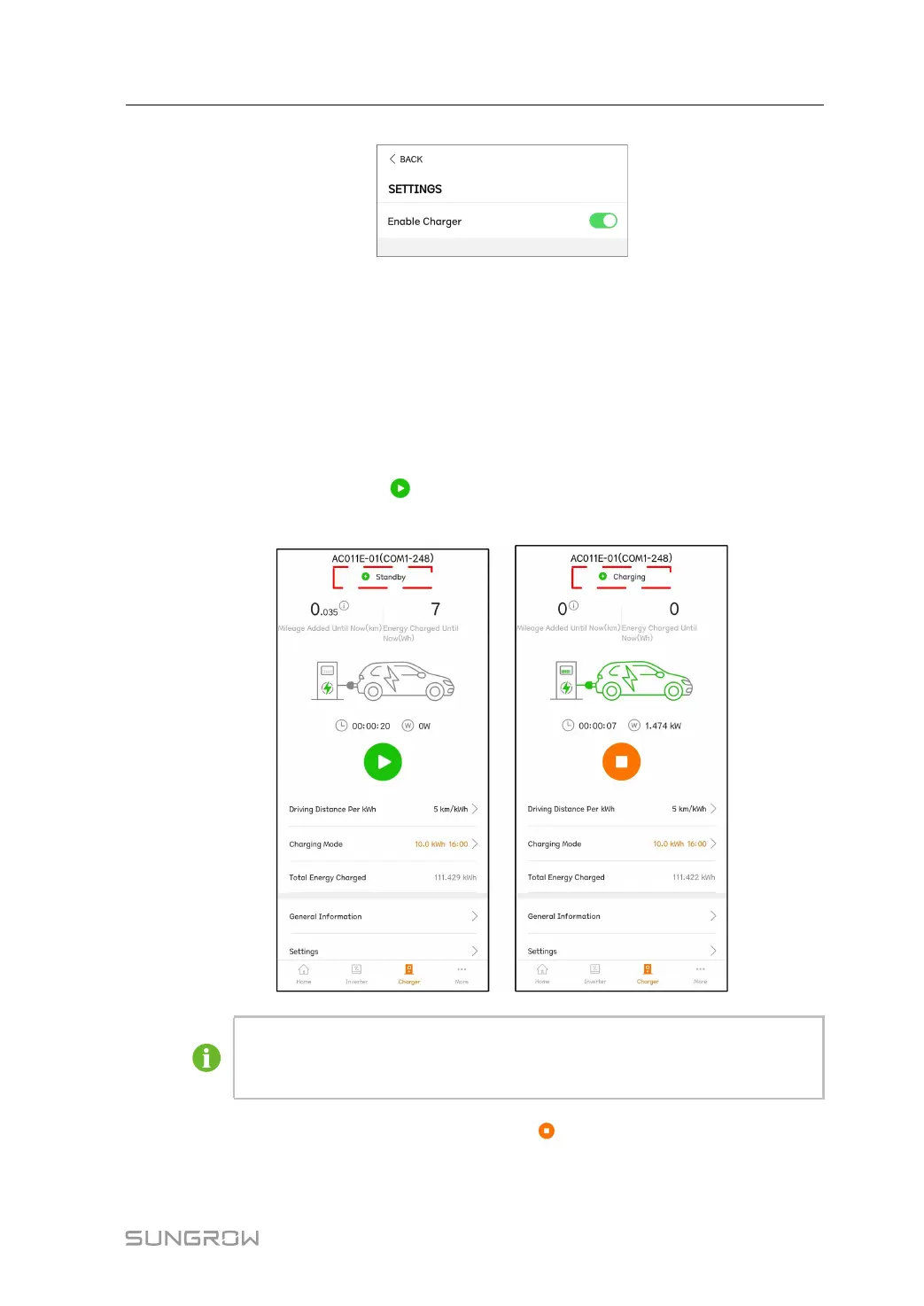
If the charging cable is inserted into the EV, and the parameters are set, the EV-Charger will
be in a "Standby" status. Tap
, the EV-Chargerr starts working and turns from "Standby"
into "Charging". Pull out the charging cable after the charge is completed.
If the EV-Charger is in a "Unplugged" status after the charging mode is set, the
charging cable may not be inserted in place. Check the connection or reconnect
the cable to the EV.
To stop charging during the charging process, tap
. At this time, the charging status from
"Charging" to "Complete".
User Manual 8 iSolarCloud App



 To Next Page