59
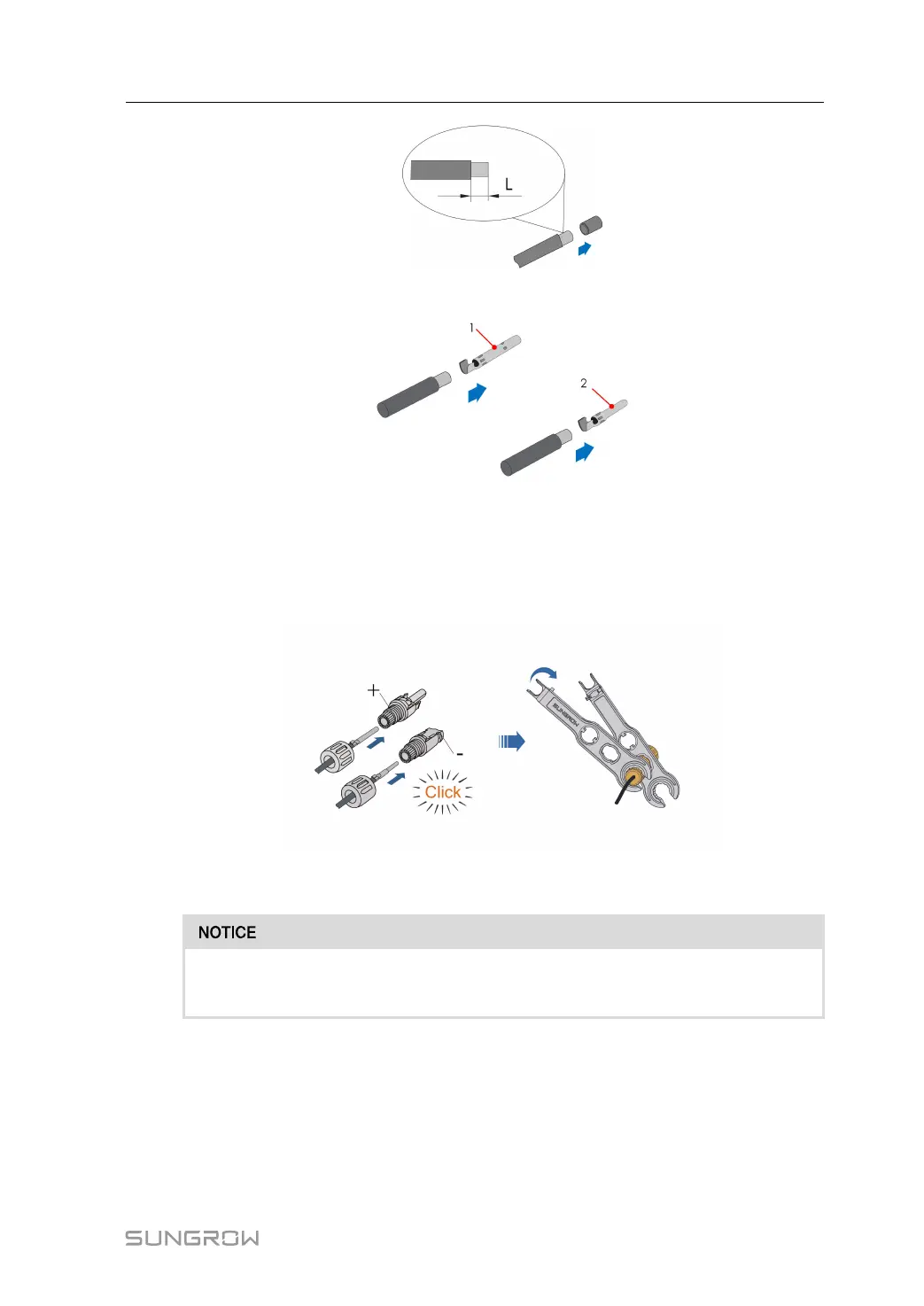
step 2 Assemble the cable ends with the crimping pliers.
1: Positive crimp contact 2: Negative crimp contact
step 3 Lead the cable through cable gland, and insert the crimp contact into the insulator until it
snaps into place. Gently pull the cable backward to ensure firm connection. Tighten the ca-
ble gland and the insulator (torque 2.5 N.m to 3 N.m).
step 4 Check for polarity correctness.
If the PV polarity is reversed, the inverter will be in a fault or alarm state and will
not operate normally.
- - End
6.6.3 Installing PV Connector
step 1 Rotate the DC switch to “OFF” position.
User Manual 6 Electrical Connection



 To Next Page