108
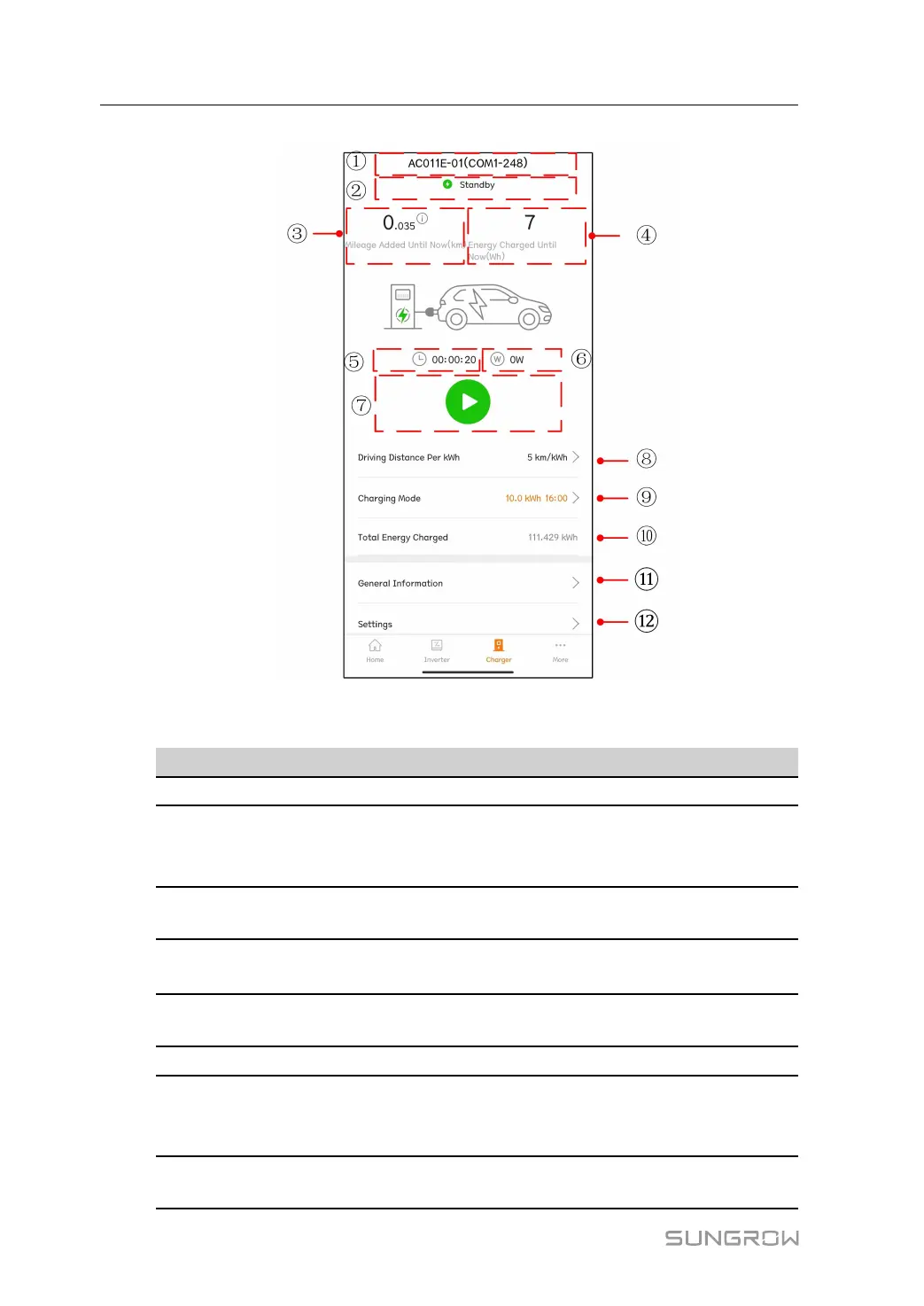
figure 8-17 EV-Charger
table 8-8 EV Charger interface description
No. Name
Description
1
Charger name Shows the name of the connected EV-Charger
2
Charger status
Shows the current running status of a EV charger,
which inculdes Unplugged, Standby,Charging,
Charging Complete,and Disable
3
Mileage added until
now
Shows the driving distance added by this charge
4
Energy charged until
now
Shows the charged energy from the start of the EV-
Charger to the current moment
5
Charge duration
Shows the time from the start of the EV-Chargerto
the current moment
6
Charging power Shows the charging power at the current moment
7
Start/Stop switch
Tap this button to start or stop charging. It cannot be
operated if it is gray. For details, see "8.11.4 Start/
Stop Switch"
8
Driving distance per
kWh
For details, see "8.11.1 Driving Distance Per kWh"
8 iSolarCloud App User Manual



 To Next Page