113
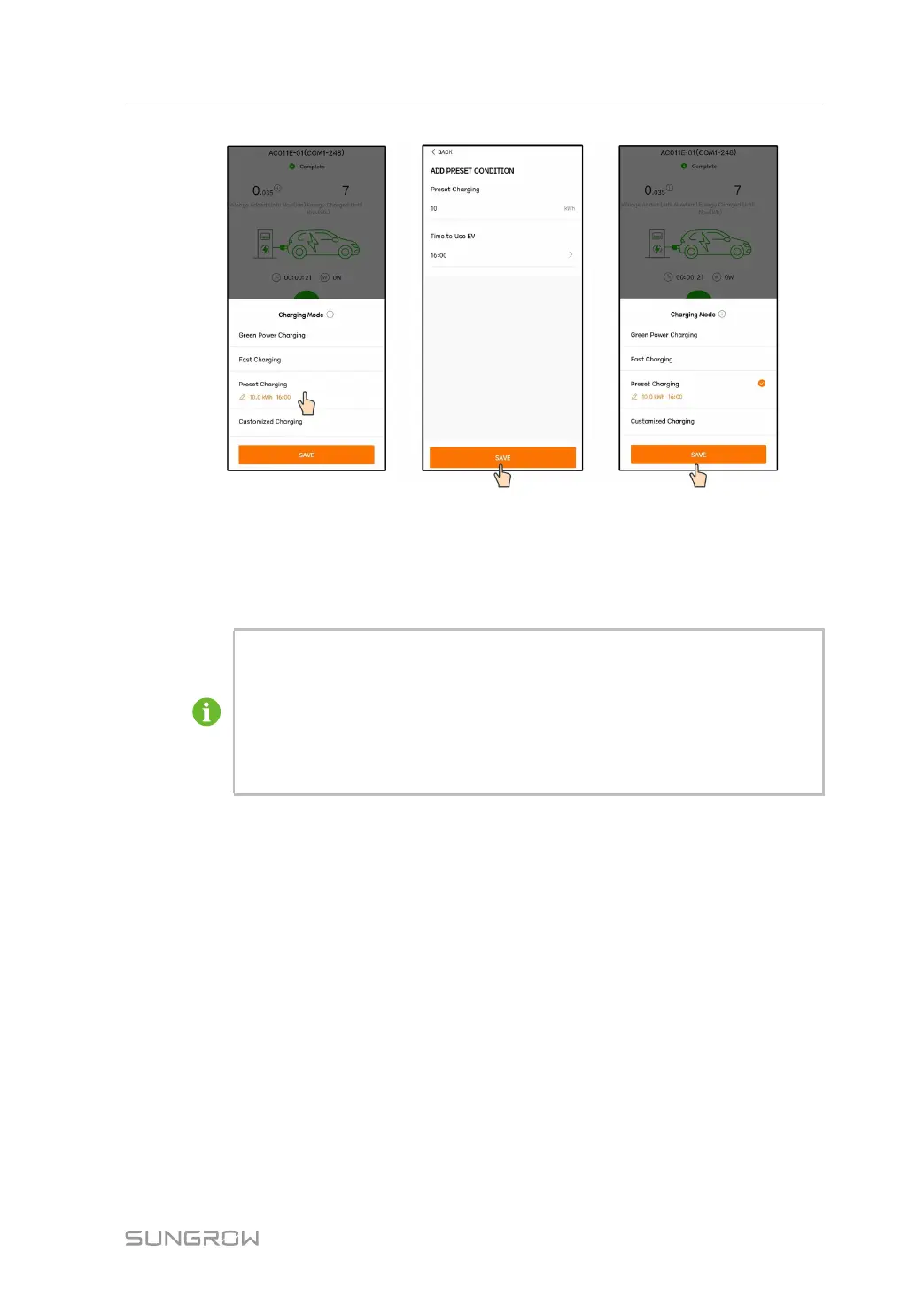
figure 8-22 Preset Charging
Tap Preset Charging to enter the Add Preset Condition interface. Input Preset Charge
and Time to Use EV, and tap Save. It will jump to the preset charging mode interface. Tap
Save again to finish setting.
• If the EV-Charger has delivered the set amount of energy to the EV before the
preset pickup time, the charging will end in advance.
• If the EV-Charger is not able to deliver the set amount of energy before the
preset pickup time, the App will prompt "Unable to complete the charging
target before you pick up the vehicle". Select "Continue" to save the
settings or select "Cancel" to go back to the preset condition interface.
Customized Charging
In this mode, users set the times at which the EV-Charger should start and stop charging,
and the max charging current. The charging power may come from PV modules, batteries,
power grid or all.
User Manual 8 iSolarCloud App



 To Next Page