62
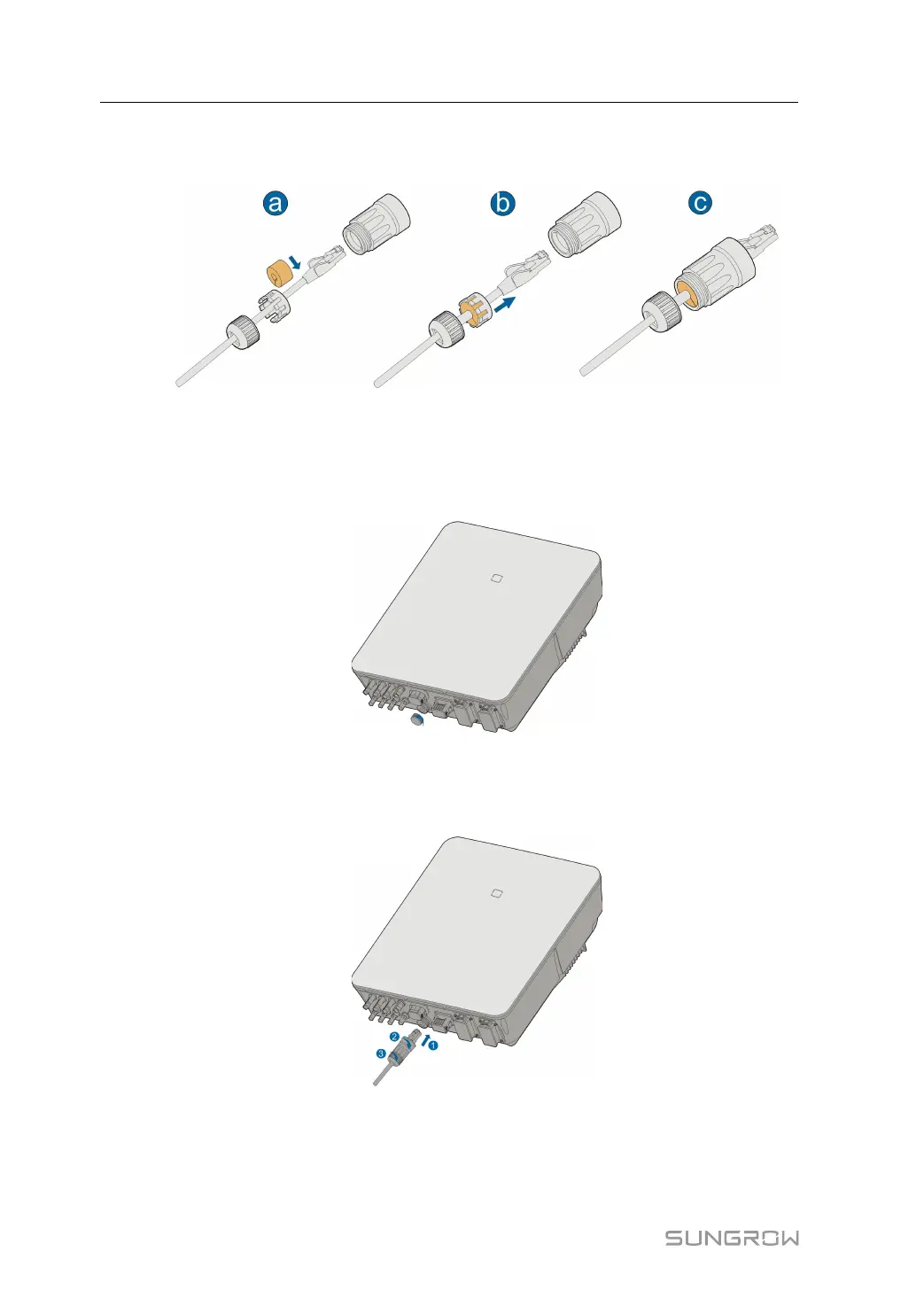
step 4 Insert the RJ45 plug into the front plug connector until there is an audible click, and install
the rubber gasket.
- - End
6.7.1.2 Installing the LAN Connector
step 1 Unscrew the waterproof lid from the LAN terminal.
step 2 Insert the LAN connector into LAN terminal on the bottom of the inverter.
step 3 Pull cables outwards to confirm whether they are fastened firmly, then tighten the swivel nut
with appropriate torque.
- - End
6 Electrical Connection User Manual



 To Next Page