10 Appendix II: LCD Operation User Manual
82
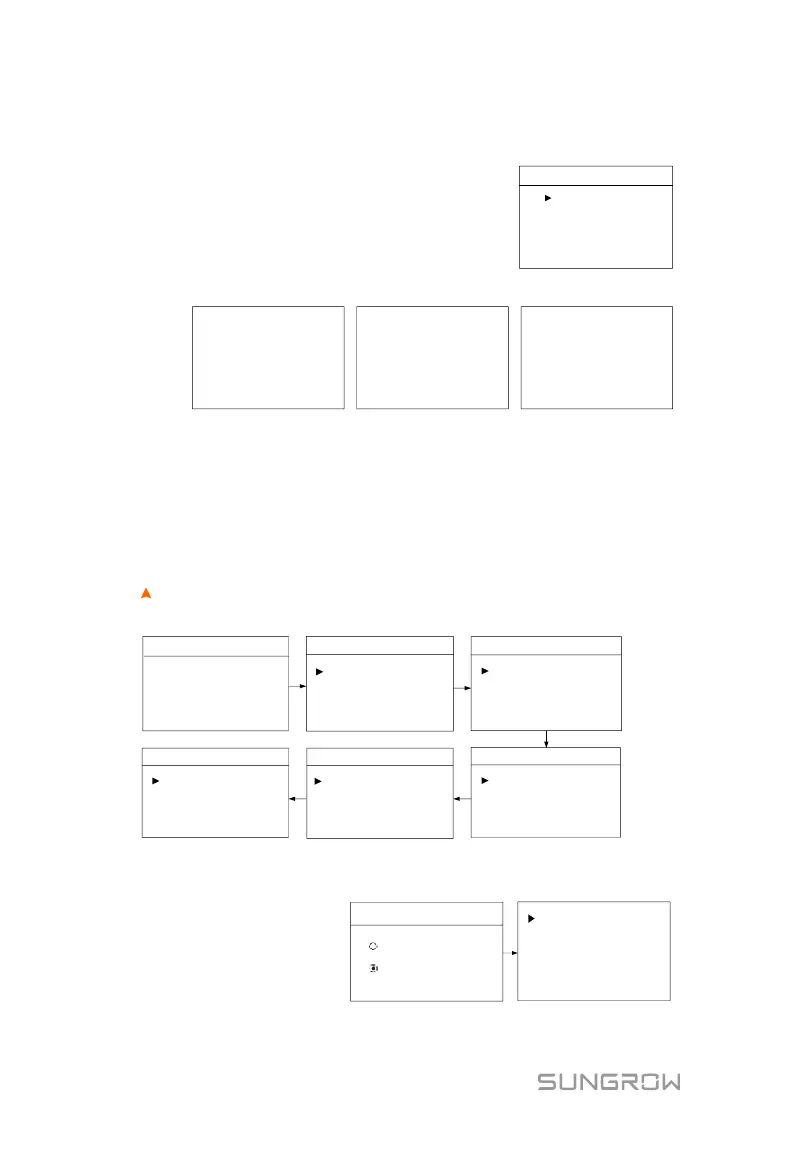
10.3 Starting and Stopping the Inverter
Notice:
The Restart item will appear only if an unrecoverable
fault occurs.
Confirm your choice by pressing ENT.
Confirm ‘ON’? Confirm ‘OFF’?
or
or
Confirm ‘Restart’?
10.4 Advanced Settings
10.4.1 Inputting Password
The parameter settings are protected with a password. If you want to set the
inverter’s parameters, you have to input the correct password.
Press to add the value and Press ENT to move the cursor to input the
password 111. Press ENT to confirm the password and enter the submenu.
Settings
Zero-export
2/5
3/5
EPS Setting
Active Power
Password:
1 1 1
Settings
Prot. Param
Settings
5/5
Settings
Earth Fault
Existing Sys
Factory Reset
PT1000 Switch
Load Control
1/5
Reactive Power
Settings
Bat Usage Time
Forced Charge
Settings
Battery Type
Comm. Param
4/5
DRM Switch
10.4.2 Adding the Existing System
Existing Sys Rated-P:
rated power of the existing
system.
Existing Sys
Enable
Disable
Existing Sys Rated-P
00000W
Total Export Limit
04600W



 To Next Page