User Manual 10 Appendix II: LCD Operation
89
10.4.13 Factory Reset
All history information will be irrecoverably cleared and all parameters
will return to the default values except the protection parameters and
time once the “Factory Reset” is performed.
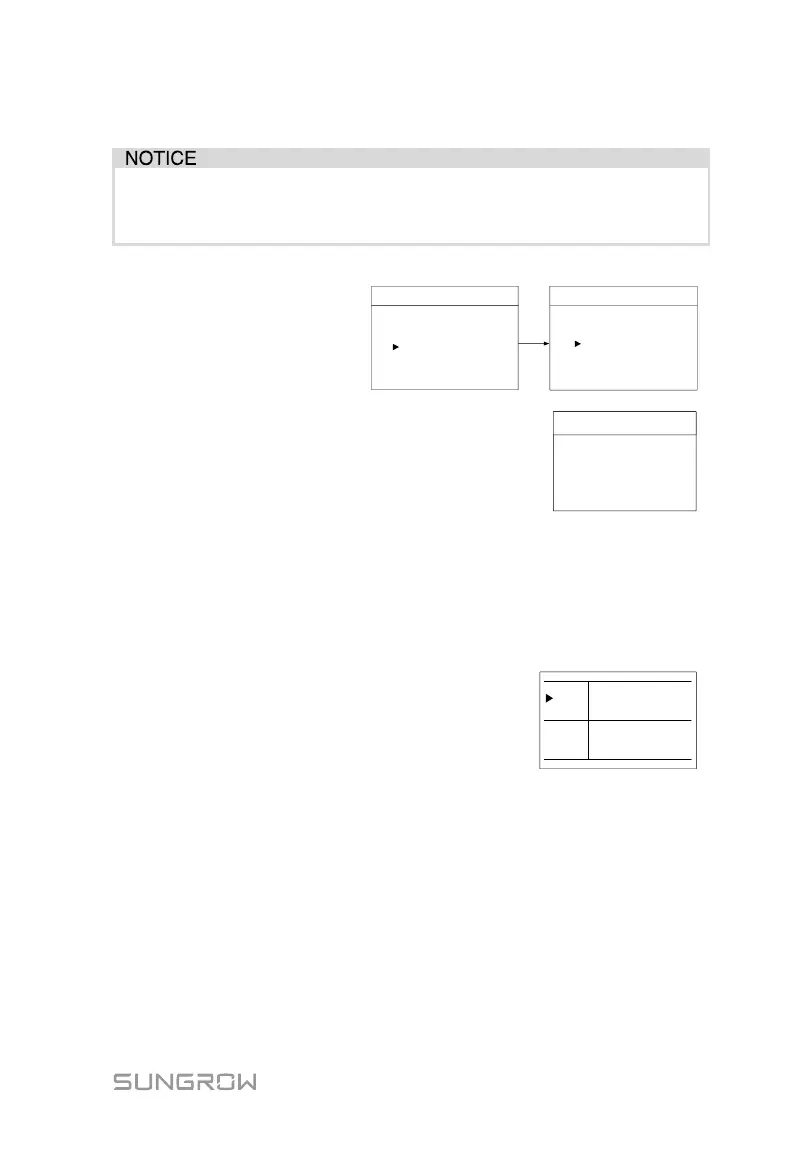
Firstly, set the inverter to
“OFF” via the LCD menu.
Menu
Run Info
ON / OFF
1/2
Settings
ON
OFF
ON / OFF
Enter the “Settings” menu and navigate to
“Factory Reset”. Press ENT to confirm.
Confirm factory
reset?
Factory Reset
10.5 Setting the Time
The correct system time is very important. If there is deviation between the
system time and the local time, the inverter will not operate normally. The clock
is in 24-hour format.
DD, MM, and YY stand for day, month, and year
respectively. hh, mm, and ss stand for hour,
minute, and second respectively.
Date
Time
22 / 02 / 15
07 : 38 : 08
hh : mm : ss
DD / MM / YY
10.6 Setting the Country
The country setting is protected with a password. Each country code represents
corresponding local protective parameters that have been preset before
delivery.
Protective parameters are designed for the threshold values that can trigger the
protective function of the inverter. The threshold values are compliant with the
requirements of local safety standards and the utility grid.



 To Next Page