6 Electrical Connection User Manual
38
6.2 Energy Meter Connection
If the RS485 cable is prepared by the customer, we recommend a shielded
twisted pair cable or shielded Ethernet cable.
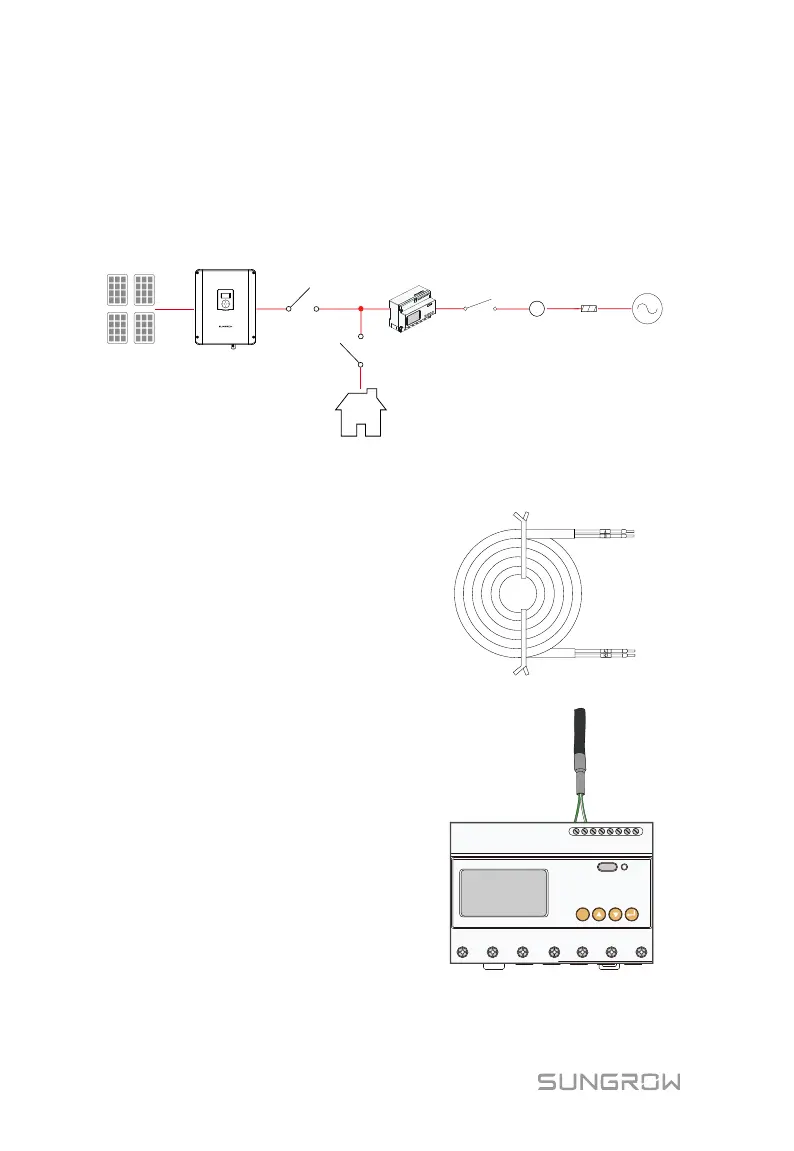
The Energy Meter must only be connected to the distribution board of
household loads next to the main switch, as shown in the following figure.
Sungrow meter
Home Appliance
PV strings
A
Meter
link
Network
meter
Main
switch
Utility
grid
Solar switch
Inverter
S
E
T
For Three-phase Energy Meter
1. Take out the meter and RS485
cable from the packaging.
2. Connect the plugs A and B to
terminals 21 and 22 on the Energy
Meter.
A B
SET
21 22 17 18 19 20
L1 L1′ L2 L2′ L3 L3′ N
3. Strip the insulation from the power wires by 10 mm. Then connect the
wires to the terminals on the Smart Energy Meter, as shown below.



 To Next Page