40
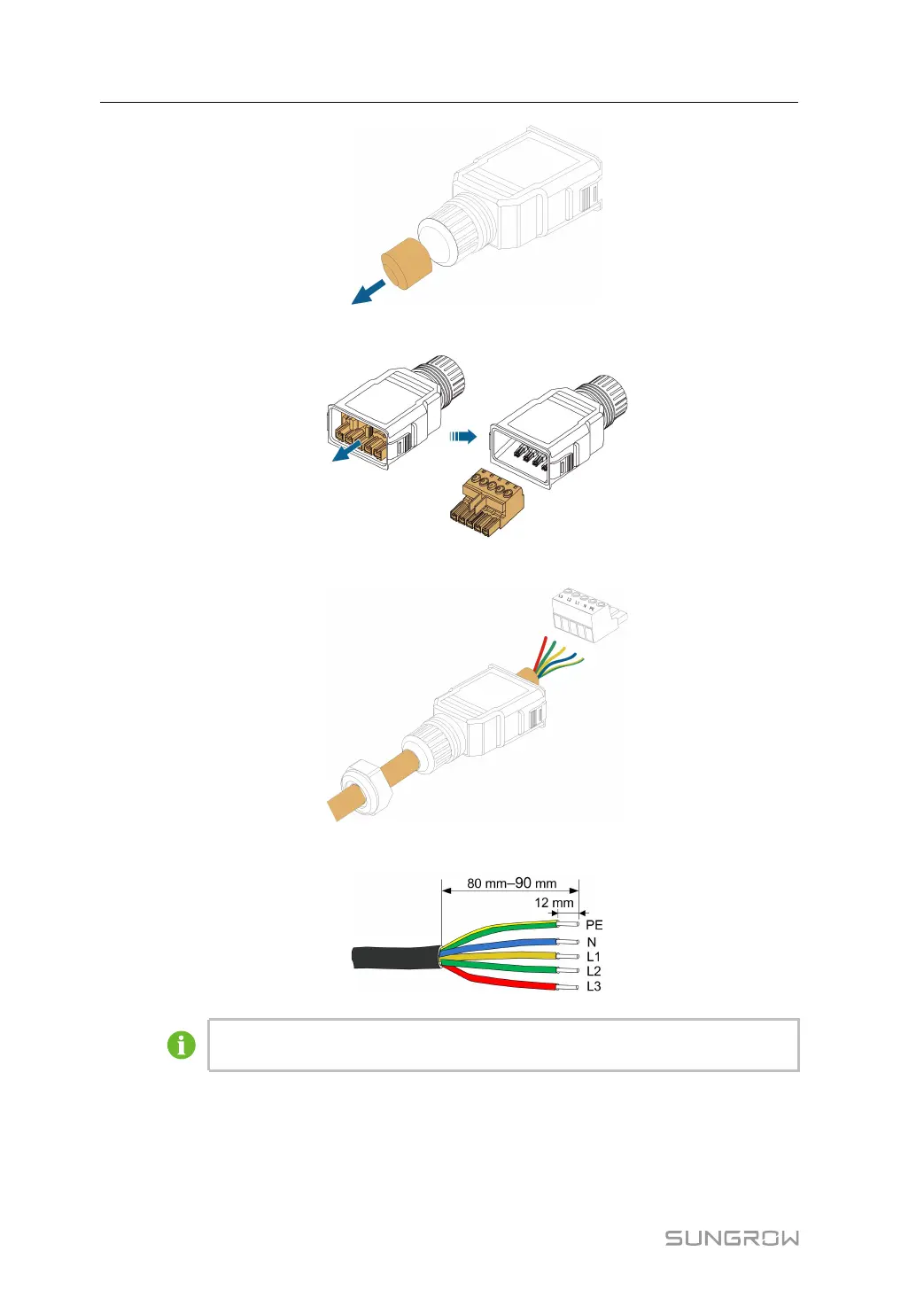
step 3 Take out the terminal plug from the housing.
step 4 Thread the AC cable of appropriate length through the swivel nut and the housing.
step 5 Strip 80 mm ~ 90 mm of the cable jacked and 12 mm of the wire insulation.
The color of the cable cores in the figure is for reference only, and cables or cable
cores selected must meet local standards.
step 6 (Optional) When using a multi-core multi-strand copper wire cable, connect the AC wire
head to the cord end terminal (hand-tight). In case of single-strand copper wire, skip this
step.
6 Electrical Connection User Manual



 To Next Page