59
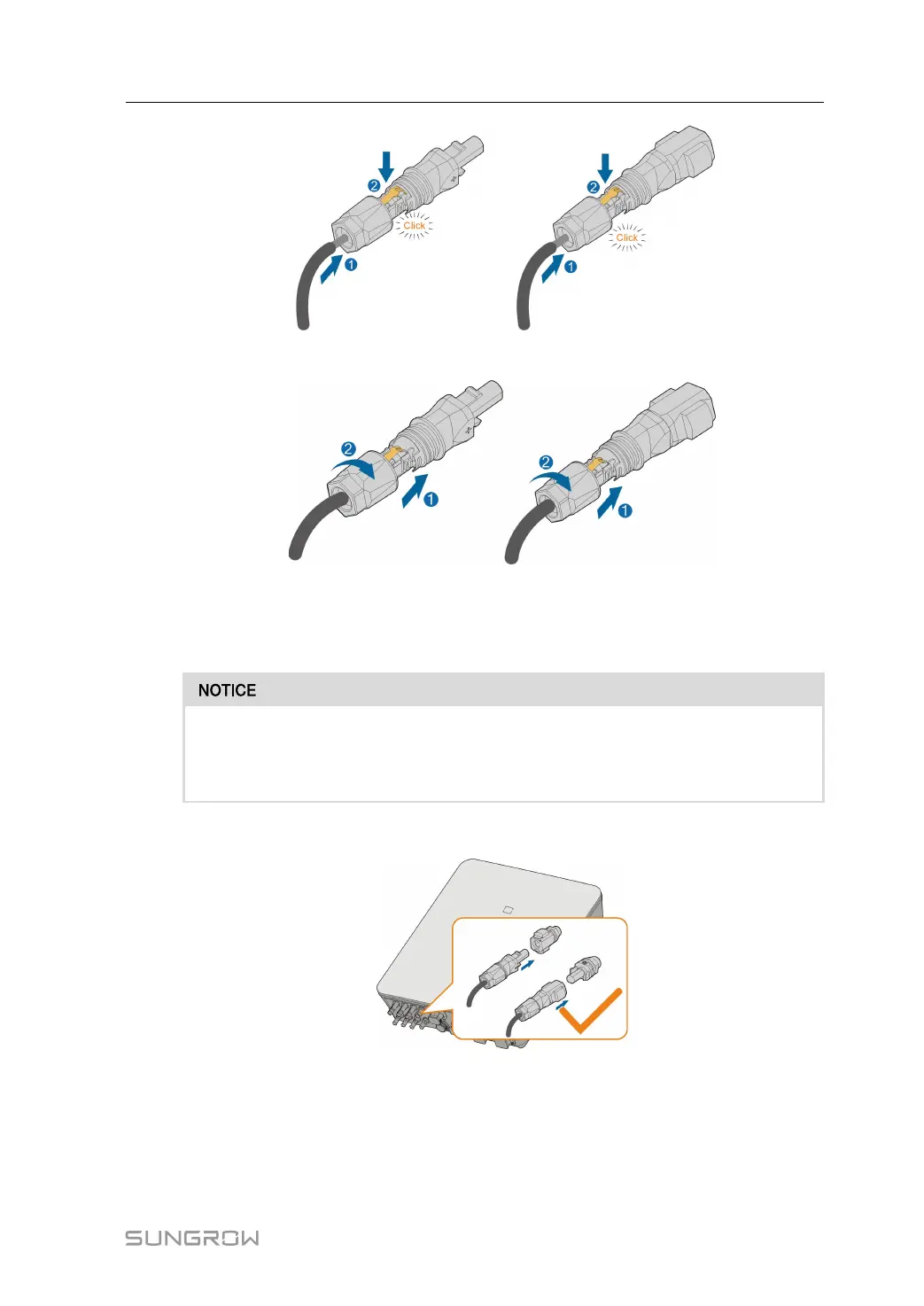
step 4 Push the insert into the sleeve and tighten the cable gland (torque 2 N·m).
- - End
6.9.1.2 Installing the SUNCLIX Connector
Only connect these connectors with other SUNCLIX connectors. When making the
connections, always observe the specifications regarding nominal voltage and
nominal current. The smallest common value is permissible.
step 1 Plug the connectors into BAT+ and BAT- terminals.
step 2 Ensure that the connectors are securely in place.
- - End
User Manual 6 Electrical Connection


 To Next Page