69
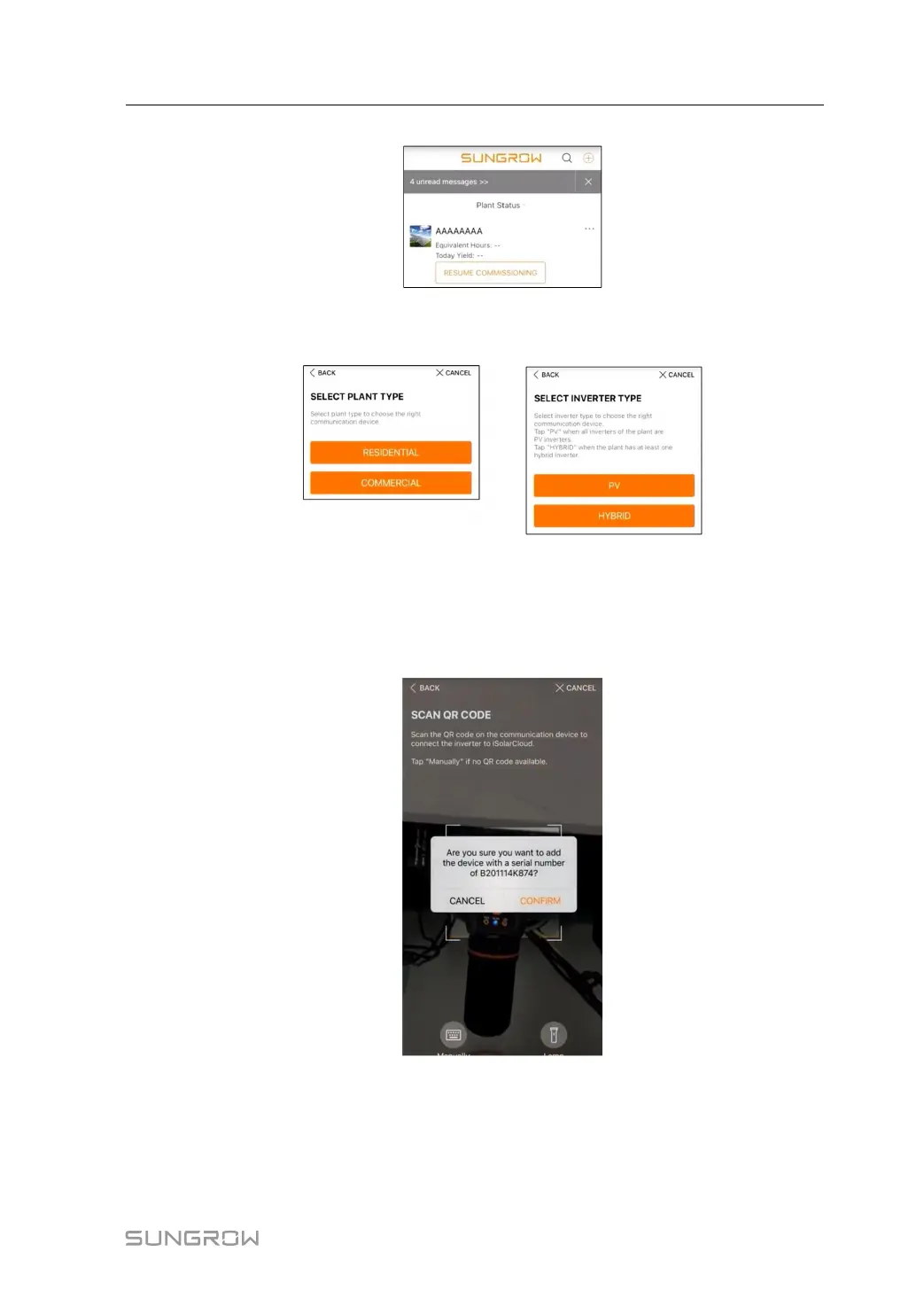
figure 7-2 Creating Power Plant
step 4 Select plant type to RESIDENTIAL and inverter type to HYBRID.
figure 7-3 Selecting Plant/Inverter Type
step 5 Scan the QR code on the communication device or manually enter the serial number of the
communication device. Tap Next after the QR code is identified or the serial number entered
is correct and then tap CONFIRM. Your mobile device is thus connected to the WiNet-S
successfully.
figure 7-4 Connecting Mobile Device to WiNet-S
step 6 Select the Internet access mode to WLAN or ETHERNET according to actual connection.
The following description is for WLAN access mode.
User Manual 7 Commissioning



 To Next Page