Connections
21
Note
• For long RS485 connections, enable the dip switch to terminate the line and prevent signal
degradation.
Switch Off
Switch On
• Do not use the termination for short RS485 connections.
• If GND is not connected, the RS485 chip may malfunction.
• RS485 communication can support 2 host device and up to 7 slave devices.
• A maximum of 4 Secure I/O can be connected to one FaceStation.
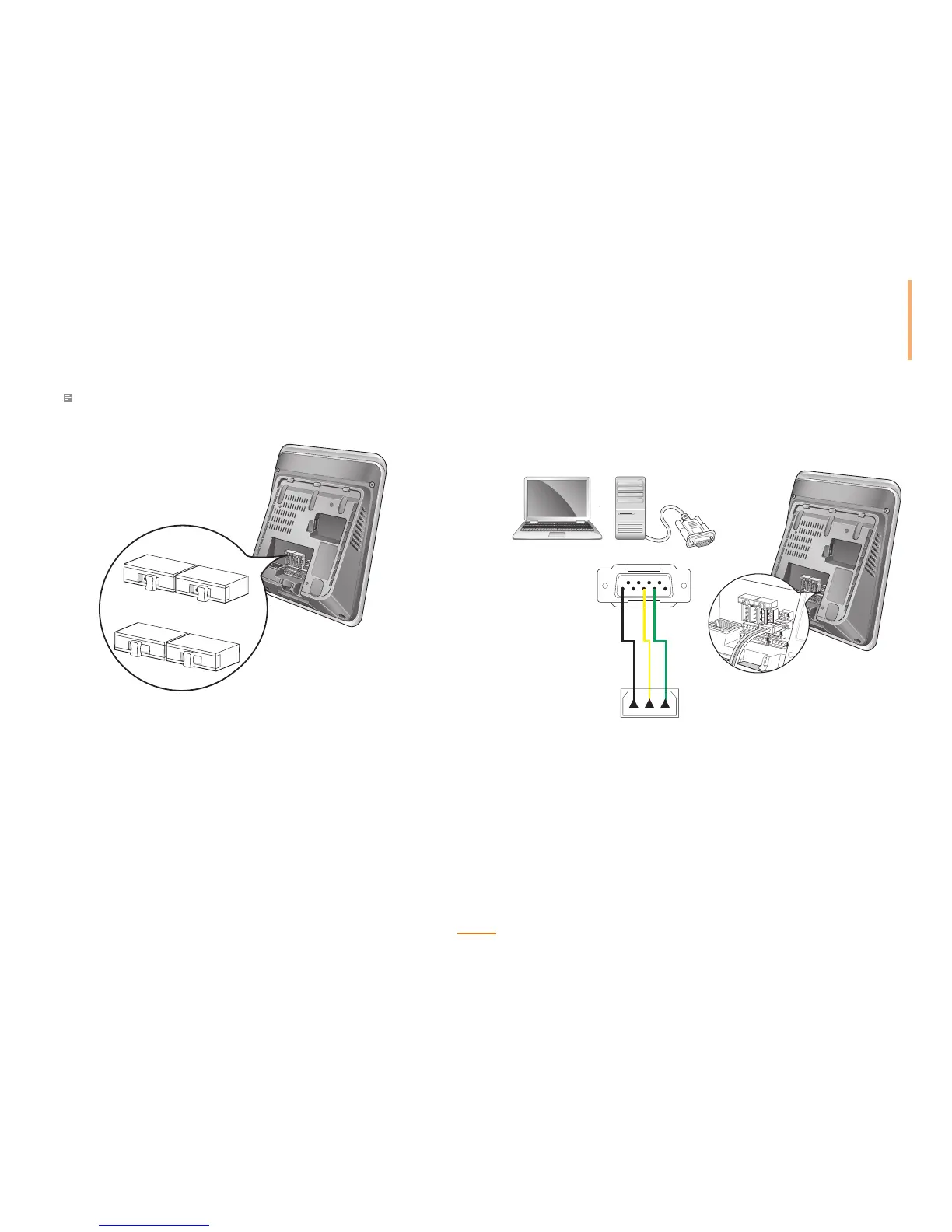
RS232 Connection
FaceStation can communicate with a PC via an RS232 connection.
PIN2: RXD (Green)
PIN3: TXD (Yellow)
PIN5: GND (Black)
PIN1: RS-GND (Black)
PIN2: RS232-TX (Yellow)
PIN3: RS232-RX (Green)
235
123


 To Next Page
 Loading...



