Device Configuration
35
Setting Face Authentication Settings
1
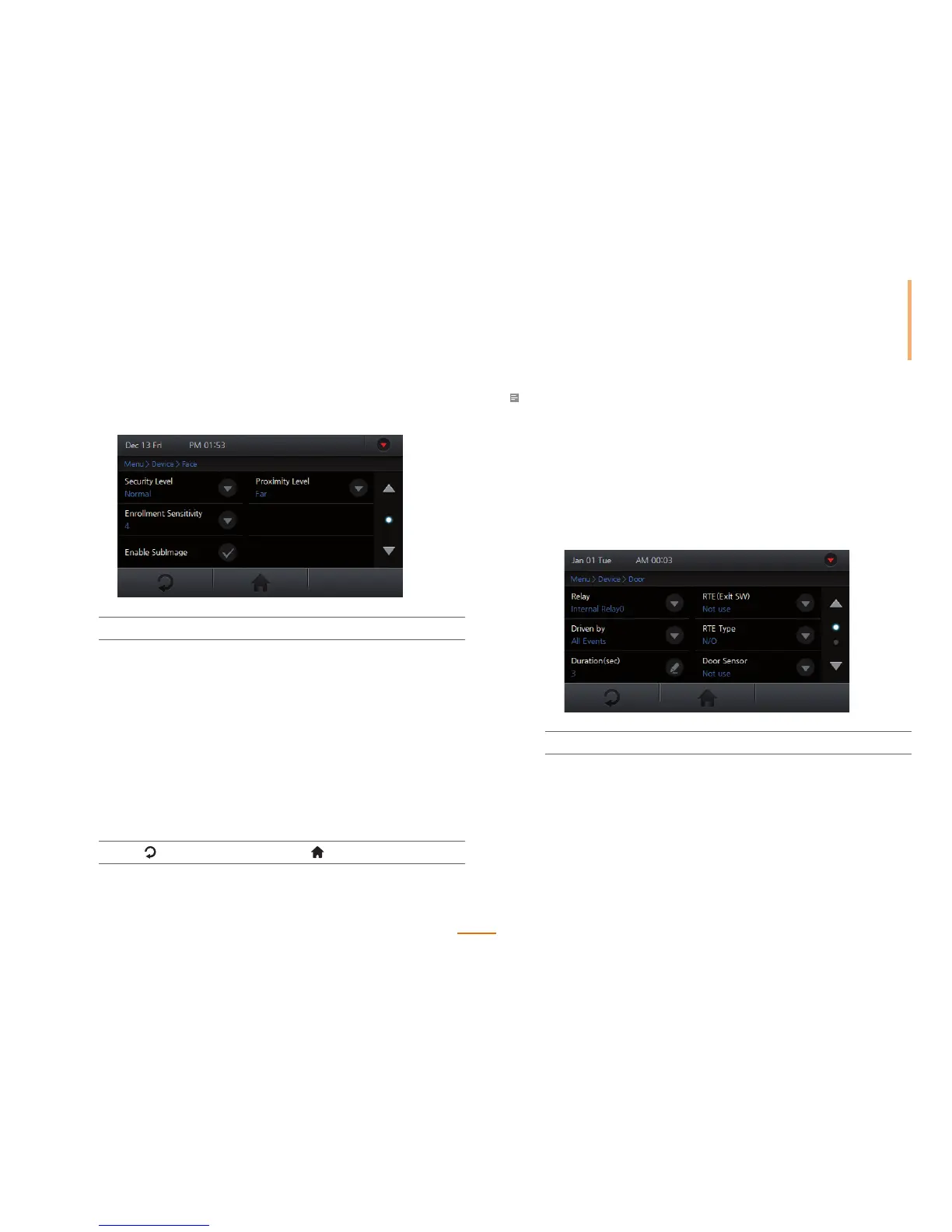
Go to Menu > Device > Face.
2
Set the options.
Security Level Select the desired security level and press OK.
Enrollment Sensitivity Select the desired enrollment speed
and press OK.
Enable SubImage Check Enable SubImage to capture then
display a thumbnail image for each newly
enrolled face SubID.
Proximity Level Sets the desired level that the sensor can
recognize a face according to the proximity
distance. Select Far or Near and press OK.
When the option is set to Far, the sensor
recognition rate gets higher.
3
Press to go to the previous screen or to go to the Home screen.
Note
• Increasing the security level will indirectly increase the FRR (False Rejection Rate), the probably that
the system will reject access for an authorized user, because stricter authentication protocols will
reject more inconsistencies.
• Decreasing the Enrollment Sensitivity will allow for easier enrollment.
• Each user can hold up to ve face SubIDs, which can be used for advanced progressive enrollment for
individuals with glasses or beards.
Setting Door Control
1
Go to Menu > Device > Door.
2
Set the options and press OK.
Relay Sets a relay to be used with the door.
Driven by Sets a trigger to activate the relay.
All Events: Opens the door for all
authentication modes.
Authentication: Triggers the relay when a general
authentication occurs.



 To Next Page