Device Configuration
29
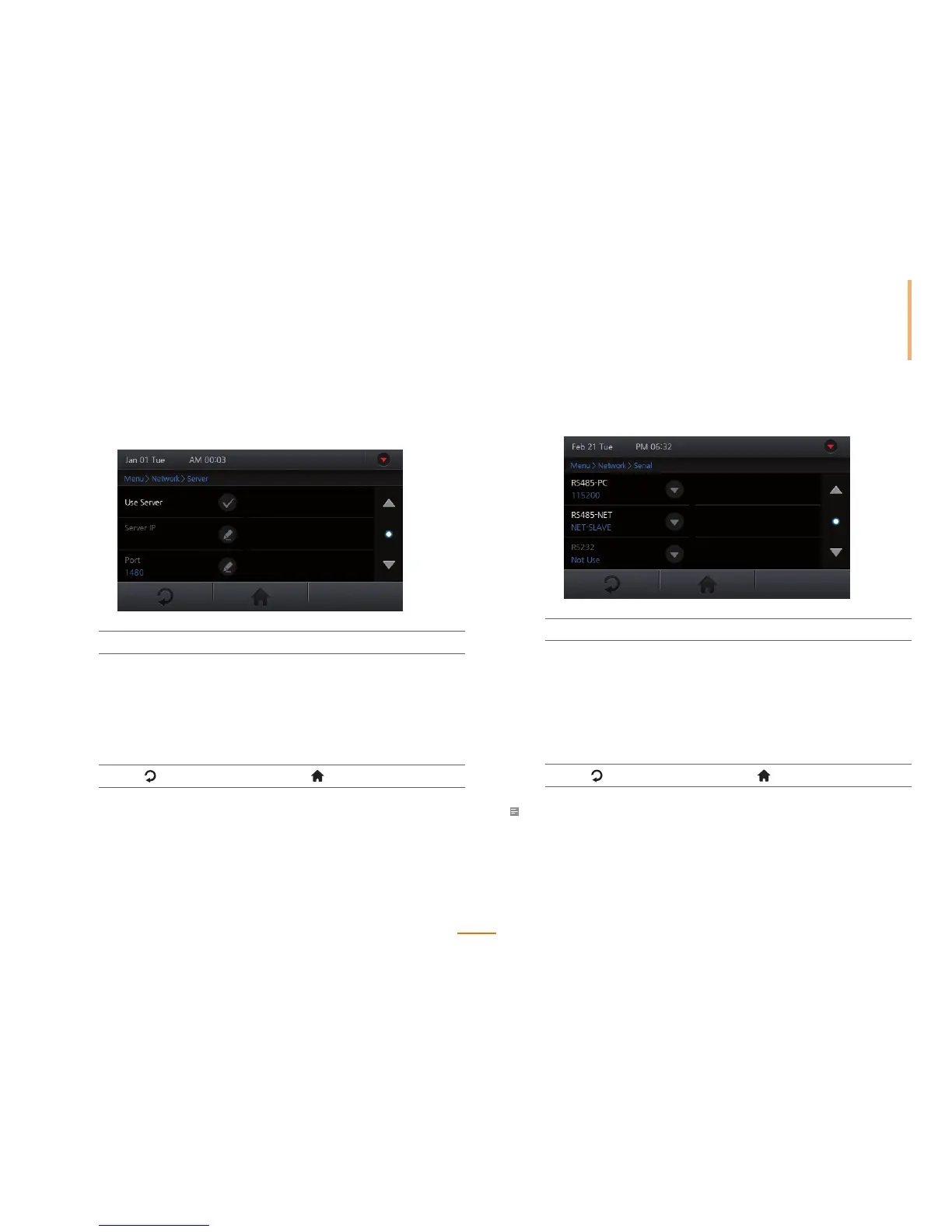
Setting Server
Setup the TCP/IP settings of the server to be connected with the device.
1
Go to Menu > Network > Server.
2
Set the options.
User Server Check to use the "Server mode".
Server IP Enter the server's IP address and press OK.
(Only available if Use Server is enabled)
Port Enter the server's port and press OK.
(Only available if Use Server is enabled)
3
Press to go to the previous screen or to go to the Home screen.
Setting Serial Communication
Setup the serial network settings of the device.
1
Go to Menu > Network > Serial.
2
Set the options and press OK.
RS485-PC You can enable/disable the RS485 port to connect with a
PC and set the communication speed.
RS485-NET Set the desired RS485 communication mode. (NE T-HO ST:
allows slave devices to be connect to the device; NE T-
SLAVE: allows the device to connect to a host)
RS232 Set to communicate with a PC using RS232.
(Only available if RS485 is disabled)
3
Press to go to the previous screen or to go to the Home screen.
Note
• The RS485 network supports up to 1 host devices and 7 slave devices (including up to 4 Secure I/O).



 To Next Page