38
Device Configuration
S
etting Time
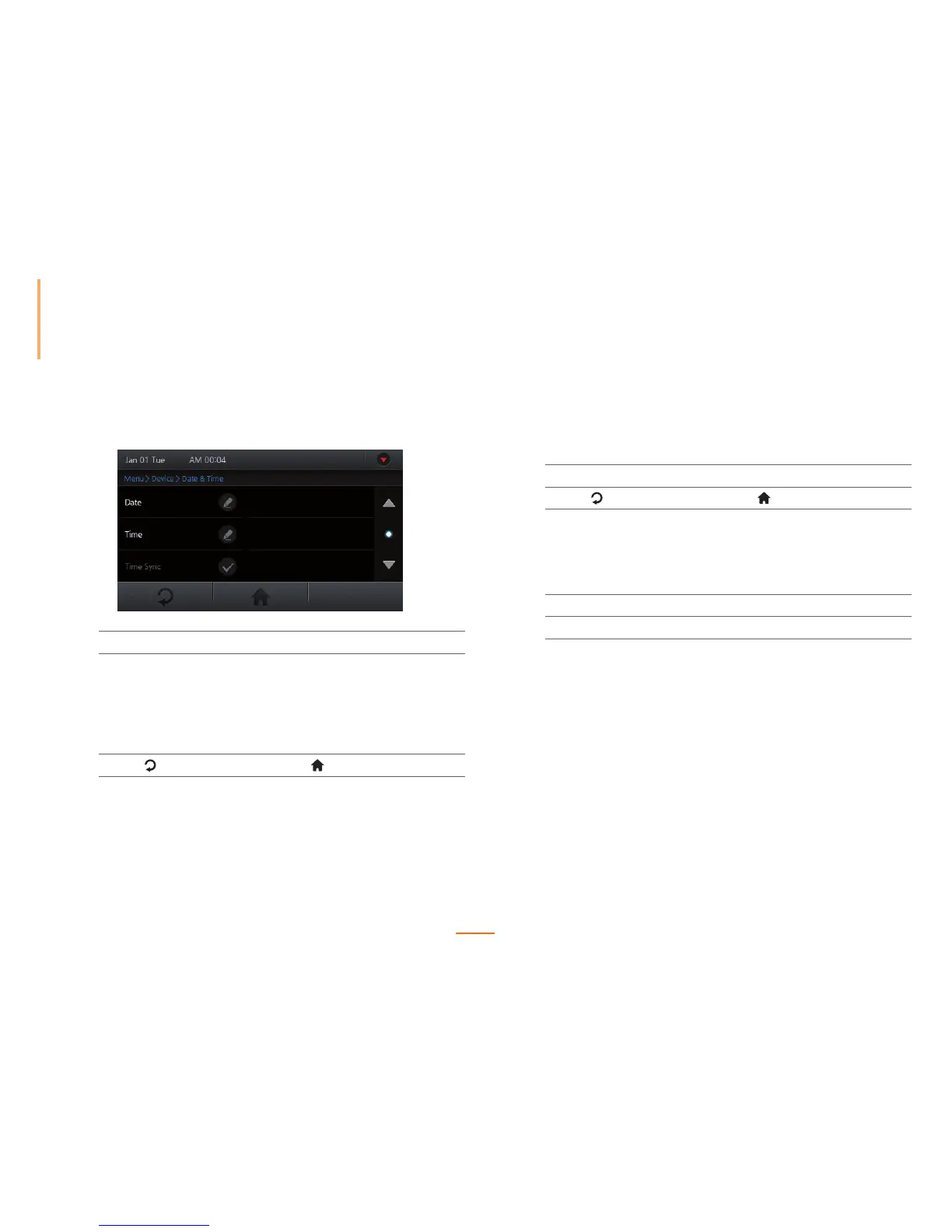
Sets the date/time options for the device.
1
Go to Menu > Device > Date & Time.
2
Set the options.
Date Set the year, month, and day, and press OK.
Time Set AM/PM, hour, minute, and second, and press OK.
Time Sync Synchronizes the time on the device with the BioStar
server. (Only available in "Server Mode")
3
Press to go to the previous screen or to go to the Home screen.
Checking Device Information
Displays information such as the model name, device ID, hardware version, firmware version,
kernel version, MAC address and more.
1
Go to Menu > Device > Device Info.
2
Press to go to the previous screen or to go to the Home screen.
Checking Memory Status
Display the status of the DRAM, FLASH and FLASH2 memory.
1
Go to Menu > Device > Memory Info.
2
Press OK to return to the previous screen.



 To Next Page