36
Device Configuration
T&A Event: Triggers the relay when a time
and attendance authentication
occurs.
Authentication :
+ T&A Event
Triggers the relay only when both
general authentication and time &
attendance authentication are set
to trigger the relay.
Disabled: Disables all triggers for the relay.
Duration(sec) Sets the activation time of the relay.
(Period in which the door will remain open)
RTE (Request to Exit) Sets an input to be used as an exit switch.
RTE Type Set the default state of the switch.
(N/O: Normal Open; N/C: Normal Closed)
Door Sensor Sets an input to be used for detecting the door
status.
Door Sensor Type Set the default state of the switch.
(N/O: Normal Open; N/C: Normal Closed)
Held Open
Sets the duration that a door must be held open
Period(sec)
before an alarm is triggered.
Unlock Time Sets a schedule for which the door will remain open.
The schedule can be set using the BioStar software.
Lock Time Sets a schedule for which the door will remain locked.
The schedule can be set using the BioStar software.
3
Press to go to the previous screen or to go to the Home screen.
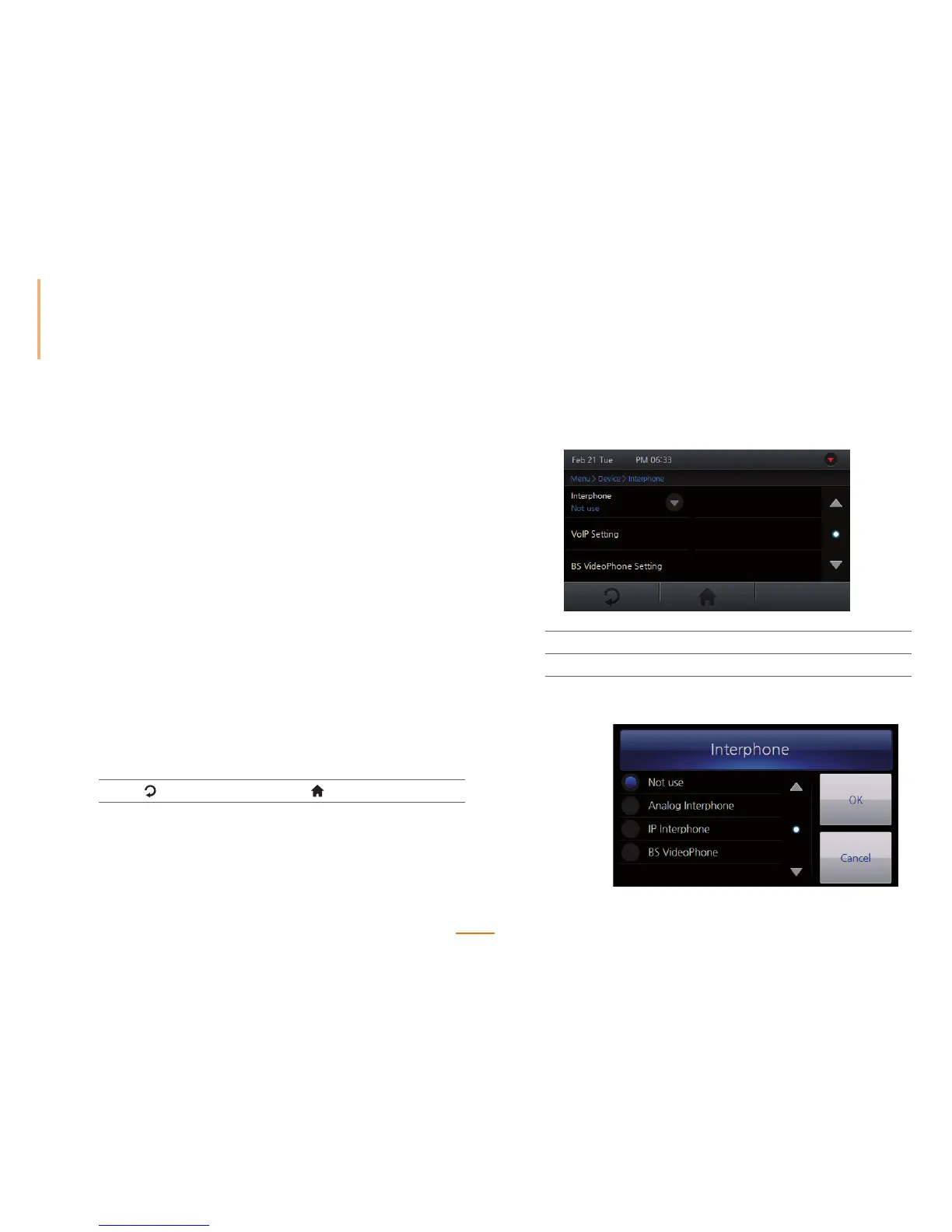
Setting Interphone
Enables the device to act as an interphone.
1
Go to Menu > Device > Interphone.
2
Select the desired interphone type and configure the corresponding settings.
Interphone Select the desired interphone type and press OK.



 To Next Page