Device Configuration
37
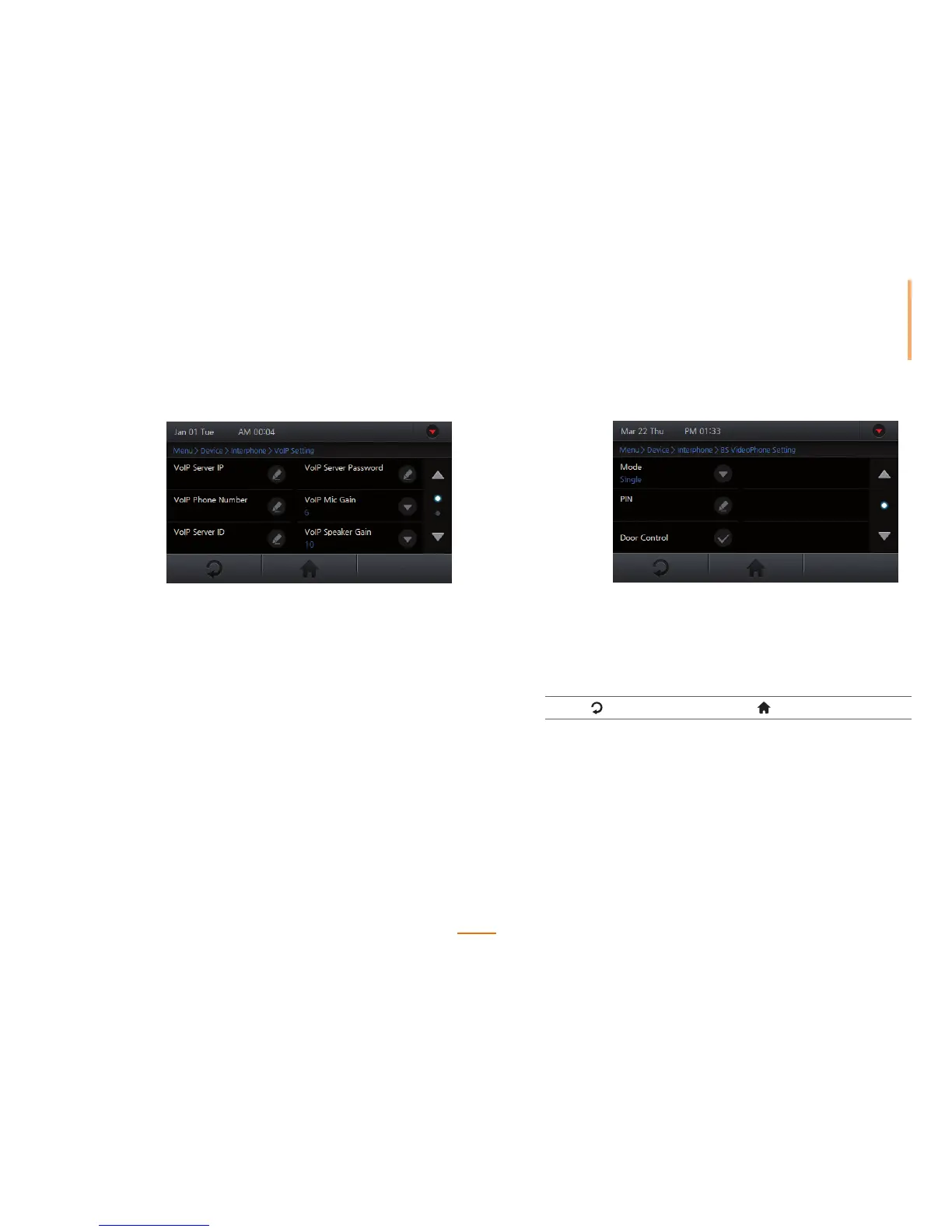
VoIP Setting Set the desired VoIP settings for the IP Interphone.
VoIP
Server IP
Enter the VoIP IP address and press OK.
VoIP
Phone Number
Enter the VoIP phone number and press OK.
VoIP
Server ID
Enter a VoIP server ID and press OK. Korean,
English, number, and special characters can
be used for an ID.
VoIP
Server
Password
Enter the VoIP server password and press OK.
VoIP
Mic Gain
Adjusts the VoIP microphone volume. (0 - 10)
VoIP
Speaker Gain
Adjusts the VoIP speaker volume. (0 - 10)
VoIP
Display Name
Enter the VoIP name to be displayed on the
screen and press OK.
BS VideoPhone
Setting
Set the desired BioStar VideoPhone settings.
Mode Select either single or extension mode and press OK.
PIN Enter a pin number for the BioStar VideoPhone and
press OK.
Door
Control
Enables or disables the door control on the BioStar
VideoPhone.
3
Press to go to the previous screen or to go to the Home screen.



 To Next Page