Connections
25
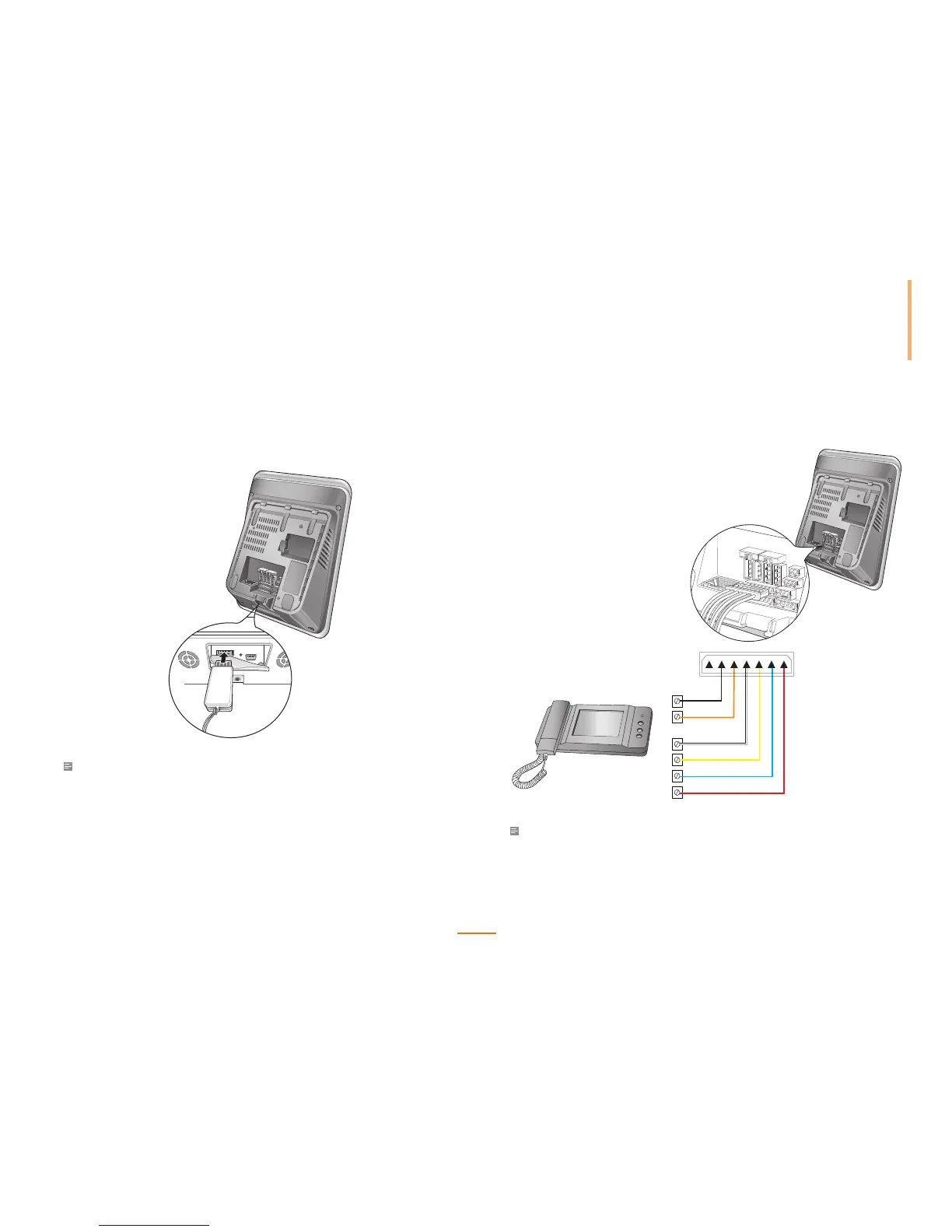
USB Connection
The USB port can be used to upload/download data to/from a USB memory device.
Note
• Compatibility issues may cause recognition difculties with some USB memory devices.
Analogue Video Phone Connection
PIN 1 : Voice Signal (Red)
PIN 2 : GND (Blue)
PIN 3 : Power (Yellow)
PIN 4 : Video Signal (White)
PIN 5 : Door Open (Orange)
PIN 6 : GND (Black)
S2
S1
4
3
2
1
6 5 4 3 2 1
Note
• Compatible Analogue Video Phone Models:
COMMAX/ CAV-35N, COMMAX/ CAV-50H, COMMAX/ CAV-50P



 To Next Page