28
Device Configuration
Network Settings
Setup various communication interfaces with the device.
1
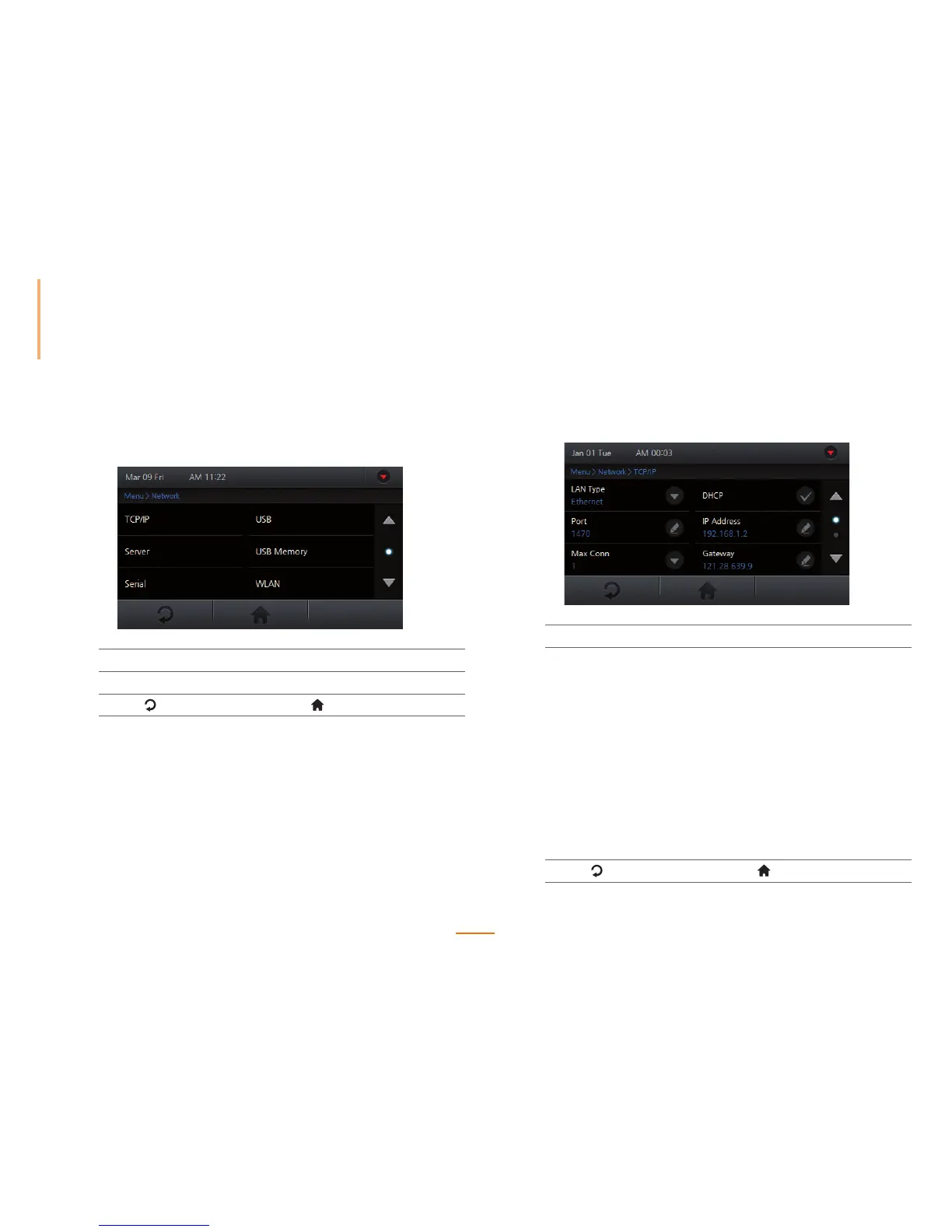
Go to Menu > Network.
2
Navigate to the desired interface.
3
Press to go to the previous screen or to go to the Home screen.
Setting TCP/IP
Setup the TCP/IP network settings of the device.
1
Go to Menu > Network > TCP/IP.
2
Set the options.
LAN Type Select the net type and press OK.
Port Enter the port and press OK.
Max Conn Set the maximum number of clients to be concurrently
connected with the device and press OK.
DHCP Check to enable DHCP.
IP Address Enter the desired IP address and press OK.
(Only available with DHCP disabled)
Gateway Enter the desired gateway address and press OK.
(Only available with DHCP disabled)
Subnet Enter the desired subnet address and press OK.
(Only available with DCHP disabled)
3
Press to go to the previous screen or to go to the Home screen.



 To Next Page