Table 3-1
Sections in the Software Troubleshooting Tools chapter (continued)
LinkDescriptionSection
See “About changing VxAT
properties” on page 38.
This section describes the
script used to configure the
Symantec Product
Authentication Service (AT)
Server parameters
About changing VxAT
properties
See “About this guide” on page 11.
Troubleshooting and tuning Appliance from the
Appliance Diagnostics Center
You can troubleshoot multiple failures and resolve issues in the NetBackup Appliance
by using some interactive self-repair wizards in the Appliance Diagnostics Center.
Each wizard helps you perform specific diagnostic tasks. Some of the wizards also
guide you through system optimization and tuning. These wizards can be accessed
by clicking the Appliance Diagnostics Center icon on the NetBackup Appliance Web
Console. The icon is located on the upper-right corner of the NetBackup Appliance
Web Console and looks like the following:
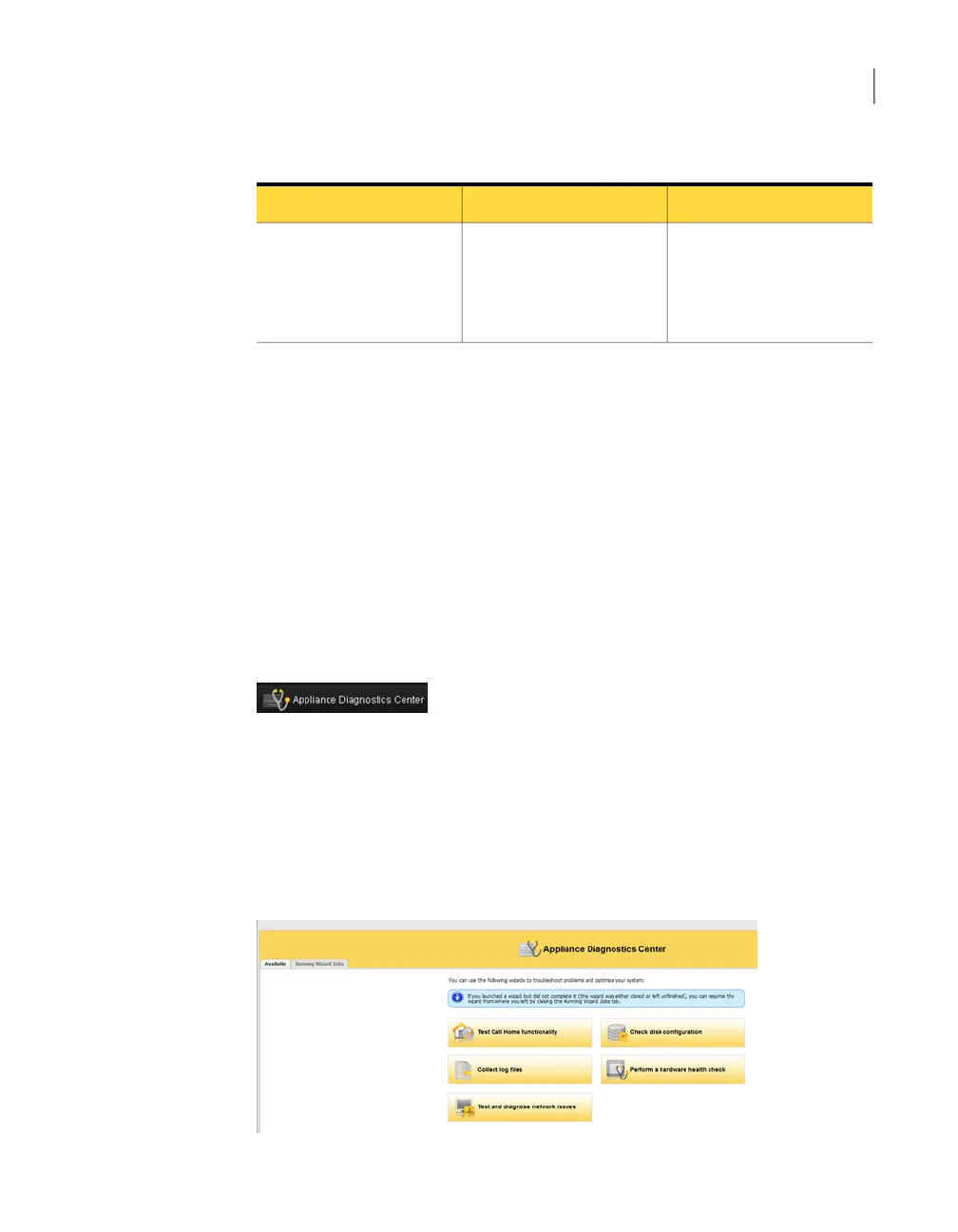
When you click this icon, the Appliance Diagnostics Center page appears where
you can see the Available and the Running Wizard Jobs tab. You can return to
the NetBackup Appliance Web Console by closing this page.
All the troubleshooting wizards are listed under the Available tab.
Figure 3-1 shows a sample view of the Available tab.
Figure 3-1
Available tab
31About Software Troubleshooting Tools
Troubleshooting and tuning Appliance from the Appliance Diagnostics Center



 To Next Page