DIGIgarde PLUS User Guide
Last Change Copyright
©
2012 TDSi
13 May, 2016 Page 9
2.
2.2.
2. Install
InstallInstall
Installation
ationation
ation
2.1
2.12.1
2.1 Unpacking
UnpackingUnpacking
Unpacking
Carefully unpack the DIGIgarde PLUS. The box contains the following:
DIGIgarde PLUS unit
CD with operating software, this manual, SDK software.
Mounting template
Quick start guide
Cable assembly
Ferrite ring
Tool for security screw
To install and operate the DIGIgarde Plus software, please refer to the DIGIgarde
PLUS Software Guide.
Fixing plugs and screws
Suppression diode
2.2
2.22.2
2.2 Fitting the mounting pl
Fitting the mounting plFitting the mounting pl
Fitting the mounting plate
ateate
ate
Fixing plugs and screws are supplied for mounting into brick or concrete. For
mounting onto other materials, please obtain suitable fixings for that material.
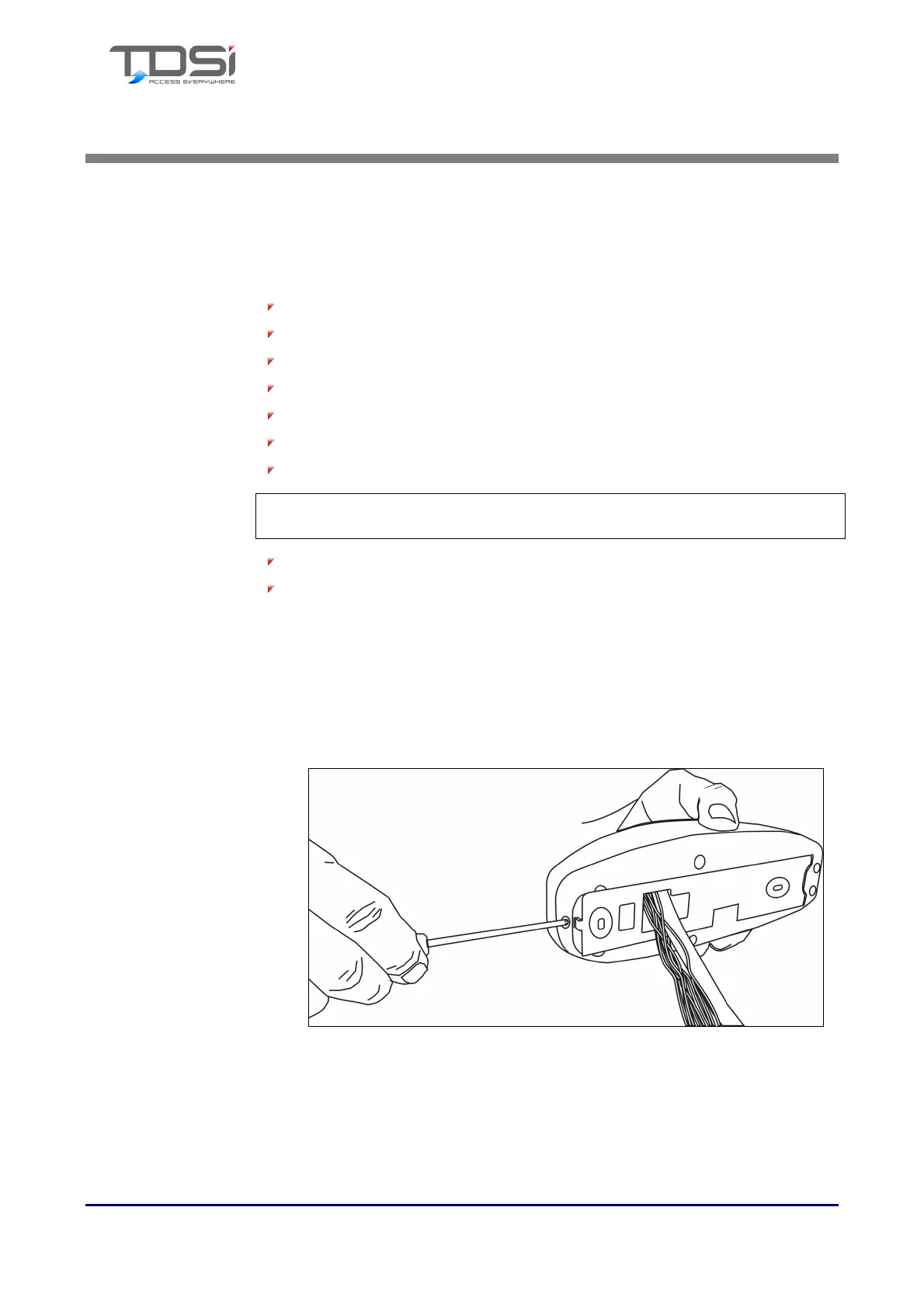
1. Using the tool supplied, remove the security screw from the bottom of the
reader. Remove the mount (rear cover) from the reader.
Figure 1 Removing the security screw from the base



 To Next Page