Installation
DIGIgarde PLUS User Guide
Copyright
©
2012 TDSi Last Change
Page 12 13 May, 2016
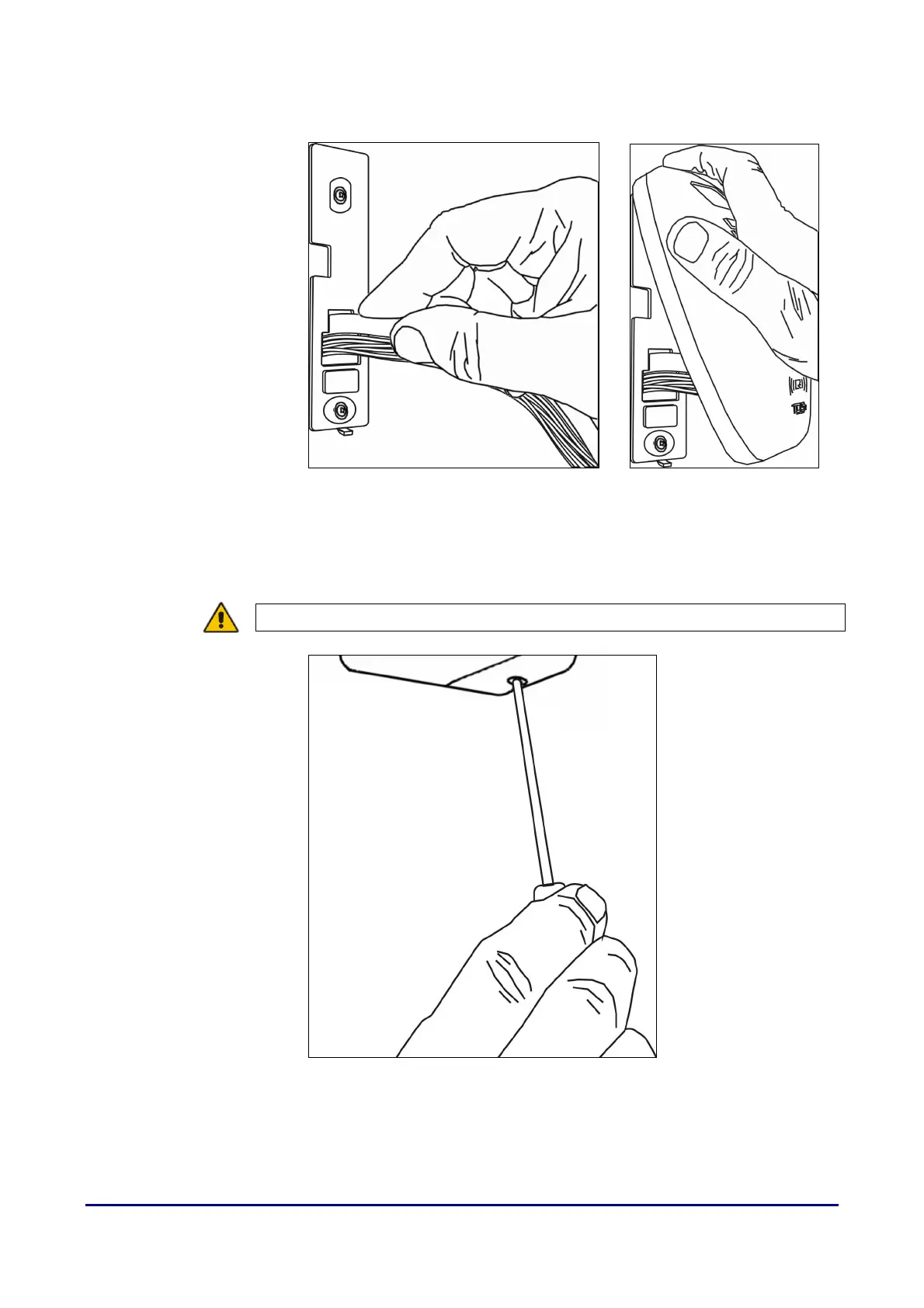
6. Feed the cable into the wall and hook the top of the DIGIgarde PLUS onto
the mount.
Figure 5 Feeding the cable and replacing the reader
7. Lower the DIGIgarde PLUS into place and fit the security screw into the
bottom of the unit. Tighten the screw only sufficiently to retain the main
housing against the back plate.
CAUTION! Do not over-tighten the screw.
Figure 6 Securing the DIGIgarde PLUS to the mounting plate
8. Fit the supplied ferrite ring around the wire bundle for EMC protection (see
Figure 7).



 To Next Page