Installation
DIGIgarde PLUS User Guide
Last Change Copyright
©
2012 TDSi
13 May, 2016 Page 19
2.4.2
2.4.22.4.2
2.4.2 RS232
RS232RS232
RS232
NOTE. RS232 is no longer supported on current readers.
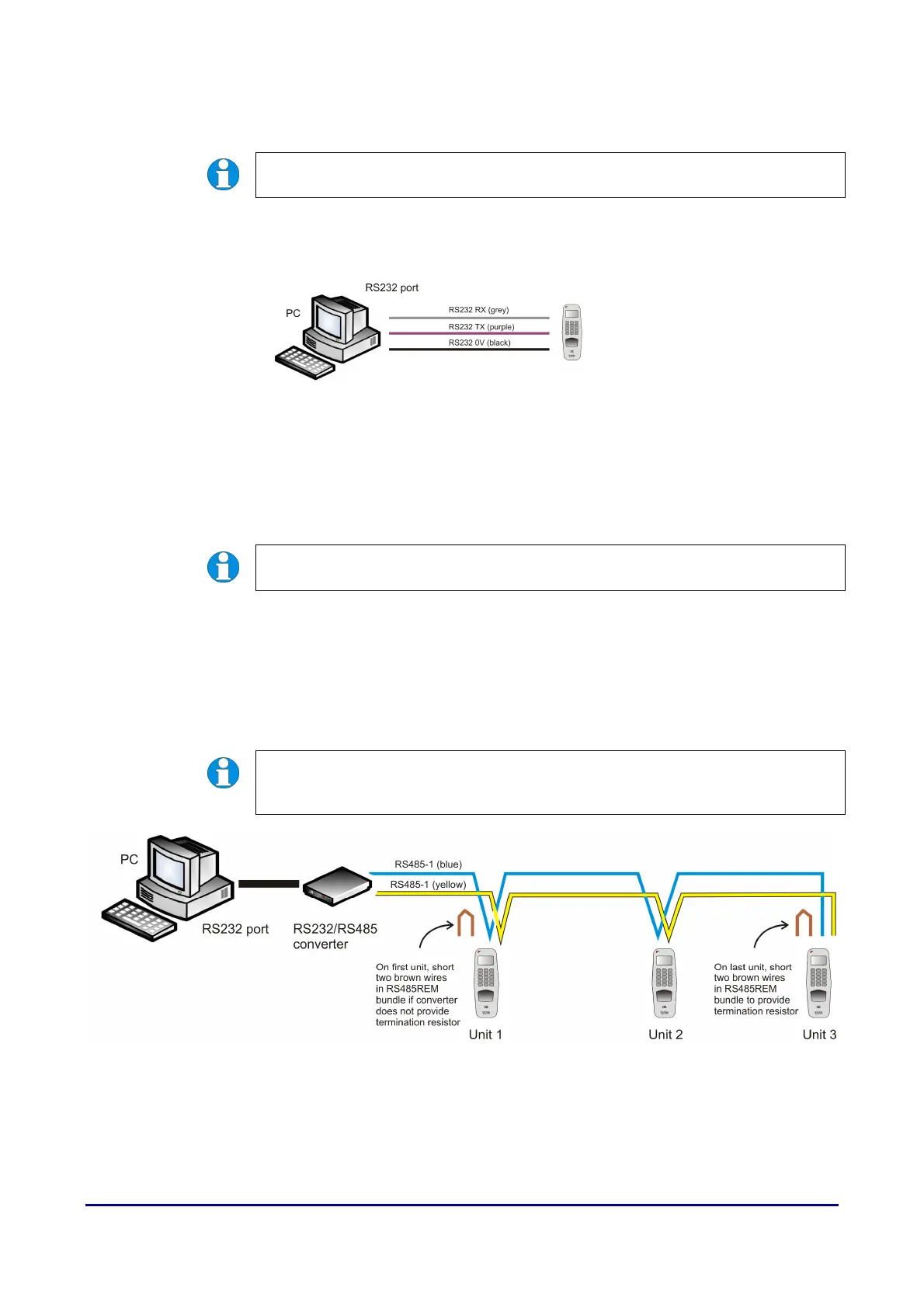
Connect RS-232 RX, RS-232 TX and RS-232 0V on the reader to TX, RX and 0V
of the PC serial port respectively. Please refer to Figure 10.
Figure 10 Connecting a single DIGIgarde PLUS to a PC using RS-232
2.4.3
2.4.32.4.3
2.4.3 RS485
RS485RS485
RS485
NOTE. RS485 is no longer supported on current readers.
Half duplex (2
Half duplex (2Half duplex (2
Half duplex (2-
--
-wire)
wire)wire)
wire)
For a half-duplex (2-wire) network operation a single pair of twisted wires in a
shielded cable is required. For every device in the half-duplex network, connect
TX+ to RX+ and TX- to RX- locally before connecting to the network. At the end of
the network, termination resistors of 120Ω should be connected between the +ve
and -ve terminals.
NOTE. Each unit must have a different Device number (set in Menu > Options >
Comm Opt > Dev Num, see page 37).
Figure 11 Example of a half-duplex (2-wire) RS-485 network



 To Next Page