Standalone Mode
DIGIgarde PLUS User Guide
Last Change Copyright
©
2012 TDSi
13 May, 2016 Page 51
Assigning the Duress FP
Assigning the Duress FPAssigning the Duress FP
Assigning the Duress FP
There are two options to set duress fingerprints:
New Enrolment
Define a new user account for duress fingerprint and record the fingerprint
template as described on page 24.
Def. Duress FP
Select an existing enrolled user and fingerprint for the duress fingerprint.
Canceling Duress
Canceling Duress Canceling Duress
Canceling Duress f
ff
fingerprints
ingerprintsingerprints
ingerprints
There are two options to cancel the assignment of duress fingerprints:
Undef Duress FP
Select a specific user ID and remove the duress assignment from one of its
fingerprints
Undef All
Remove Duress assignments from all user accounts.
5.10
5.105.10
5.10 Anti Passback
Anti PassbackAnti Passback
Anti Passback
5.10.1
5.10.15.10.1
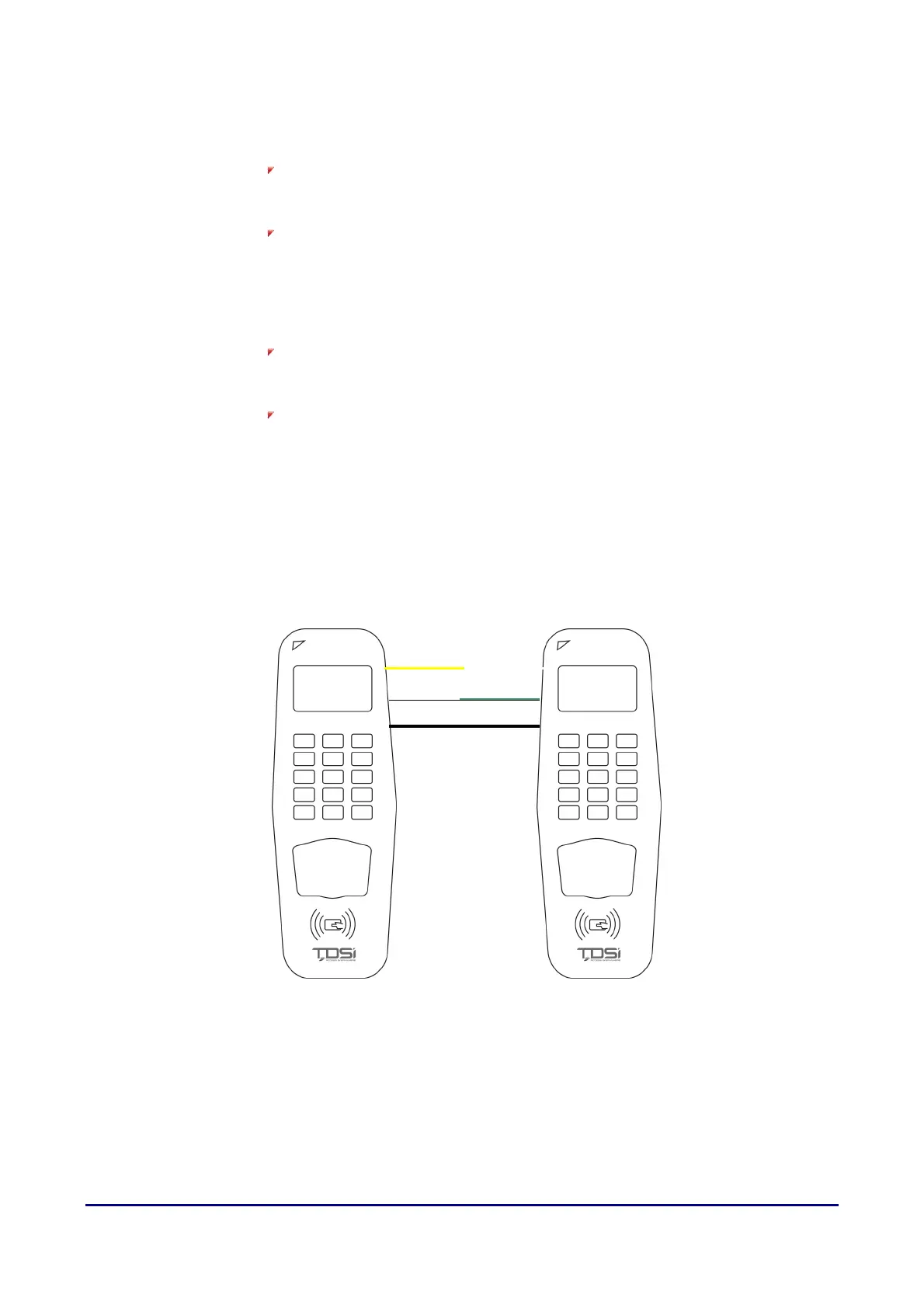
5.10.1 Connection
ConnectionConnection
Connection
Master Slave
WD0-OUT
WD1-OUT
GND
WD0-IN
WD1-IN
GND



 To Next Page