Installation
DIGIgarde PLUS User Guide
Copyright
©
2012 TDSi Last Change
Page 10 13 May, 2016
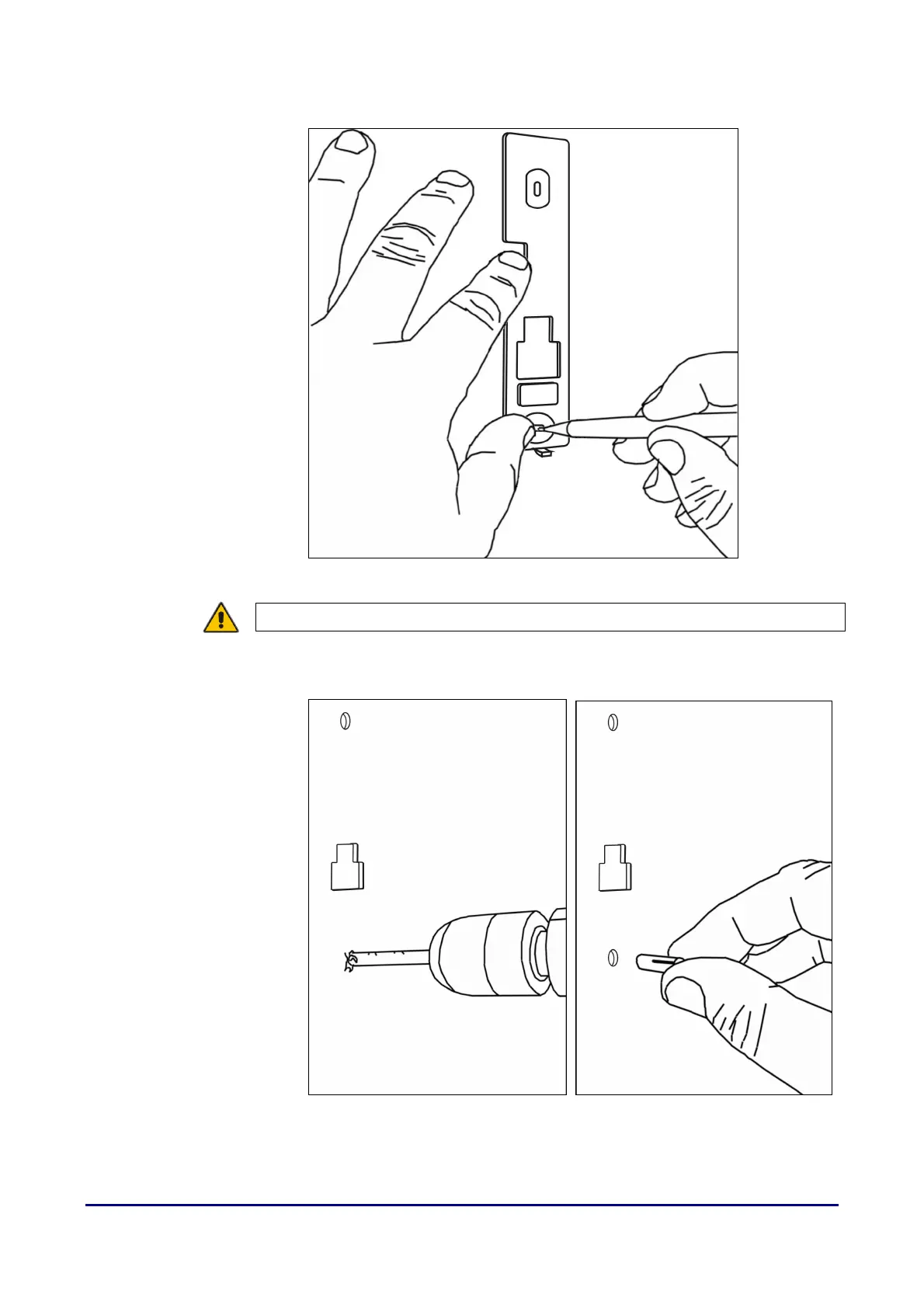
2. Position the mounting plate against the wall or door frame and, using a
pencil, mark the positions of the three holes.
Figure 2 Mark the fixing and cable hole positions
CAUTION! Check for internal pipes and wires.
3. Drill two 6 mm holes for the wall fixings and a single 10 mm hole for the
cable. Fit the wall plugs into the 6 mm holes.
Figure 3 Drilling the holes: 6 mm for the fixings and 8 mm for the cable; fit the
wall plugs



 To Next Page