6. TERMINAL FILE PROGRAMMING
EO3-11106
6.24 PLU Preset Price Setting or Changing
6-122
(continued from the previous page)
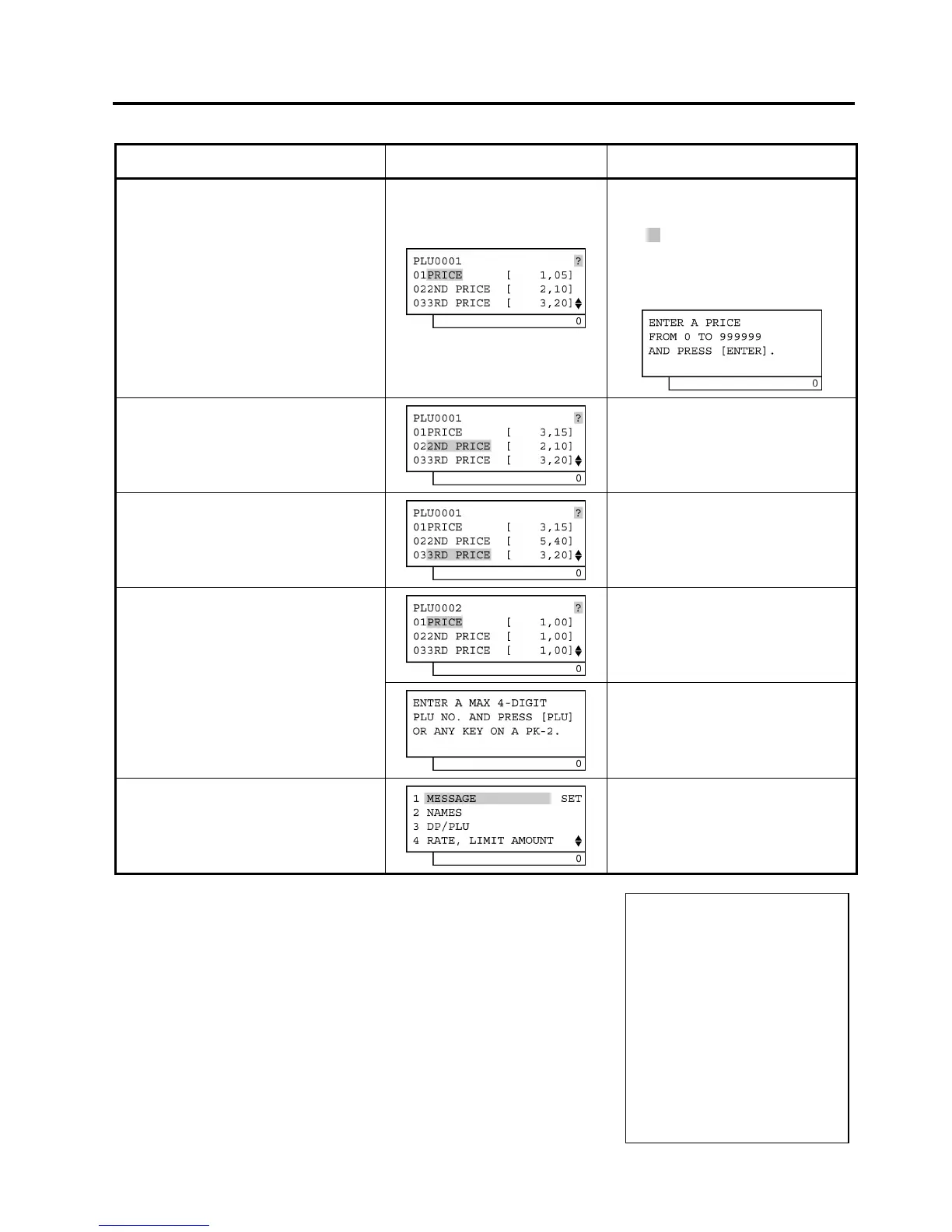
Operation LCD Display Remarks
Make sure the cursor is shown on
01PRICE. Then, input 315 and
depress the [Enter] key.
The 1st preset price is changed from €1,05
to €3,15.
While ? is shown on the upper-right corner
of the LCD display screen, the [?] key
depression results in that the following
guidance message appears on the LCD
display.
Make sure the cursor is shown on
022ND PRICE. Then, input 540 and
depress the [Enter] key.
The 2nd preset price is changed from €2,10
to €5,40.
As the 3rd preset price remains
unchanged, depress the [PLU] key.
PLU0001 preset price setting is ended.
When the [Enter] key is depressed, the
programmed data is printed.
The next PLU code (i.e. the currently
programmed PLU code plus 1) is displayed.
After the [PLU] key depression
If the next PLU code (i.e. the currently
programmed PLU code plus 1) does not
exist, this guidance message requiring a PLU
code input is displayed.
The [End] key depression allows the
ECR to end this programming.
A long receipt is issued and the display
returns to Main Menu screen.
TEC
STORE
1343 PEACH DRIVE
PHONE: 87-6437
Open 8:00am to 7:00pm
Closed: every Wednesday
31-10-2005 MON #0
PLU PRICE
0001 PLU0001
#01 3,15@
#02 5,40@
#03 3,20@
0021 13:47TM


 To Next Page
 Loading...







